







Your Customer Context Graph, Now Inside Claude

A few months ago, someone on my team connected Enterpret's Wisdom MCP to Claude during what was supposed to be a quick experiment. Two hours later, they were still at their desk, building an AI tool for drafting customer responses using our actual support data. Nobody had asked them to. They just saw what was possible and couldn't stop.
That's when we knew we had something worth sharing.
We've been building with Claude plugins internally, and what we kept running into was the same realization: the Customer Context Graph that teams spend months building — classifying tickets, scoring sentiment, connecting feedback to accounts — was suddenly accessible in the place where people already work. Not behind a dashboard. Right there in Claude, next to the doc they're writing and the email they're drafting.
We wanted to see what that looked like in practice, so we flew out to build alongside one of our customers directly, sitting with their team, connecting their data, watching what they created in real time. That was the moment it clicked: this wasn't just an internal experiment. It was something worth putting in everyone's hands.
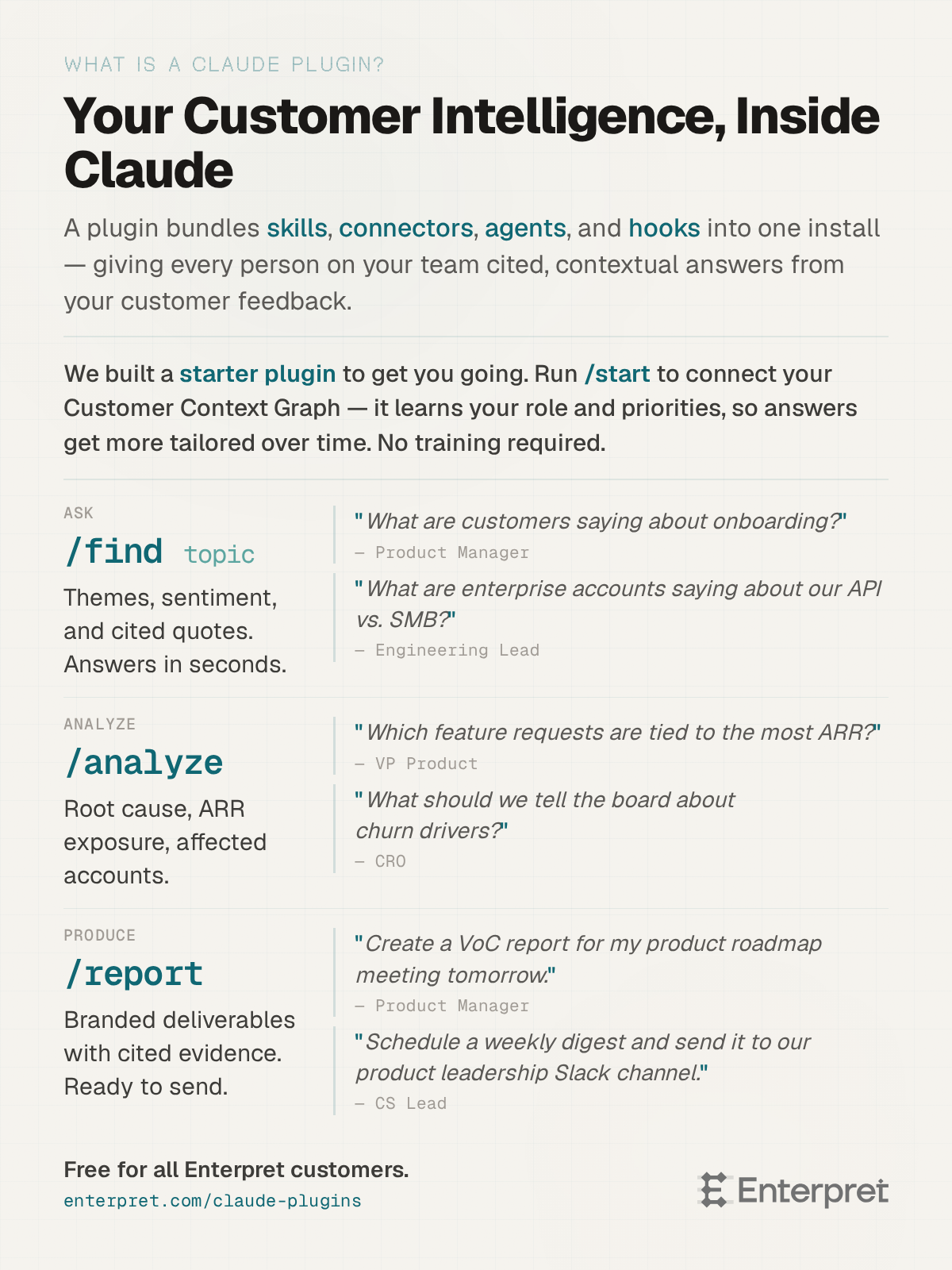
So we bootstrapped a plugin to give you a head start. Here's what we've been hearing from the teams who've picked it up.
The first question changes everything
The moment I hear about most often is the first one. A CS lead or PM connects the plugin, asks something simple, "What are customers saying about our checkout flow?", and gets back specific themes, sentiment scores, and real customer quotes with citations. Not a generic summary. Their data.
The reaction is almost always the same. A pause. Then: "Wait, how does it know that?"
It knows because the graph your team built is now live inside Claude. That intelligence doesn't live behind a login anymore.
I hear from PMs who used to wait weeks for the voice of customer readout, now they ask and get an answer in 30 seconds. CS leads who spent the morning before a renewal call piecing together an account brief, they just ask. The exec who never once logged into the dashboard opens Claude on Monday morning and gets a structured briefing before their first meeting.
What happens after the first week
Within a few days, everyone asks the same follow-up: "Can it do more than answer questions?"
It can. I watched a CS lead type /analyze churn drivers --rootcause for the first time. What came back wasn't a chat response she needed to copy and paste into a doc, it was a full synthesis: volume trends by theme, severity ranked by ARR exposure, affected accounts with names and risk scores, customer quotes cited to the source. She looked at it, looked at me, and said: "I was going to spend tomorrow morning building this."
That reaction keeps showing up. We’ve even been building our own internal tooling on top of it, so when we say we’re builders too, we mean it. Teams are building custom dashboards that pull live data from their Context Graph. Others have connected project management tools so when Claude surfaces a churn pattern, it drafts the Jira ticket with the evidence attached. Sprint planning starts with what customers are actually experiencing, not what someone remembered from a meeting last month.
Georgia, Lead Growth Operations Manager at Kit, said it directly: "I'm very impressed with how easy it is to chat back and forth and have it pull in real customer data and comments. I will utilize Enterpret data way more now that I can access it from a place where I am already spending a lot of time."
That's the shift. The intelligence your team built stops being something people have to go find. It becomes part of how work gets done.
The part that surprised me most
At one account, a single CS lead started pulling account briefs before her calls. Her colleague saw one during a team meeting and asked how she got it. By the end of that week, five more people had connected. Within two weeks, weekly active users had grown 217% — and I hadn't run a single training session. Nobody read documentation. The output was the training.
That pattern keeps repeating. At another company, 20 teammates signed up organically within a week after one person connected the plugin during a company-wide Claude rollout. They built prompt libraries by function — one set for CS account reviews, one for product feedback synthesis, one for RevOps, and shared them across the team using Claude projects and skills. Not learning a new tool. Extending one they already used, with intelligence they didn't know they had access to. And not a single person asked me to add a tag to the taxonomy. If you've managed one, you know why that's worth celebrating.
What we can't wait to see
We built this plugin to give you a working starting point. But we’re builders, and so are you, and what excites us is what you'll build next. Every team that connects this starts somewhere simple and ends up somewhere we didn't anticipate. Let’s build together.
If you're already connected, we'd love to hear what you're doing with it. If you're not yet, connect through your Claude settings, setup takes a few minutes. Ask your first question. We'll be curious what surprises you.
Not connected yet? Start with the MCP Server Guide.
New to the plugin? Get started with the Plugin Setup Guide.
Yesterday we published Your AI Sounds Smarter Than It Is sharing why your AI needs a Customer Context Graph to actually understand your customers. This is how you give it one.
Questions? Reach out to your CSM or email support@enterpret.com.


