





Enterpret now brings in LinkedIn, from your own page to the public conversation

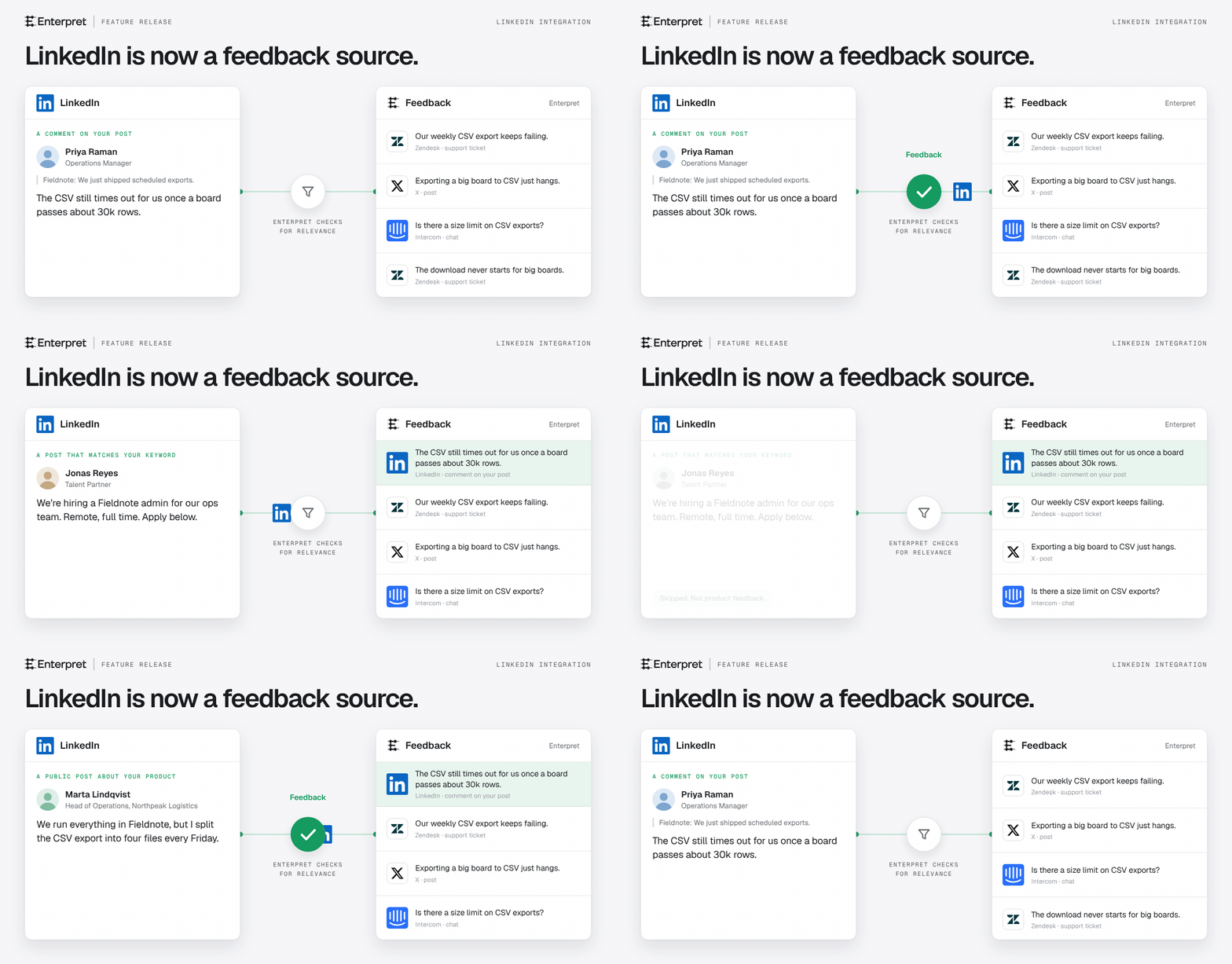
Enterpret now brings in customer feedback from LinkedIn. Connect your company page to collect the comments and replies on your posts, or follow keywords and profiles to pick up public posts about your product. Every post and comment is checked for relevance before it's imported, so what lands in Enterpret is feedback, next to everything else your customers tell you.
For a B2B product, a lot of the conversation about it happens on LinkedIn. People comment on your launch posts, write about the tools they use, and reply to each other in threads your team never sees. Very little of it reaches the people who build the product.
LinkedIn now joins X, Reddit, and YouTube as a source for social listening in Enterpret, set up the same way, so product and engineering teams can hear the public conversation alongside support tickets, reviews, surveys, and calls.
Hear what people say on your own page
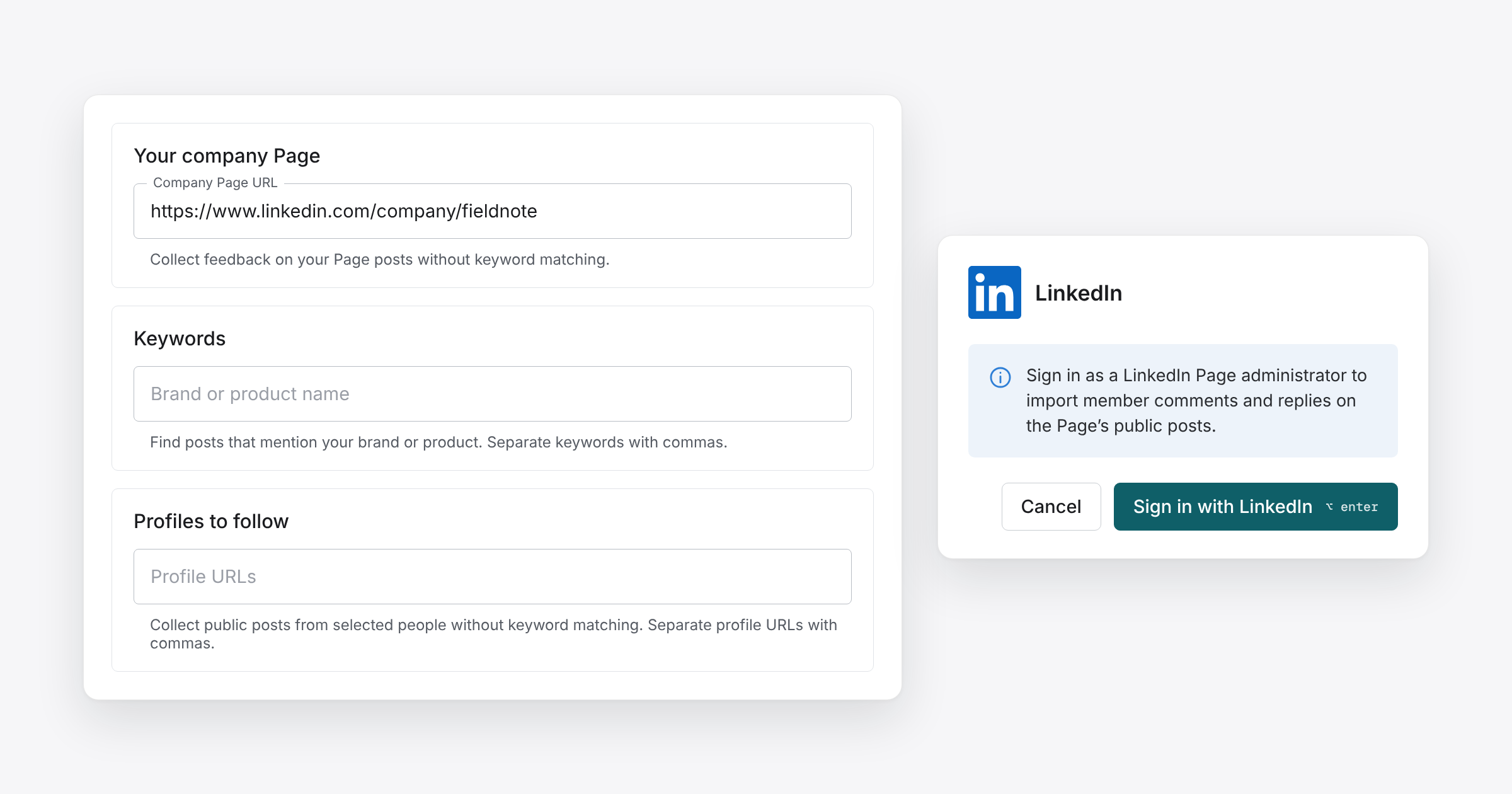
Sign in as an admin of your company page and Enterpret brings in the comments and replies on the page's public posts. Each comment arrives with the post it was left on, so you can see what people were reacting to.
Follow the conversation by keyword and profile
Add the names of your company and products, the phrases people use for them, or the profiles you want to follow. Enterpret collects matching public posts along with their comments and replies, and brings in posts from the profiles and the page you add even when they don't use a keyword. This mode doesn't need a LinkedIn sign-in.
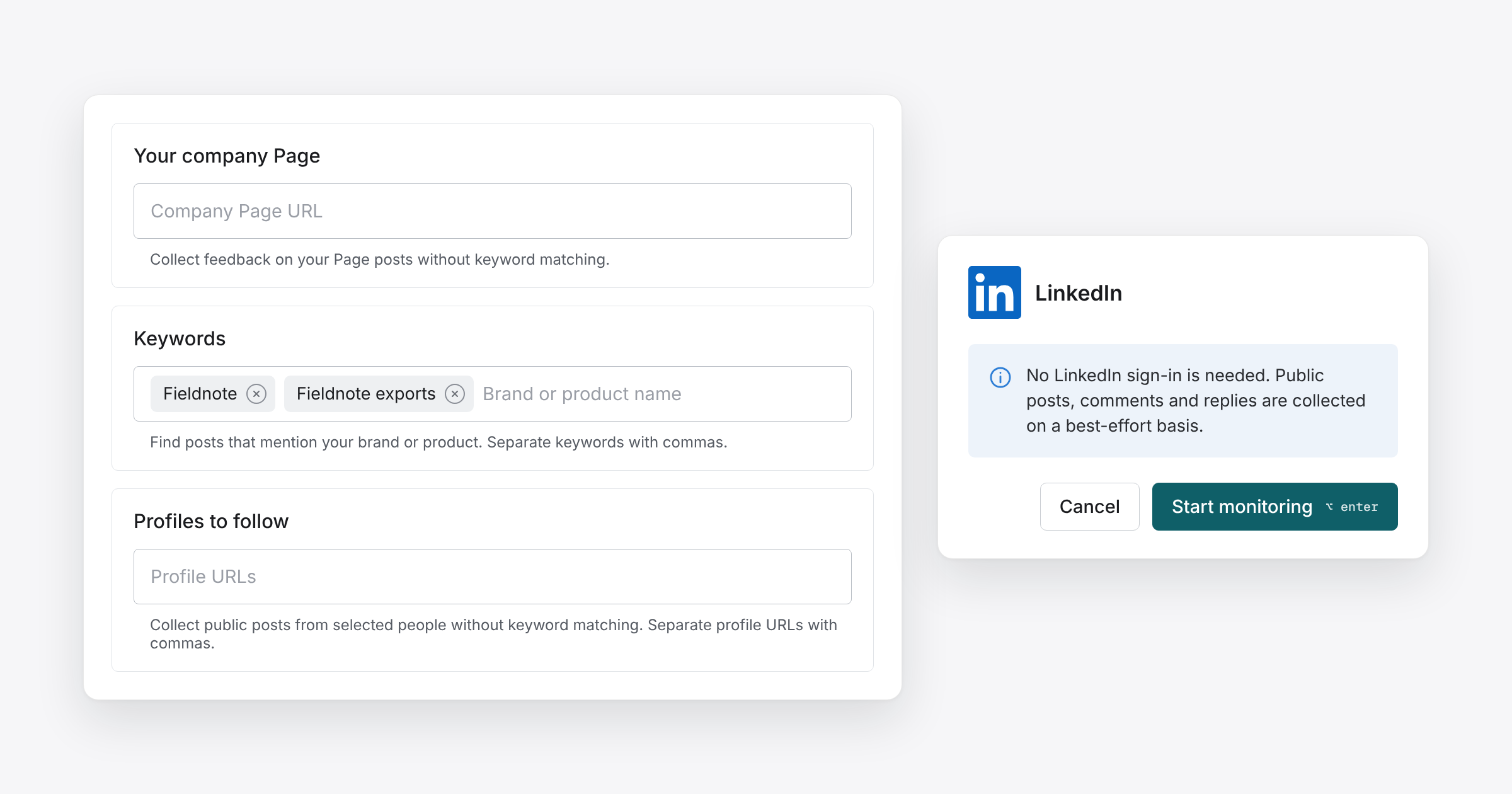
Only the feedback comes through
LinkedIn is busy, and a lot of what mentions a company is hiring posts and job chatter. Enterpret checks every post, comment, and reply for relevance before importing it, so off-topic items stay out of your Feed, even when they match a keyword or come from a page you added.
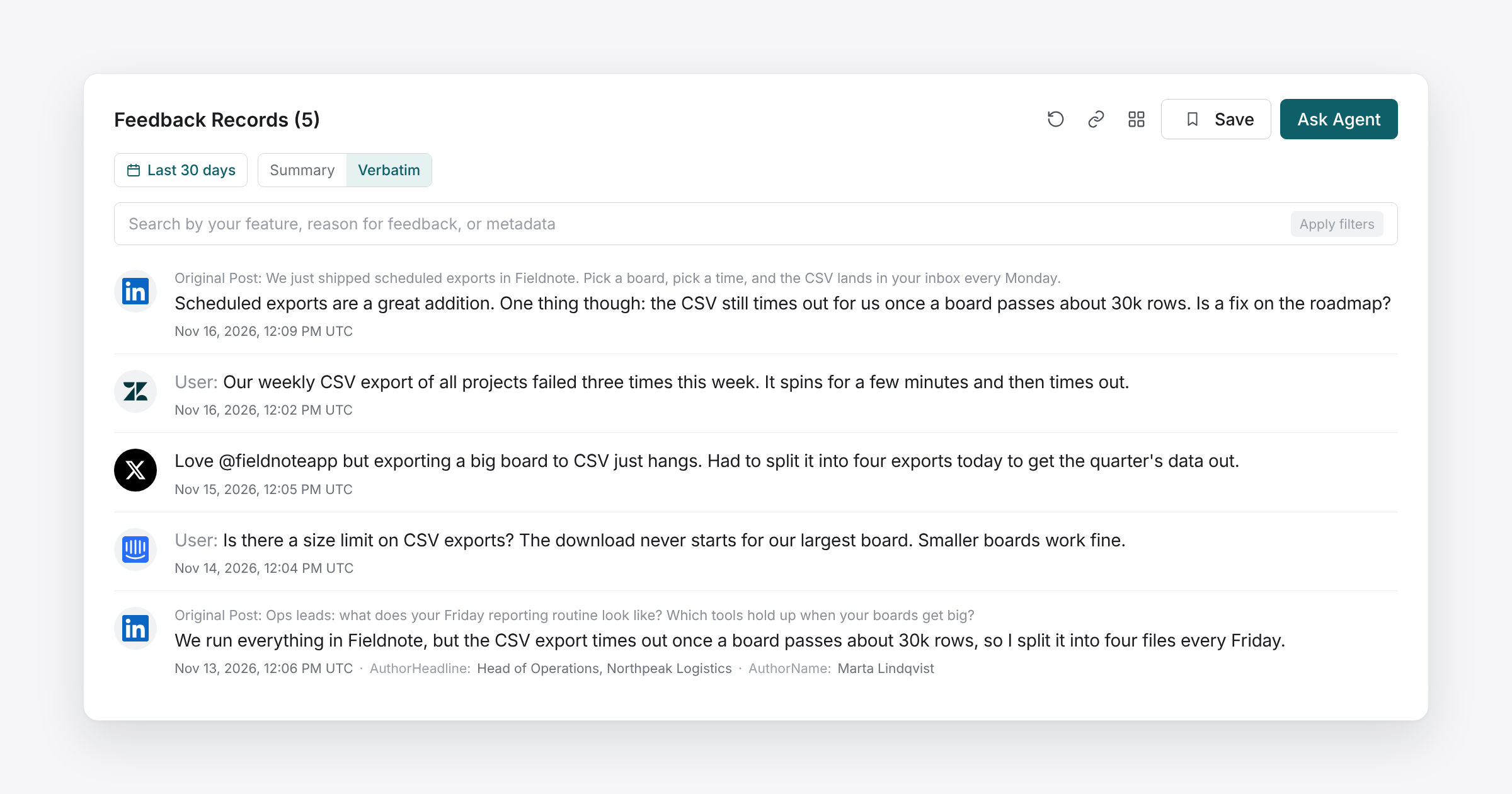
Get started
The LinkedIn integration is available to every Enterpret customer today. Admins and Owners in Enterpret can go to Settings, then Integrations, choose New Integration, search for LinkedIn, and pick Feedback Integration. Add your company page URL, keywords, or profiles, describe the feedback you expect, then choose Sign in with LinkedIn if you only added a page (you'll need to be a page admin) or Start monitoring if you added keywords or profiles. After the first sync, filter Feed by the LinkedIn source to see what came in. Enterpret checks LinkedIn every four hours, and the first sync reaches back to the start of the month three months earlier. The help center has the details.
Not using Enterpret yet? Book a demo to see what your customers are saying about you on LinkedIn, next to the rest of their feedback.


