



The 5 Ways DTC Brands Analyze Product Reviews, Support Tickets, and Post-Purchase Surveys Together

November 2, 2026

Your bug backlog has 400 open issues and a coding agent that can clear a dozen a day. The constraint is no longer engineering hours. It is knowing which twelve to hand it. Ticket counts point one way, the loudest Slack thread points another, and the bug costing you a renewal may have three tickets attached.
Yes, with limits. The 5 ways AI coding agents can use customer feedback to prioritize bug fixes are querying a customer intelligence layer like Enterpret over MCP, reading customer requests attached to tracker issues in Linear, acting on error-monitoring agents like Sentry Seer, using tracker-native triage AI in Linear and Jira, and running scheduled agents over exported feedback. What separates them is whether the agent sees customer impact (accounts affected, revenue, severity, trend) or only the issue text in front of it.
An agent ranks with whatever inputs it gets. Give it a ticket list and it ranks tickets. To rank by customer impact, it needs five inputs.
Most setups get the first and fifth partly right. The real differentiator is the second: almost no tracker or error tool knows what an affected account is worth.
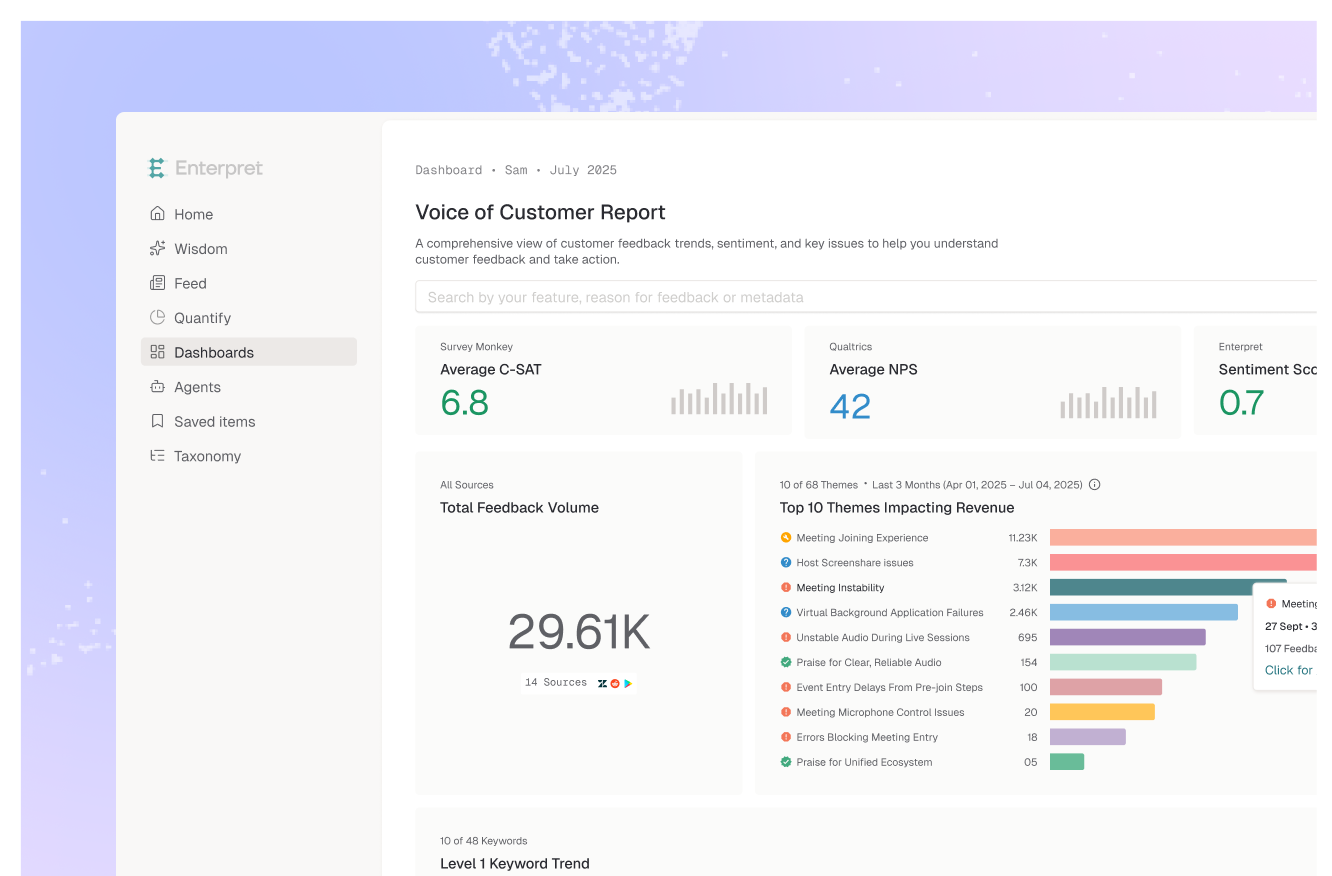
Enterpret is a customer intelligence layer the agent queries, not a tracker. It ingests feedback from 50+ sources (Zendesk, Intercom, Salesforce Service Cloud, Gong, App Store and Google Play reviews, G2, Discord, Slack, surveys and more), groups it with an Adaptive Taxonomy learned from your own feedback, and links each theme to accounts, segments, ARR and features in the Customer Context Graph. Claude Code, Cursor and Codex reach it through the Enterpret MCP server, so a prompt like "rank the open checkout bugs by affected ARR and week-over-week growth" returns a cited answer the agent can act on. The investigate issues while coding use case covers pulling that evidence into the IDE.
The caveat: it is not instant. You connect integrations and wait for processing before the counts mean anything. Enterpret also ranks evidence; it does not write the fix. Pair it with the coding agent you already use and with Jira or Linear for the ticket itself.
Best for: teams whose bug reports arrive across many channels and who need the agent to weigh accounts and revenue, not just volume.
Linear lets you attach customer requests to issues, pulled in from Intercom, Zendesk, Front and other integrations or added by hand. Customers can carry revenue, tier and size, and you can order issues by request count or revenue, which puts the most-requested bugs at the top. An agent reading those issues gets a real customer signal.
The limit is coverage. The view counts requests someone attached, so bugs reported in reviews, calls or community channels without a linked request are invisible, and revenue fields depend on Intercom sync or manual entry. Our guide to attaching customer evidence and revenue context to Linear issues covers how to close that gap.
Best for: Linear teams whose bug intake runs mostly through Intercom, Zendesk or Front.
Seer is Sentry's AI debugger. It runs root cause analysis on production errors, plans a solution, and can open a PR or hand implementation to Claude, Cursor Cloud Agent or GitHub Copilot's cloud agent (handoff requires GitHub). For exceptions, that is the shortest path from error to fix in this list.
It prioritizes with machine signals. Per Sentry's docs, automatic runs trigger on event count (10 or more), recency (the last 14 days) and a fixability score, not on which customers are affected. It also only sees what throws an error. A broken export button that fails silently never reaches Seer, but it does reach your support queue.
Best for: engineering teams that want exceptions diagnosed and patched fast, with customer weighting handled elsewhere.
Linear Triage Intelligence suggests teams, projects, assignees and labels for incoming issues and flags likely duplicates, with its reasoning shown so you can accept or decline (Business and Enterprise plans). Atlassian's Rovo agents offer similar triage help inside Jira. Clean routing and deduplication make every downstream ranking better.
But routing is not prioritizing. Linear's documented suggestions do not include priority, and both tools reason over issues already in the tracker, not the customer feedback that never became an issue.
Best for: teams drowning in intake volume who need issues routed and deduplicated before anyone ranks them.
The do-it-yourself version: a scheduled Claude Code or Codex job reads an export of tickets and reviews, clusters them, and proposes an order. Warp describes running scheduled agents to find where customers get stuck, sending results to Slack and then to tasks for engineering review, with human code review still gating merges.
It is fast to start and fully under your control. It is also unstable. Adding more agents does not fix it: in Enterpret's study of run-to-run instability, a taxonomy-free 10-worker hierarchy was less stable (0.841 theme churn) than a single raw call (0.765), while a taxonomy-grounded agent on the same model scored 0.104. Enterpret research found raw LLM counts shifted 7.5 to 9.8% between runs on unchanged data, and the most consistent of eight frontier models still changed more than 60% of its theme set between identical runs on the same 100 records. A queue built that way reorders itself every night, and the export carries no revenue unless you join it in.
Best for: small teams testing the workflow before they commit to a data layer.
Agents are already decent at the fixing half. Feedback Bench, the coding agent benchmark Enterpret builds from public posts, puts the category baseline for diagnosing and fixing reported bugs at 70.2% positive user-weeks. The judging half is where they fall down. On claiming work is done or fixed when it is not, the baseline is 4.1% positive: across 17 agents, 778 of 812 rated user-weeks were complaints. On breaking existing code or reintroducing bugs it is 6.9% positive, with 759 complaints in 813 rated user-weeks. Even OpenAI Codex, which reads 1st of 4 on false completion, drew 241 complaints in 256 rated user-weeks. (Feedback Bench 1.1, posts from Aug 31 to Oct 25, 2026; rankings update weekly.)
That pattern changes how to design the loop. Feedback Bench's own analysis argues that a coding agent should not be the only judge of its own "done". For bug work, the best outside judge is the customer. If the fix landed, the theme's volume falls and the affected accounts stop reporting it. So the same customer feedback that ranks the queue should also close it: set an alert on the theme, and reopen the issue if volume does not drop after the release.
The human owns two things the agent cannot. First, the tradeoff against feature work and commitments made in sales calls; we cover that in how to prioritize bugs against feature work. Second, the reach the data understates. Most affected customers never report a bug, which is why ranking bugs by how many customers they affect takes more than ticket counts.
The practical split: the agent ranks and drafts, a person approves the top of the queue, and feedback verifies the result. It mirrors the broader pattern in what AI agents can do with customer feedback and what they still need: agents handle volume, people handle judgment, and the data layer keeps both honest.
The decision rule: if the agent cannot tell you which accounts and how much revenue sit behind its top-ranked bug, it is ranking tickets, not customer impact. For the connector side, see the MCP servers for customer feedback in Cursor and MCP servers for Jira and product feedback.
They can produce a ranked queue when they can query customer impact data: accounts affected, revenue at risk, severity and trend. Without that data they rank by whatever they can see, which is usually issue text, labels and error volume. A human should still own the final order, because bugs compete with feature work and customer commitments the agent cannot see.
Five things: bug themes deduplicated across support, reviews, calls and community; the accounts and revenue behind each theme; severity and whether volume is rising; counts that stay stable between runs; and links to the source records. Ticket counts alone understate reach, because most affected customers never file a ticket.
Enterpret unifies feedback from 50+ sources, groups it with an Adaptive Taxonomy, and links each theme to accounts, segments and ARR in the Customer Context Graph. Coding agents such as Claude Code, Cursor and Codex query that layer through the Enterpret MCP server and get cited answers, so the agent can order bugs by customer impact and show its evidence.
You can for a one-off look, but the ranking will not be stable. Enterpret research found raw LLM counts shifted 7.5 to 9.8% between runs on unchanged data, and even the most consistent of eight frontier models changed more than 60% of its theme set between identical runs on the same 100 records. A CSV also carries no account or revenue context unless you join it yourself.
Watch the bug's theme in customer feedback after the release ships: volume should fall and the affected accounts should stop reporting it. Passing tests is not enough, because users report coding agents claiming work is done or fixed when it is not. A feedback alert on the theme gives you an outside check on the agent's own verdict.
If you want your coding agents ranking bugs by what customers actually report, see how Enterpret works for product teams.
Research cited
Lorem ipsum dolor sit amet, consectetur adipiscing elit. Suspendisse varius enim in eros elementum tristique. Duis cursus, mi quis viverra ornare, eros dolor interdum nulla, ut commodo diam libero vitae erat. Aenean faucibus nibh et justo cursus id rutrum lorem imperdiet. Nunc ut sem vitae risus tristique posuere.