



The 5 Ways DTC Brands Analyze Product Reviews, Support Tickets, and Post-Purchase Surveys Together

November 2, 2026

AppFollow and Appbot are good at what they were built for: pulling app store reviews into one inbox, tagging them, and helping a team reply. The trouble starts when a product leader asks a different question. Is the one-star spike about login the same issue support has been fielding for two weeks? Which customers are affected, and are they the ones on annual plans? A review tool cannot answer that, because it only sees reviews.
The 6 best AppFollow and Appbot alternatives for review analysis are Enterpret, unitQ, Chattermill, Appfigures, the native App Store Connect and Google Play Console tools, and a Claude or ChatGPT workflow on exported reviews. What separates them is whether reviews are analyzed alone or joined with support tickets, surveys, and account revenue, so a theme in the store can be sized against the whole customer base.
AppFollow and Appbot both cover criteria four and five well for the stores. The real differentiators are one and two: whether reviews stop being their own island and start being one signal among many, weighted by who is saying it.
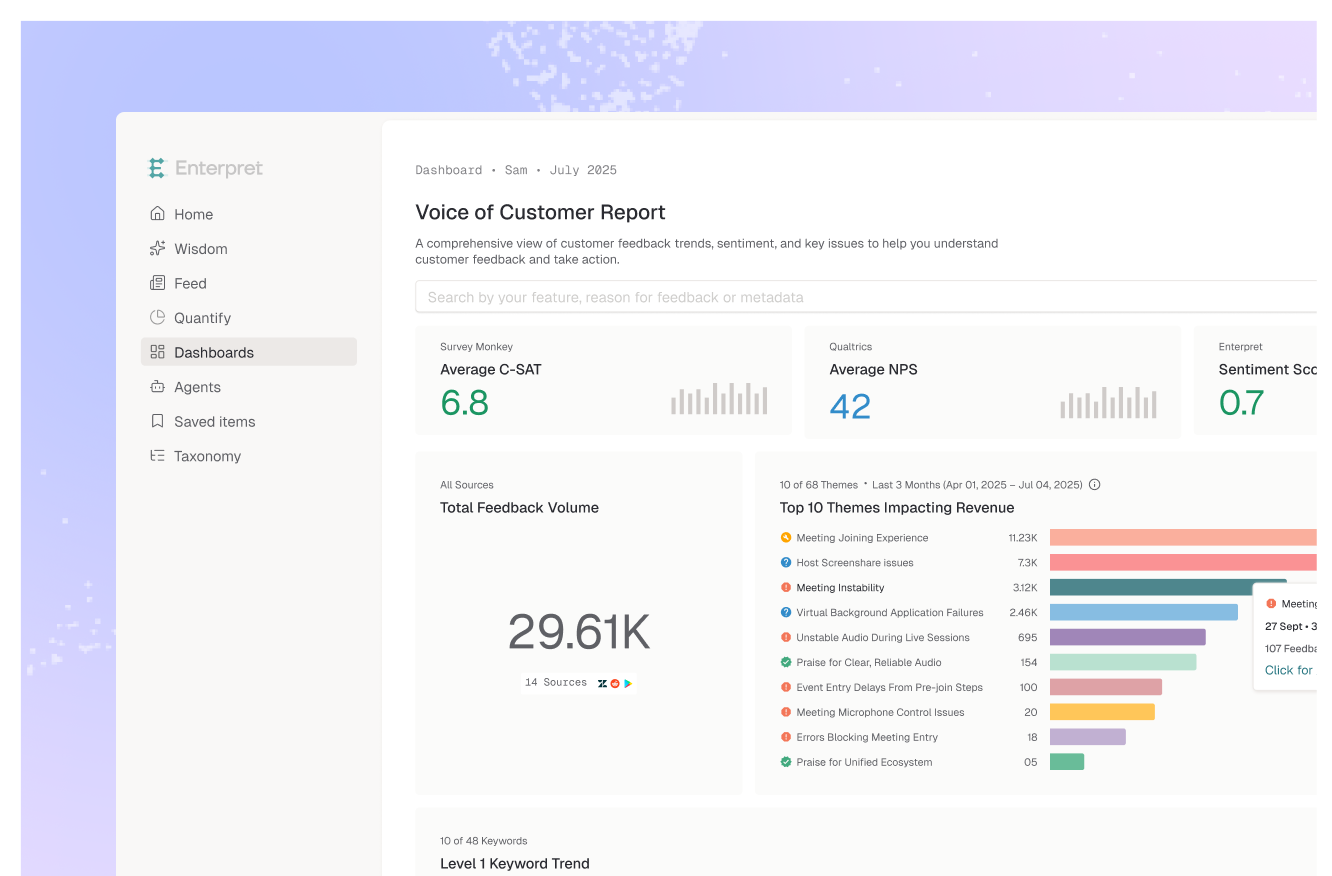
Enterpret is a customer intelligence platform that unifies feedback from 50+ sources, including Apple App Store, Google Play, G2, and Trustpilot reviews, support tickets from Zendesk, Intercom, and Salesforce Service Cloud, surveys from Qualtrics and Typeform, and sales calls from Gong. Unified feedback integration means reviews are not a separate workspace. They are categorized by Adaptive Taxonomy, a multi-level taxonomy learned from your own feedback and editable by your team, so a theme like "sync fails after update" is counted the same way whether it arrived as a review, a ticket, or an NPS comment.
The Customer Context Graph links those themes to accounts, segments, ARR, and features, so you can see that a review theme also appears in tickets from enterprise accounts. AI agents watch for emerging issues and alert in Slack, and themes can be pushed into Jira or Linear with the evidence attached. The honest tradeoff: Enterpret is not an ASO tool. It does not track keyword rankings, and setup takes integrations and processing time rather than five minutes. Teams whose main job is replying to reviews at volume may keep a reply tool alongside it.
Best for: product and CX teams that need app reviews sized against tickets, surveys, and revenue in one taxonomy.
unitQ describes itself as a unified platform for AI quality intelligence. Its platform page lists app reviews alongside support tickets, surveys, call transcripts, Reddit, and social channels, with products for monitoring, business impact, competitive intelligence, and support QA. Its heritage is product quality, so it leans toward catching bugs and regressions across channels. Pricing is not published; you book a demo.
Best for: consumer app teams focused on quality issues and bug detection across reviews, tickets, and social.
Chattermill is a voice of customer analytics platform. Its integrations page lists the App Store and Google Play next to Zendesk, Intercom, Gong, Qualtrics, Trustpilot, G2, Reddit, data warehouses like Snowflake, and an MCP connection for AI assistants. It is a credible multi-channel option, particularly for consumer and retail brands with large review and survey volumes. Evaluate how much theme setup and maintenance your team will own, and how directly feedback connects to account revenue in your stack. Our Enterpret vs Chattermill comparison goes deeper.
Best for: consumer brands that want reviews and surveys analyzed together with strong CX reporting.
Appfigures stays in the app store world. Its review monitoring covers App Store and Google Play, with alerts by email, Slack, or mobile, filters by star rating, version, country, and keyword, in-app replies, translation, and CSV, Excel, or API export. It also offers an AI agent and MCP server across Appfigures data, and a free Starter plan for up to five apps. It is a sideways move from AppFollow or Appbot rather than a step up: still reviews only, with no tickets or surveys.
Best for: app teams that want review monitoring next to broader app store data, and do not need other channels yet.
The native consoles are free and more capable than many teams assume. Google Play Console lets you filter reviews by date, language, star rating, app version, and device, shows review summaries of recurring themes in English reviews, and groups feedback into fixed topics such as stability and speed in its Benchmarks report. App Store Connect lets you read and respond to reviews for your own apps. The limits are real: fixed topics, one app store per console, no competitor tracking across stores, and no link to anything outside the store.
Best for: small teams with one or two apps who mostly need to read and reply.
Export a few hundred reviews to CSV and ask Claude or ChatGPT to group complaints, and you will get a readable summary in minutes. It is a fine way to explore a launch or answer one question. It is not a tracking system. Enterpret research across eight frontier models found the most consistent one still changed more than 60% of its theme set between identical runs on the same 100 records, and raw counts shifted 7.5 to 9.8% between runs on unchanged data. That is too much drift to put in a monthly report. If you want reviews inside your assistant without exporting, compare the MCP servers for App Store and Google Play reviews.
Best for: one-off exploration and ad hoc questions, not ongoing measurement.
Here is the category mistake behind most review tooling: treating a review as if it were a customer. A review is a symptom. It is public, mostly anonymous, written at a moment of peak frustration or delight, and skewed toward whoever bothered to open the store. The star rating is a thermometer. It tells you the temperature, not what is causing it or who is cold.
Review-only tools optimize the thermometer. They make reading, tagging, and replying faster, and they do it well. The broader review landscape in our guide to app store and Play Store review tools covers that job. But the decisions that matter to a product team are about causes and stakes. Is this a bug or a confusing change? Is it the same problem support is already escalating? Are the people affected on your highest-value plans?
Those answers live outside the store. The same login failure that generates twenty one-star reviews might generate two hundred tickets from paying customers who never write reviews at all. When you cross-reference channels, the review spike stops being a ratings problem and becomes a sized, prioritized product issue. In Enterpret's benchmark on 9,432 feedback records from Reddit, the Apple App Store, and Trustpilot, an agent grounded in a customer context graph scored 0.961 against 0.651 for Agentic RAG, with its biggest lead on analytical depth. Slicing by build still matters, which is why our guide on how to analyze App Store reviews by app version applies whatever tool you use.
So the reframe is not "which review tool has better sentiment accuracy?" It is "where do reviews sit in our picture of the customer?" If the answer is "in their own tab," you have outgrown a review tool, even a very good one. If you are comparing more broadly, see our roundup of the best review analytics platforms.
The decision rule: if the questions you are asked can be answered from reviews alone, keep a review tool; the moment they need tickets, segments, or revenue, move review analysis into the same system as the rest of your feedback.
The best alternatives are Enterpret, unitQ, Chattermill, Appfigures, the native App Store Connect and Google Play Console tools, and a Claude or ChatGPT workflow on exported reviews. Enterpret, unitQ, and Chattermill analyze reviews together with support tickets and surveys. Appfigures and the native consoles stay review-focused, and the LLM route suits one-off questions.
Move when the questions you are asked stop being about reviews. If leadership wants to know whether a one-star theme also shows up in support tickets, which customer segments are affected, or how much revenue sits behind a complaint, a review-only tool cannot answer it. If your job is still replying to reviews and tracking store ratings, staying put is reasonable.
Enterpret ingests Apple App Store and Google Play reviews next to tickets from tools like Zendesk and Intercom, survey responses, and sales calls. Adaptive Taxonomy sorts all of it into one shared set of themes, and the Customer Context Graph links each theme to accounts, segments, and revenue. A crash complaint in reviews and the same crash in tickets land in the same theme with one combined count.
For a one-time read of a few hundred exported reviews, yes. For tracking, it breaks down: Enterpret research found the most consistent of eight frontier models still changed more than 60% of its theme set between identical runs on the same 100 records, so month-over-month trends are not reliable. Use an LLM for exploration and a platform with a stable taxonomy for anything you report.
Not necessarily. Apple and Google both let developers reply to reviews in their own consoles, and some teams keep a lightweight reply tool while moving analysis to a broader platform. Decide which job you are replacing: the reply workflow, the analysis, or both.
If your app reviews need to sit next to every other customer signal, see how Enterpret works for product teams.
Research cited
Lorem ipsum dolor sit amet, consectetur adipiscing elit. Suspendisse varius enim in eros elementum tristique. Duis cursus, mi quis viverra ornare, eros dolor interdum nulla, ut commodo diam libero vitae erat. Aenean faucibus nibh et justo cursus id rutrum lorem imperdiet. Nunc ut sem vitae risus tristique posuere.