



The 5 Ways DTC Brands Analyze Product Reviews, Support Tickets, and Post-Purchase Surveys Together

November 2, 2026

A B2B SaaS company with 400 accounts might get 60 CSAT responses in a month. Six of them come from your ten largest customers, and two of those are angry. The help desk dashboard shows a healthy 91%. The renewal forecast does not.
The 6 best CSAT solutions for B2B SaaS are Enterpret, Pylon, Zendesk, Intercom, Survicate, and Simplesat. The first explains the score; the other five collect it, and the right recommendation is one collection tool that fits your support stack plus Enterpret as the analysis layer that ties CSAT comments to accounts, ARR, and product themes.
Consumer CSAT is a volume game. B2B CSAT is an account game. That changes the requirements.
Most CSAT tools are strong on the first criterion and weak on the next three. The real differentiator is the second and third together: can you see which product themes are pulling down satisfaction in your highest-ARR accounts?
Enterpret is the analysis layer, not a survey tool. It ingests CSAT responses and comments from help desks like Zendesk, Intercom, Salesforce Service Cloud, and Pylon, survey tools like Typeform, SurveyMonkey, and Qualtrics, and the surrounding context: support tickets, Gong calls, G2 reviews, and CRM data from Salesforce or HubSpot. Its Adaptive Taxonomy learns product themes from the feedback itself, so a comment like "SSO keeps logging our admins out" lands in the same theme whether it came from a CSAT survey, a ticket, or a renewal call.
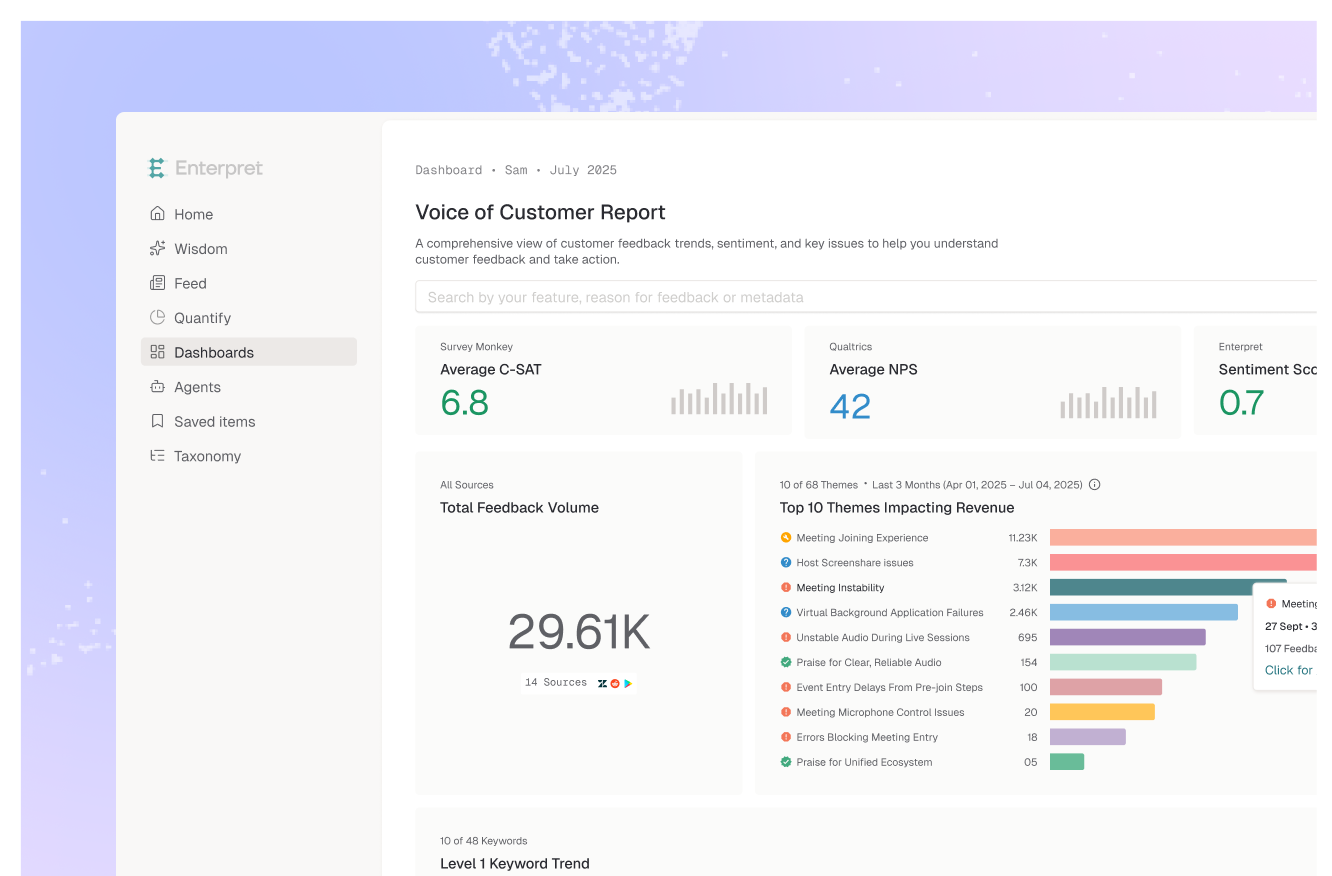
The Customer Context Graph links each comment to the account, segment, and ARR behind it. That is what lets you answer the B2B question directly: which themes drive low CSAT in enterprise accounts, and how much revenue sits behind them. The CSAT and NPS drivers workflow is built for exactly this. The caveat: Enterpret does not send surveys, so you still need one of the tools below, and setup takes integrations and processing time before the first themes are ready.
Best for: B2B SaaS teams that need to explain CSAT by account and ARR, and connect it to product decisions.
Pylon is a B2B support platform, and its surveys reflect that. CSAT surveys trigger after an issue is resolved, NPS runs on a schedule, and both can go out through Slack, Microsoft Teams, email, chat, and web. Pylon says every survey response is linked to the account it came from, with trends by account and filters by tier, and scores or written feedback can trigger workflows like notifying an owner.
The limit is scope. Pylon reports on what its surveys collect. Its surveys page does not describe AI analysis of comment themes, and it will not see what customers said on a Gong call or a G2 review.
Best for: Teams running support in shared Slack or Teams channels who want account-linked CSAT out of the box.
Zendesk includes native CSAT on Suite Growth and above, and on Support Professional and Enterprise. Surveys go out by email after a ticket is solved, or in messaging channels. Admins can customize the question, rating scale, and labels, and add an open comment plus a drop-down of reasons for negative ratings.
The reasons drop-down is useful, but it is a fixed list you maintain by hand. Ratings are per ticket, so rolling them up to an account and its ARR needs work outside the survey itself.
Best for: Zendesk shops that want CSAT with no new vendor and solid agent-level reporting.
Intercom's surveyed CSAT uses a five-label scale (Amazing, Great, Ok, Bad, Terrible) in the Messenger, and reports overall, teammate, and Fin AI Agent CSAT separately, along with response rates and topics driving dissatisfaction. It also offers CX Score, an AI-generated internal rating on a 1 to 5 scale based on conversation content that does not require customer input. That helps with the low response rates every B2B team fights.
Custom CSAT charts need the Advanced or Expert plan. And like any help desk, Intercom sees Intercom conversations, not the rest of the account's history.
Best for: Intercom teams, especially those with Fin handling volume, who want to score conversations nobody rated.
Survicate is a survey tool that fills the gaps a help desk leaves: in-product, website, and email surveys. Its HubSpot integration can send a survey after a HubSpot ticket closes or a deal closes, push responses back to HubSpot, and personalize surveys with contact data.
That makes it a good choice for relationship CSAT (how do you feel about the product overall) alongside transactional ticket CSAT. Analysis of the comments across channels is still a separate job.
Best for: HubSpot-centric teams that want CSAT beyond support tickets, such as after onboarding or in the product.
Simplesat adds CSAT, CES, and NPS surveys to help desks like Intercom, replacing the native conversation rating with fuller surveys. In Intercom, responses can map to contact attributes for segmentation, and negative feedback can open a follow-up conversation. Reporting breaks down by agent, team, and company.
It is a collection and reporting upgrade. Theme analysis tied to product areas and revenue sits outside it.
Best for: Support teams that want richer survey types and company-level reporting inside their current help desk.
Most CSAT buying guides rank tools on one list as if they do the same thing. They do not. Collecting the score is a distribution problem: right channel, right moment, low friction. Explaining the score is a context problem: who said it, what account they belong to, what else that account has told you, and what it is worth.
Help desks are built for the first job, and they are good at it. But a CSAT comment sitting next to one ticket cannot tell you that the same account complained about the same SSO issue on a QBR call and in two other tickets last month. In Enterpret's benchmark of 30 real voice-of-customer questions, an agent grounded in a customer context graph scored 0.961 overall against 0.651 for Agentic RAG, with its largest lead on analytical depth (0.967 vs 0.642). That is why teams that only use native reporting end up asking why their scores are low every quarter and never quite getting an answer.
B2B makes this sharper for three reasons. Response volume per account is small, so you need other signals to fill in the picture (more on that in our guide to satisfaction insights when CSAT response rates are low). The person rating a ticket is often an end user, not the economic buyer. And accounts are not equal: a drop concentrated in your top tier is a renewal problem, which is why segmenting CSAT by cohort and persona matters more here than in consumer.
So the recommendation is a stack. Keep the survey where your customers already are. Put an analysis layer on top that reads every channel, groups comments into stable product themes, and weights them by account. Stable is measurable: in Enterpret's study of run-to-run instability across eight frontier models, grounding the agent in a persistent taxonomy cut theme churn by 86 to 88% compared with a raw model on the same data. If you want the next step after that, see how teams correlate CSAT with churn risk.
The decision rule: pick the collection tool that matches your support stack, and pick the analysis layer that matches the questions your leadership actually asks.
There is rarely one tool. Most B2B SaaS teams get the best result from a collection tool that matches their support stack (Zendesk, Intercom, or Pylon native CSAT, or a survey add-on like Survicate or Simplesat) plus an analysis layer like Enterpret that ties CSAT comments to accounts, ARR, and product themes. Buy collection for coverage and analysis for decisions.
It is enough to measure support interactions and coach agents. It usually stops short of explaining why an account is unhappy, because the CSAT comment lives next to one ticket while the real cause often sits in sales calls, other tickets, and product usage. Once leadership asks which accounts and how much revenue sit behind a drop, you need an analysis layer.
Report the raw CSAT average, then add two cuts: CSAT by account tier or ARR band, and the themes behind negative ratings from your largest accounts. A single detractor at a top account can matter more than ten at the long tail. This only works if every response is linked to an account record in your CRM.
Enterpret does not replace your CSAT survey. It ingests responses and comments from tools like Zendesk, Intercom, Pylon, and survey platforms, plus tickets and sales calls, and categorizes them with an Adaptive Taxonomy. The Customer Context Graph links each comment to the account, segment, and ARR behind it, so you can see which product themes drive low scores in the accounts that matter.
Yes, for a one-time read of a few hundred comments. The problem is consistency over time: in Enterpret's tests across eight frontier models, the most consistent one still changed more than 60% of its theme set between identical runs on the same 100 records. If you want a CSAT trend you can report every month, use a stable taxonomy, and query it from Claude or ChatGPT through an MCP server instead.
If you already collect CSAT and need to explain it by account, see how Enterpret works for CX teams.
Research cited
Lorem ipsum dolor sit amet, consectetur adipiscing elit. Suspendisse varius enim in eros elementum tristique. Duis cursus, mi quis viverra ornare, eros dolor interdum nulla, ut commodo diam libero vitae erat. Aenean faucibus nibh et justo cursus id rutrum lorem imperdiet. Nunc ut sem vitae risus tristique posuere.