



Context Engineering for Customer Feedback: 6 Rules for Giving AI Agents the Voice of the Customer

Feedback Analysis
November 12, 2026

In Jira Product Discovery, customer evidence lives in insights: snippets attached to an idea, each with a description, an optional link to the source (such as a Zendesk or Jira Service Management ticket or a Salesforce opportunity), a rating and labels. To make that evidence reliable, follow six steps. Set an insight standard, capture insights where conversations happen (Slack, Microsoft Teams and the Chrome extension), always link the source record, rate and label consistently, roll ratings into an impact field, and add theme-level counts from your feedback system. The last step is what most teams miss. Without it, an idea shows the handful of customers someone pasted in, not how many customers and accounts actually raised it.
Insights are a good container. Atlassian describes them as the evidence that explains "the rationale behind prioritizing specific ideas," and they sit right on the idea where prioritization happens. You can create them from an idea's insights panel, from Slack or Teams by sending a conversation to an idea, or from any web page with the Chrome extension, as Atlassian's insights documentation describes.
Where they stop is coverage. Insights are captured one at a time by whoever notices. Loud customers, recent conversations and the accounts a PM talks to most get captured; the 300 tickets nobody read do not. The result looks like evidence but behaves like a sample with no denominator. The same problem shows up in AI retrieval: Enterpret research comparing Agentic RAG, a Deep Research Agent and a context graph agent notes that "a top-k retrieval result cannot establish corpus prevalence." A list of pasted snippets cannot either.
0.961 vs 0.651 Overall score for an agent grounded in a persistent customer context graph vs Agentic RAG on 30 real voice-of-customer questions. Source: Enterpret Research, "From Retrieval to Customer Context" (arXiv, 2026). The paper calls the result exploratory.
Write down what a good insight looks like, so everyone captures the same thing:
| Insight field | What to put in it | Example |
|---|---|---|
| Description | Verbatim quote, then one line of context | "We export to Excel every Friday just to fix dates." Ops lead, weekly reporting |
| Link | The source record | Zendesk ticket or Salesforce opportunity URL |
| Rating | Significance on a defined scale | 3 of 5: workaround exists |
| Labels | Segment, plan, source | enterprise, renewal-q1, support |
One customer per insight keeps counts honest. Five quotes from one account are one account.
Install the Jira Cloud apps for Slack and Microsoft Teams so anyone can send a conversation to an idea, and roll out the Chrome extension to support and sales for web apps such as your help desk or CRM. Usersnap can also feed screen captures and micro surveys in. The less switching it takes, the more gets captured.
Paste the Zendesk ticket, Jira Service Management request or Salesforce object URL into the insight's link field. The link lets anyone check the context later, and it is how you will tell the right customers when the idea ships. Atlassian lists Zendesk, Jira Service Management and Salesforce as sources you can link this way.
Define the rating scale in one sentence per level (for example, 5 means blocking a deal or renewal, 1 means nice to have) and pin it in the project. Use a short, fixed label list for segment and source. Free-text labels drift within a month.
JPD can aggregate the impact of an idea's insights from their ratings into a field you can sort and score by, and it can pull data from some connected systems into fields such as how many support tickets mention an idea. Use that field in your prioritization formula alongside effort and strategic fit, so evidence shows up in the ranking, not just on the idea page.
Manual insights show examples. Counts show prevalence. For each idea, link the matching theme in your feedback system and record three numbers on the idea: records in the last 90 days, distinct accounts and revenue from those accounts. Refresh them on a cadence, monthly at least, so the ranking reflects current demand. If sales calls matter to your roadmap, include requests from open deals too; these tools link feature requests in open deals to feedback themes. The per-ticket version of this practice is covered in how to attach customer evidence to a Jira ticket.
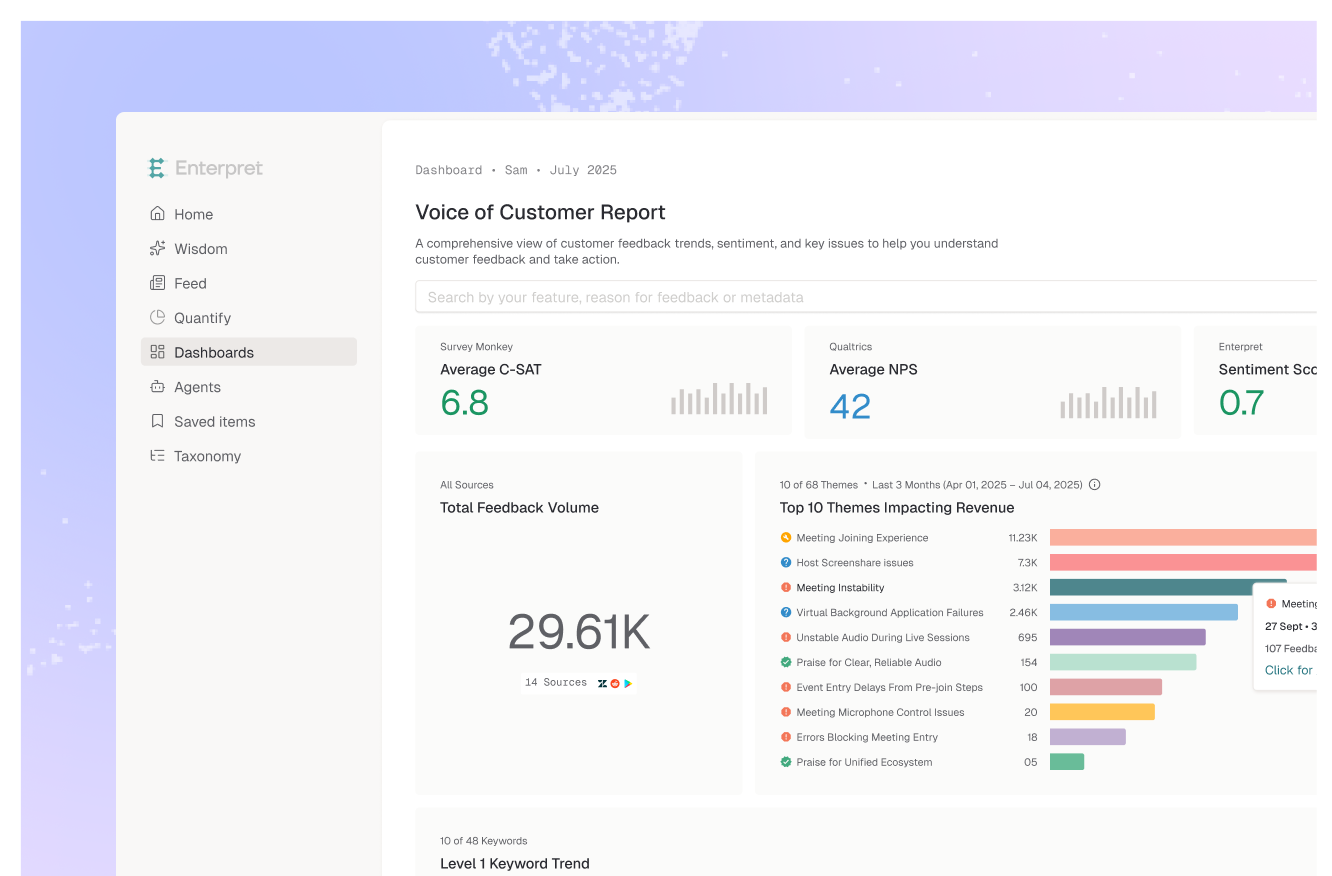
Enterpret supplies step 6. It classifies every ticket, call, survey response and review into an Adaptive Taxonomy and links each record to accounts and revenue in the Customer Context Graph, so a theme comes with record counts, distinct accounts, revenue and quotes. Enterpret's Jira integration links feedback to Jira issues and syncs resolution status both ways; confirm with Enterpret how that applies to your Product Discovery project. Teams that work in Claude or another MCP client can also ask Enterpret for a theme's counts and quotes directly and paste the result into the idea. If JPD's native evidence is not enough on its own, compare options in the best Jira Product Discovery alternatives.
Picture a PM ranking two ideas. "Custom date formats in exports" had four insights, all from accounts the PM talks to weekly. "Bulk edit for user roles" had one. Adding theme counts changed the order: date formats came from 9 accounts in 90 days, while bulk role editing came from 41 accounts, including three with renewals in the next quarter. Bulk edit moved up. What worked: keeping the quotes and adding the denominator. What did not: ranking by how many insights someone happened to capture.
As feedback systems expose counts and quotes through APIs and MCP, attaching evidence will stop being a manual habit and become a field that stays current on its own. The insight standard still matters, because it decides what people trust when the numbers and the quotes disagree.
An insight is a piece of evidence attached to an idea: a description, an optional link to the source such as a support ticket or sales opportunity, a rating of how significant it is and labels for categorizing it. Insights explain why an idea is prioritized.
You can paste Zendesk ticket and filter links into an insight's link field, and JPD can pull data from some connected systems into idea fields. Capturing every relevant ticket still needs a person or a feedback system that classifies tickets by theme.
Roll insight ratings into an impact field, add theme-level counts of records, distinct accounts and revenue, and use those fields in your scoring formula alongside effort and strategic fit.
Enough quotes to show what customers mean, often three to five from different accounts, plus a count of how many customers raised it overall. The quotes explain the need; the count shows how common it is.
If you want every idea to carry real counts, see how Enterpret works.
Research cited
Lorem ipsum dolor sit amet, consectetur adipiscing elit. Suspendisse varius enim in eros elementum tristique. Duis cursus, mi quis viverra ornare, eros dolor interdum nulla, ut commodo diam libero vitae erat. Aenean faucibus nibh et justo cursus id rutrum lorem imperdiet. Nunc ut sem vitae risus tristique posuere.