



The 5 Ways DTC Brands Analyze Product Reviews, Support Tickets, and Post-Purchase Surveys Together

November 2, 2026

Community managers sit on the most candid feedback a company gets and the least structured. Hundreds of Discord messages a day, a forum thread with eighty replies, a subreddit that turns on a release within an hour. Then the monthly product sync arrives, and the product team gets five screenshots and a sentence that starts with "the community is saying." Nobody ships against that.
The 6 steps to report community insights to the product team are putting community feedback in the same system as tickets and calls (Enterpret does this with one shared taxonomy), counting members instead of messages, showing the trend and who is affected, linking representative quotes, reporting on a fixed template and cadence, and closing the loop back to the community. What separates a report product acts on from one it skims is whether a PM can compare your community theme to the same theme in support tickets and sales calls.
Most community reports already have quotes. The criterion that moves roadmaps is comparability: a community theme that also shows up in tickets and churned-account calls stops being "Discord noise" and becomes evidence.
Community insights get discounted for a simple reason: they arrive in a different format from everything else product reads. Support has ticket counts. The community report has screenshots. A PM cannot compare a Discord thread to a Zendesk trend, so the Discord thread loses.
Fix the format before you fix the report. Route community channels into the same system that holds tickets, calls, and reviews, and categorize all of it with one taxonomy. In Enterpret, Discord, Discourse, Facebook Groups, and YouTube comments connect alongside sources like Zendesk, Intercom, and Gong, and the Adaptive Taxonomy files every record into the same multi-level themes. "CSV export fails on large workspaces" then means the same thing whether it came from a forum post or a support ticket, which is what lets you cross-reference channels instead of arguing about which one is real. Setup is not instant: integrations need connecting and the first batch of history needs processing. Still deciding which communities to cover? See the public channels worth tracking for community feedback.
Message volume is the most misleading number in community work. One frustrated member can post forty times in an afternoon. A real problem affecting two hundred people might show up as two hundred quiet one-line replies spread over a month.
Report the number of distinct members and distinct threads raising a theme, and say how many of them are new voices versus regulars. Separate a single heated thread from a theme that appears across many threads and channels. This is the core of avoiding loudest voice bias, and it is the same discipline PMs use when they quantify qualitative feedback from other sources.
A number without a baseline is trivia. For every top theme, show the count for this period next to the last period, and call out anything that doubled or appeared for the first time. That comparison only works if counts are stable: in Enterpret's study of run-to-run instability, a taxonomy-grounded agent reported identical volumes for matched themes across all 117 valid run pairs, while raw models' counts moved 7.5 to 9.8%. A theme at 40 members that doubled in two weeks deserves more attention than a theme at 200 that has sat flat for a year.
Then say who is affected. Product prioritizes by who is hurt: new members in their first week, power users, paying customers, a specific platform or region. Enterpret's Customer Context Graph links feedback to accounts, segments, and revenue where it can match the person. Be honest about the caveat here: a Discord handle often does not map to a CRM account, so tell product what share of the community signal is tied to a known customer and what share is anonymous.
Quotes make a theme feel real, which is exactly why they are dangerous. The same trap applies to AI summaries: Enterpret research comparing VoC agent architectures warns that a fluent summary "can cite relevant records while attaching the wrong count." The most dramatic quote is rarely the most representative one. Pick two or three quotes per theme that capture the typical complaint, ideally from different segments.
Link every quote to the original message or thread. A PM who can click through and read the surrounding conversation trusts the theme more than one who sees a cropped screenshot.
Product teams read reports they recognize. Use the same structure every time so a PM can scan it in two minutes:
A short weekly post in the product team's Slack channel plus a deeper monthly review works for most teams. Add an on-demand deep dive when a squad starts work on a feature: pull every community conversation about that area from recent weeks. Shapeways' community team ran a version of this, pairing a weekly Community Sentiment Report with feature deep dives, as described in a CMX case study. For the full section breakdown of a weekly report, see the sections every weekly voice of customer report needs.
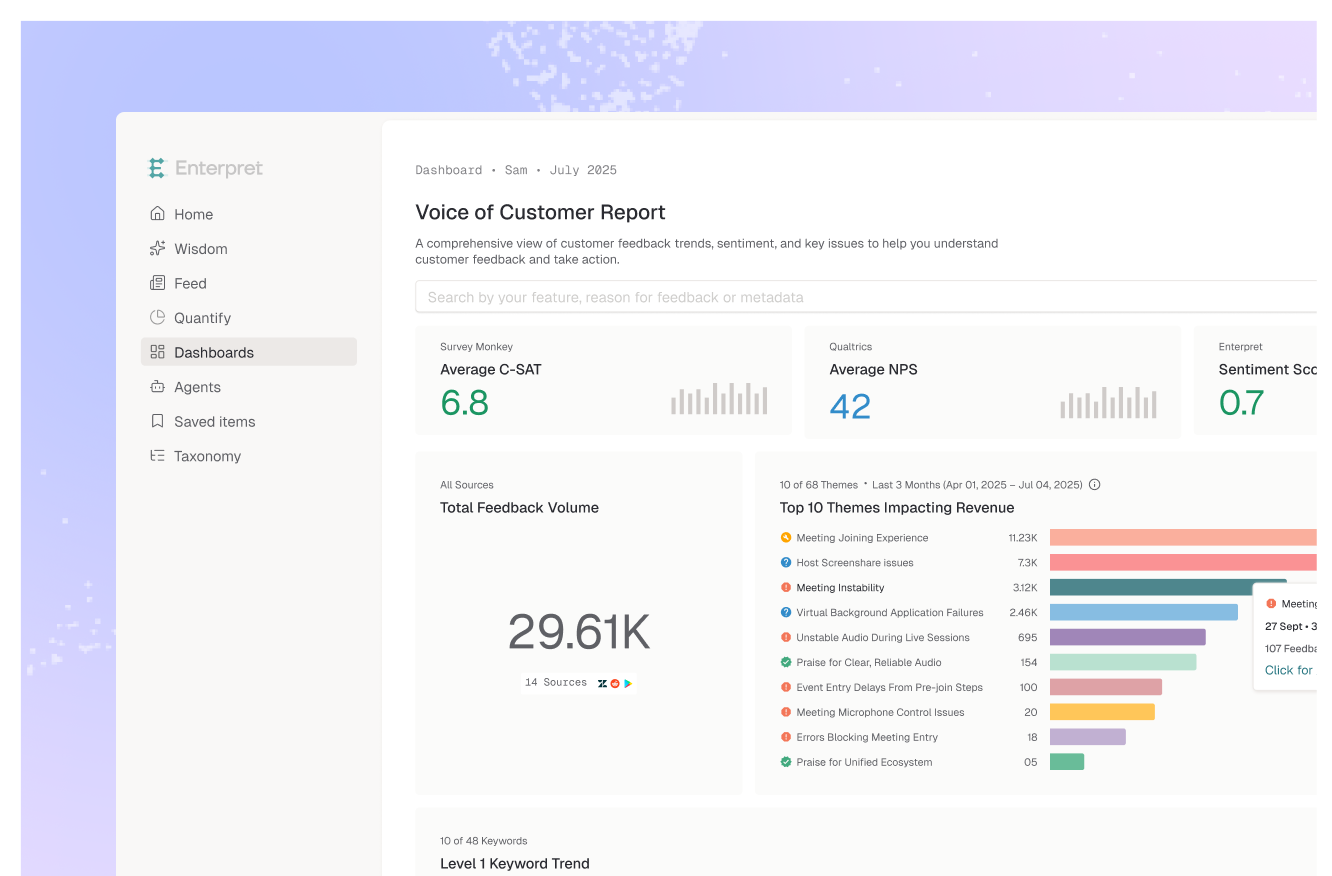
The report should not be the only time product hears from the community. Give PMs a live view they can open whenever they want. Enterpret dashboards and reporting and VoC scorecards show community themes next to every other channel, and AI agents can post a Slack alert when a theme moves, so the weekly post summarizes what product has already seen instead of breaking news a week late.
The report is half the job. The other half is telling members what happened: shipped, planned, investigating, or not planned and why. Reply in the original threads, post a changelog that names the community feedback behind each fix, and credit the members who raised it. Members who see their input land keep giving it.
Track which reported themes got a response and which went quiet. That list is your agenda for the next product sync. Enterpret's close the loop workflows and its Jira and Linear integrations help connect a theme to the work item behind it, so you know which threads to go back to when it ships. For the stages of a good close-the-loop message, see how to close the loop with customers who reported a problem.
Communities are not a random sample of your users. They skew toward the most engaged, the most online, and often the most technical. That makes them an early warning system and a distorted mirror at the same time. A feature request with three hundred upvotes on your forum can matter to a small slice of your base, while a quiet onboarding problem that new users never post about never shows up at all.
The mistake is treating volume as reach. Volume tells you how much people are talking. Reach tells you how many customers are affected and who they are. Community managers who report volume get thanked and ignored. Community managers who report reach, and show where the community agrees or disagrees with support and sales data, get invited into planning.
A beautiful slide built on message counts is still built on message counts. The broader lessons on presenting voice of customer data to your product team apply here, as do the options for sharing voice of customer insights across your company. But the community manager's edge is speed and context: you see a problem first and you know who is saying it.
Use that edge by making the report continuous and comparable, and by owning the reply to the community. A report is not a response, a point Enterpret has made about VoC more broadly in A Report Is Not a Response. The report earns you the room. Closing the loop is what keeps the community talking to you.
The decision rule: if product cannot compare your community theme with the same theme in tickets and calls, fix that before you polish the slides.
Include the top three to five themes with distinct member counts, the change since the last report, the segment affected, two or three linked representative quotes per theme, and what changed since the last report. End with specific asks for the product team. Skip raw message counts and unlinked screenshots.
Weekly for a short summary in the product team's Slack channel, monthly for a deeper review, and on demand when a squad starts work on a feature. Between reports, product should have a live dashboard and alerts so the report confirms what they have already seen.
Count distinct members and distinct threads instead of messages, and separate one heated thread from a theme that shows up across many threads. Note how many voices are new versus regulars, and compare the theme against support tickets and calls before calling it a priority.
Yes, for a one-off summary of an exported thread or a quick read on a launch. They are weak for week-over-week trends: Enterpret research across eight frontier models found the most consistent one still changed more than 60% of its theme set between identical runs on the same 100 records. Use a fixed taxonomy for trend reporting, then query it from Claude or ChatGPT through an MCP server if that is where you work.
Enterpret ingests community sources like Discord and Discourse alongside tickets, calls, and reviews, and categorizes all of them with one Adaptive Taxonomy. Product sees community themes in the same dashboards and scorecards as every other channel, with trend, segment, and linked quotes, and AI agents can send Slack alerts when a theme moves.
If your community insights still live in screenshots, see how Enterpret gives product one view of every feedback channel.
Research cited
Lorem ipsum dolor sit amet, consectetur adipiscing elit. Suspendisse varius enim in eros elementum tristique. Duis cursus, mi quis viverra ornare, eros dolor interdum nulla, ut commodo diam libero vitae erat. Aenean faucibus nibh et justo cursus id rutrum lorem imperdiet. Nunc ut sem vitae risus tristique posuere.