





The 7 Steps to Analyze Product Reviews From UK Retailers Like Argos and Very

Feedback Analysis
November 5, 2026

To catch regressions after you swap or upgrade the model, treat the rollout as the start of monitoring, not the end of testing. Evals and offline regression suites catch what your test set covers. Users find the rest, and they report it through thumbs-down clicks, regenerate buttons, support tickets, Discord threads and Reddit posts over the following days and weeks. Seven checks cover that window: a staged rollout with a feedback watch, rating and retry shifts, alerts on new or spiking themes, segment-level monitoring, community spikes, a triage loop back into evals, and a written rollback rule.
Evals are the right first line, and nothing below replaces them. Tools like Braintrust, Langfuse, Arize, DeepEval and Promptfoo replay a golden set, score outputs and block a failing release. The staged rollout playbook from tianpan.co adds shadow traffic for about 48 hours, then a 5% canary held for about 24 hours, gated on schema conformance, latency and per-cohort quality scores.
The bottleneck is coverage. An eval suite is a list of failures you already predicted. A model upgrade changes behavior where you did not predict it: tone on long sessions, how an agent handles a 40-file repo, whether it still follows an enterprise admin's custom system prompt. Braintrust's own guide to monitoring prompts in production names the gap directly: users report "problems no existing scorer was written to detect."
Evals answer "did the cases we wrote still pass?" Post-release monitoring answers "what are users saying now that they were not saying last week, and who?" Only the second finds the unknowns.
After rollout, the unit of measurement shifts from a test case to a delta: this week's user feedback versus last week's, split by model version and segment. That only works if the categories hold still. If theme labels and counts move every time you re-run the analysis, you cannot tell a model regression from measurement noise. In Enterpret's study of run-to-run instability across eight frontier models, researchers Viraj Bagal, Raviraja G and Prabhath Chellingi found that raw models changed more than half of their top-theme set between two runs on the same 100 records, rising to nearly three quarters at 5,000 records (churn 0.552 to 0.726).
7.5 to 9.8% How much raw frontier models' counts moved on the same theme between runs over identical data. A taxonomy-grounded agent showed zero volume disagreement across all 117 valid run pairs. Source: Enterpret Research, "Same Feedback, Different Answer" (arXiv, 2026)
If your counting method drifts 7.5 to 9.8% on its own, a 10% spike in "agent ignores instructions" proves nothing. A persistent taxonomy fixes the instrument. That is stability, not accuracy, but it makes week-over-week comparisons meaningful.
Keep the canary, but add a feedback gate next to the latency and schema gates. Tag every feedback record, ticket and rating with the model version that produced the response, and compare canary to control before each traffic step. Without version tagging, every week-one complaint gets blamed on the new model, including the ones caused by Tuesday's UI change.
Thumbs-down, regenerate, edit-after-accept and abandonment rates are your highest-volume signals. Watch the rate per 1,000 responses, not raw counts. Read the attached comments too: a flat thumbs-down rate can hide a shift in why people click it, from "too slow" to "wrong answer."
Rates tell you something moved. Themes tell you what. Alert on two patterns: a theme that did not exist before the swap ("agent deletes test files") and an existing theme whose share jumps against its trailing baseline. Route both to the owning team in Slack, Linear or Jira. More on feedback routing and team-based alerting.
Averages hide the regressions that cost the most. A new model can improve quality for most prosumer traffic while breaking one workflow your largest enterprise accounts depend on. Slice every signal by plan, account, workflow and language. Enterprise users often go quiet and start evaluating a competitor, the pattern behind silent churn before customers cancel.
AI-native users post before they file tickets. A Discord thread titled "did the model get dumber?" or a Reddit post with side-by-side outputs is often your earliest signal. Categorize those channels alongside in-app feedback so a community spike and a ticket spike count as one theme. See options for Discord community feedback.
Every confirmed regression is a missing test. Run a daily triage for the first two weeks: confirm the theme, pull five to ten representative records, reproduce them, and add them to the eval set. Braintrust's guide recommends the same move: reviewed failing traces go into a versioned dataset, with variations of each pattern.
Decide in advance, not in Slack at midnight. A starting rule:
A confirmed severe theme (data loss, destructive agent action, safety or privacy failure) appears from two or more independent accounts on the new version.
A new or spiking theme concentrates in one high-value segment for two consecutive days. Pin that segment to the previous model while you fix forward.
Thumbs-down or regenerate rate is up against control, but no single theme explains it. Patch prompts, add eval cases, and hold the traffic step.
The thresholds are hypotheses. Tune them after each upgrade based on which alerts were real.
Enterpret is not an eval platform or an LLM tracing tool. It is the user-feedback layer that sits beside them.
Best for pre-release gates, traces, online scoring and regression datasets. They see what the model did per request, not what users say across tickets, community channels and sales calls.
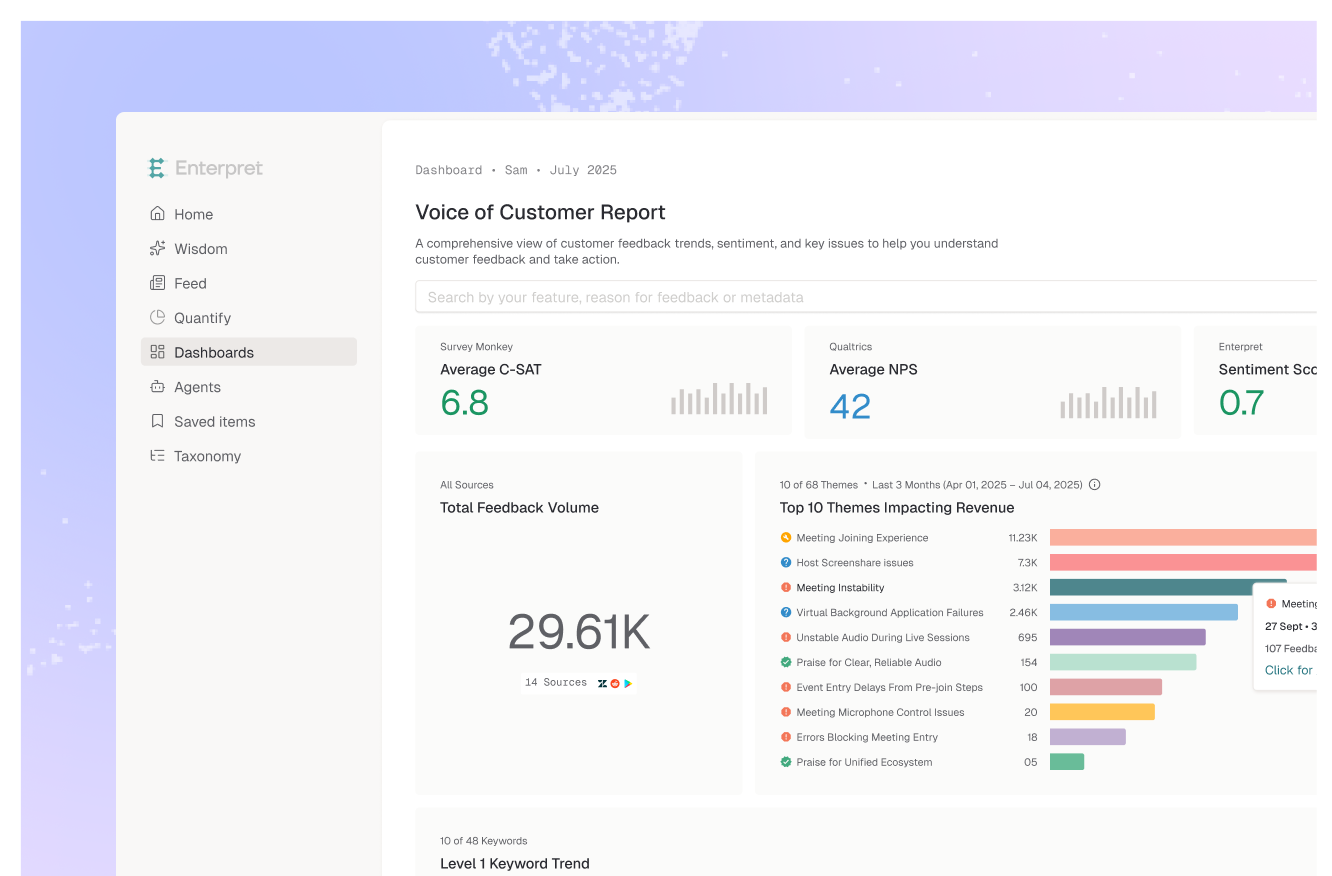
Unifies user feedback, including Discord, Reddit and Slack, under an Adaptive Taxonomy that updates as you ship. AI agents and alerts flag new or spiking themes after a release. The Customer Context Graph ties themes to accounts and revenue, Wisdom answers plain-language questions, and the MCP server brings it into Claude, Claude Code and Cursor.
Connect sources before the swap, not during the incident: integrations and processing take time to build the context graph. Themes and record-level predictions are built once and reused, the architecture behind the stability result above, so a spike reflects your users rather than a re-clustering. For a broader comparison, see customer voice tools for identifying trending product issues.
Picture a coding agent startup that moves its default model to a newer version on Monday. Evals pass. The 5% canary is clean on latency and schema. Aggregate thumbs-down rate is flat.
By Wednesday, a new theme appears: "agent truncates large diffs." It is a small share of total feedback, so the average hides it. Sliced by account, it concentrates in enterprise monorepo workspaces with renewals next quarter, and a Discord thread echoes it. The PM asks from Claude Code over MCP, "which accounts reported diff truncation since Monday?" and gets the list with source records.
The rule says segment-level: pin monorepo workspaces to the previous model and fix forward. Ten records become a new "large diff" eval suite that gates the next upgrade.
Model upgrades are becoming routine, and each one is a behavior change shipped to every user at once. The teams that hold quality will run a closed loop: evals gate the release, user feedback finds what evals missed, and each confirmed regression becomes a test. Run the seven checks on your next swap and note which one fires first. That tells you where your eval coverage is thinnest.
Watch rates and community channels daily for the first week, and themes and segment slices for two to four weeks. Enterprise users often report later than prosumer users.
They are the first line and catch known failure modes before users do. They cannot score failures nobody wrote a scorer for. The two work best as a loop: feedback finds the regression, and a new eval case keeps it from coming back.
You can, but compare carefully. Enterpret's research found raw frontier models changed more than half of their top themes between two runs on the same data. A taxonomy-grounded approach cut theme churn by 86 to 88% with the model held constant, which makes before-and-after comparisons usable.
Roll back fully for confirmed severe failures like destructive agent actions or data loss. Roll back one segment when a regression concentrates in high-value accounts. Fix forward when rates move but no theme explains it.
Tag every response and feedback record with the model version and compare canary to control. A theme rising only on the new version points to the model; one rising on both points to a product change.
If your team ships model upgrades often and wants user feedback categorized consistently from one release to the next, see how Enterpret works.
Research cited
Lorem ipsum dolor sit amet, consectetur adipiscing elit. Suspendisse varius enim in eros elementum tristique. Duis cursus, mi quis viverra ornare, eros dolor interdum nulla, ut commodo diam libero vitae erat. Aenean faucibus nibh et justo cursus id rutrum lorem imperdiet. Nunc ut sem vitae risus tristique posuere.


