





Enterpret Agent is now in Slack

Enterpret Agent now works in Slack. Mention @Enterpret in any channel and your whole team gets the full agent, with everything Enterpret knows about your customers behind every answer, live, in the conversation where the decision is being made.
Most product decisions get talked through in Slack. A release goes out, complaints start to climb, and the team works out what happened in a channel. What's usually missing from that conversation is the evidence. It lives in support tickets, app reviews, sales calls and surveys, and pulling it together means someone leaves the thread, digs for an hour and comes back with a screenshot.
Enterpret Agent brings that evidence into the thread. Every answer draws on all of your customer feedback, organized by your adaptive taxonomy into the themes your team tracks and connected through your customer context graph to the releases, issues and accounts it touches. And because it happens in a channel, everyone sees the same answer at the same time.
Here's what that looks like for product and engineering teams.
Ask what's behind it
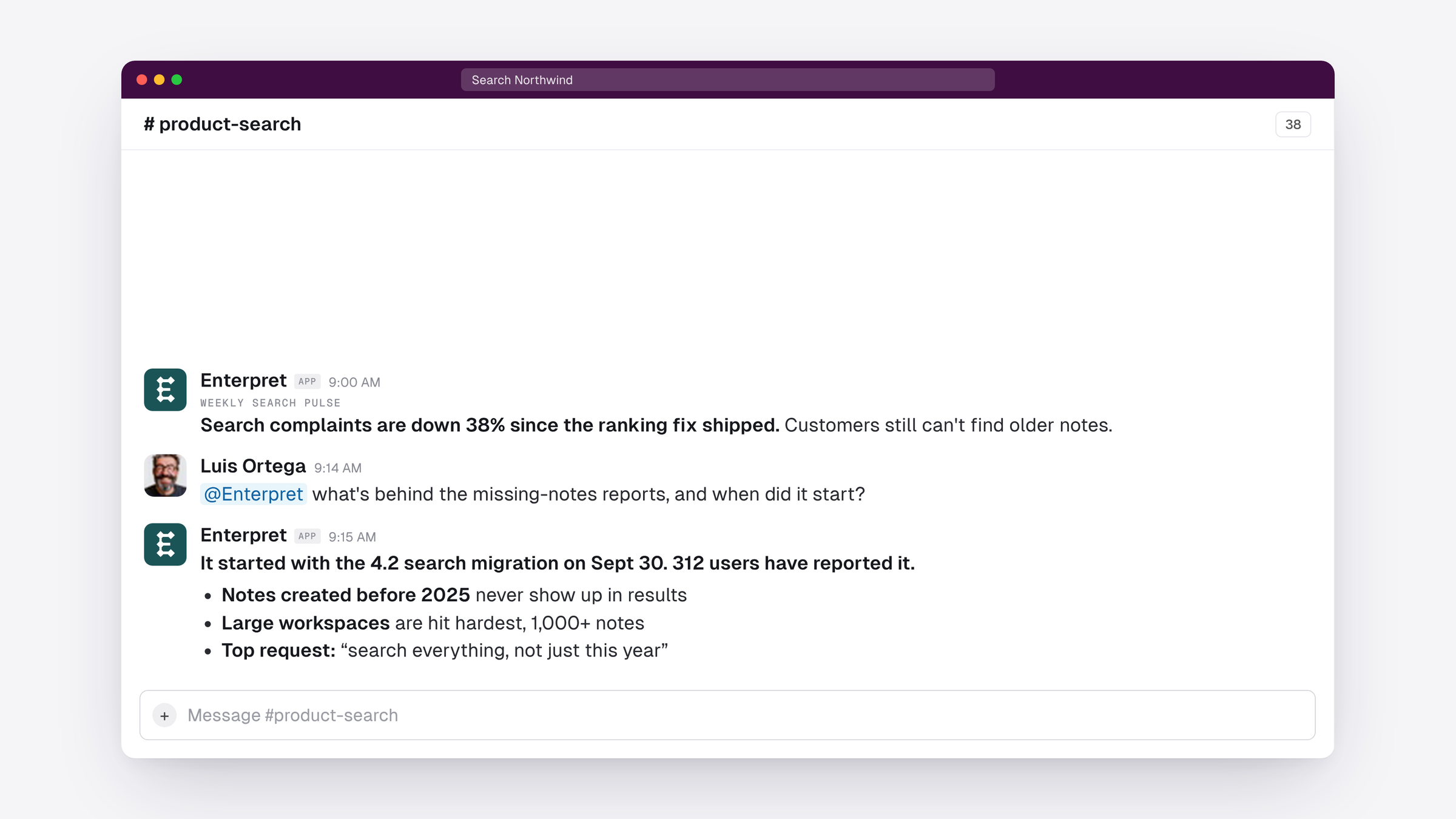
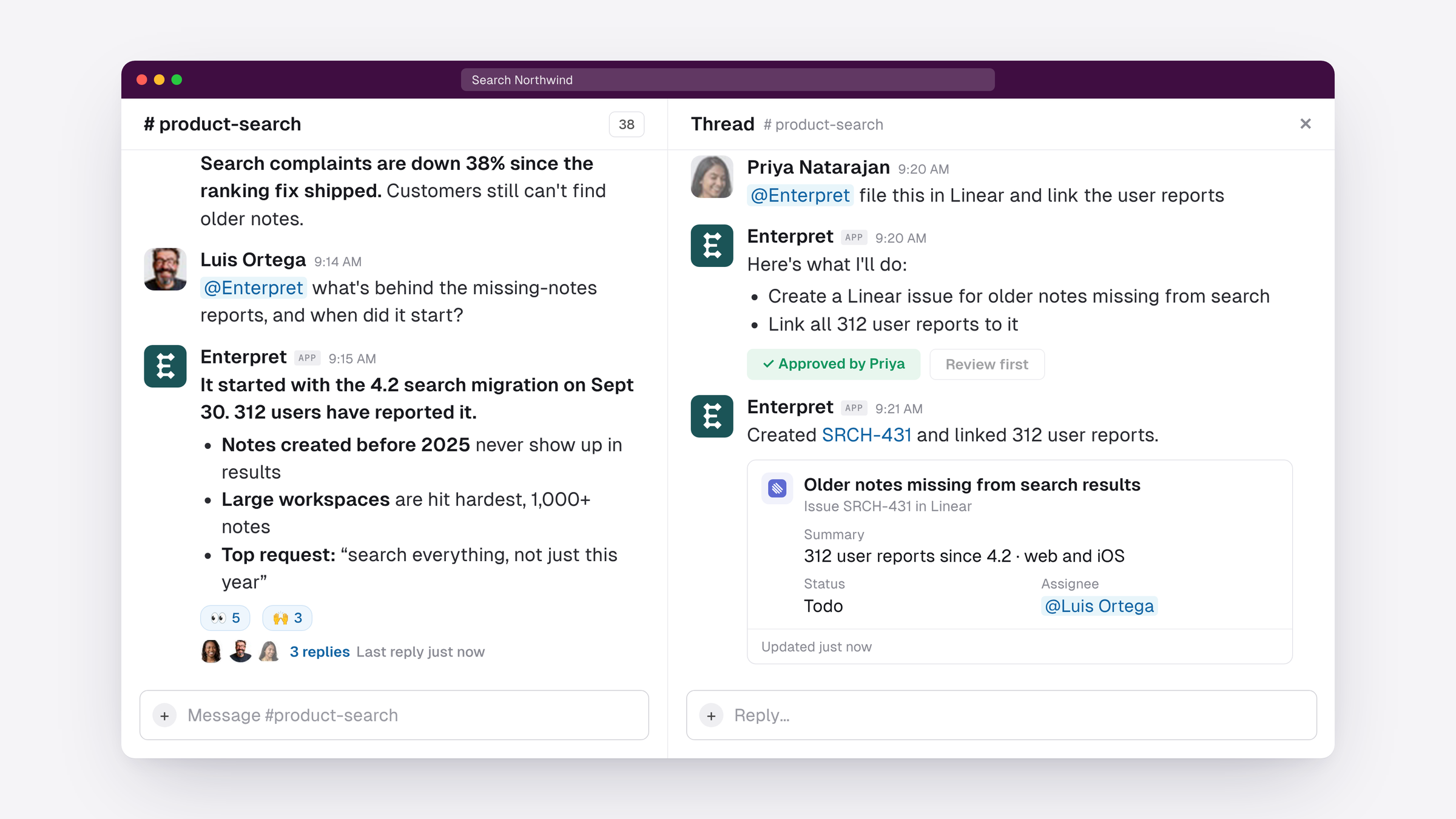
Mention @Enterpret and ask the way you'd ask a teammate: “What's behind the missing-notes reports, and when did it start?” The answer comes back in the channel with the release it traces to, how many users reported it, which platforms, and what they're asking for in their own words.
Work it out together in the thread
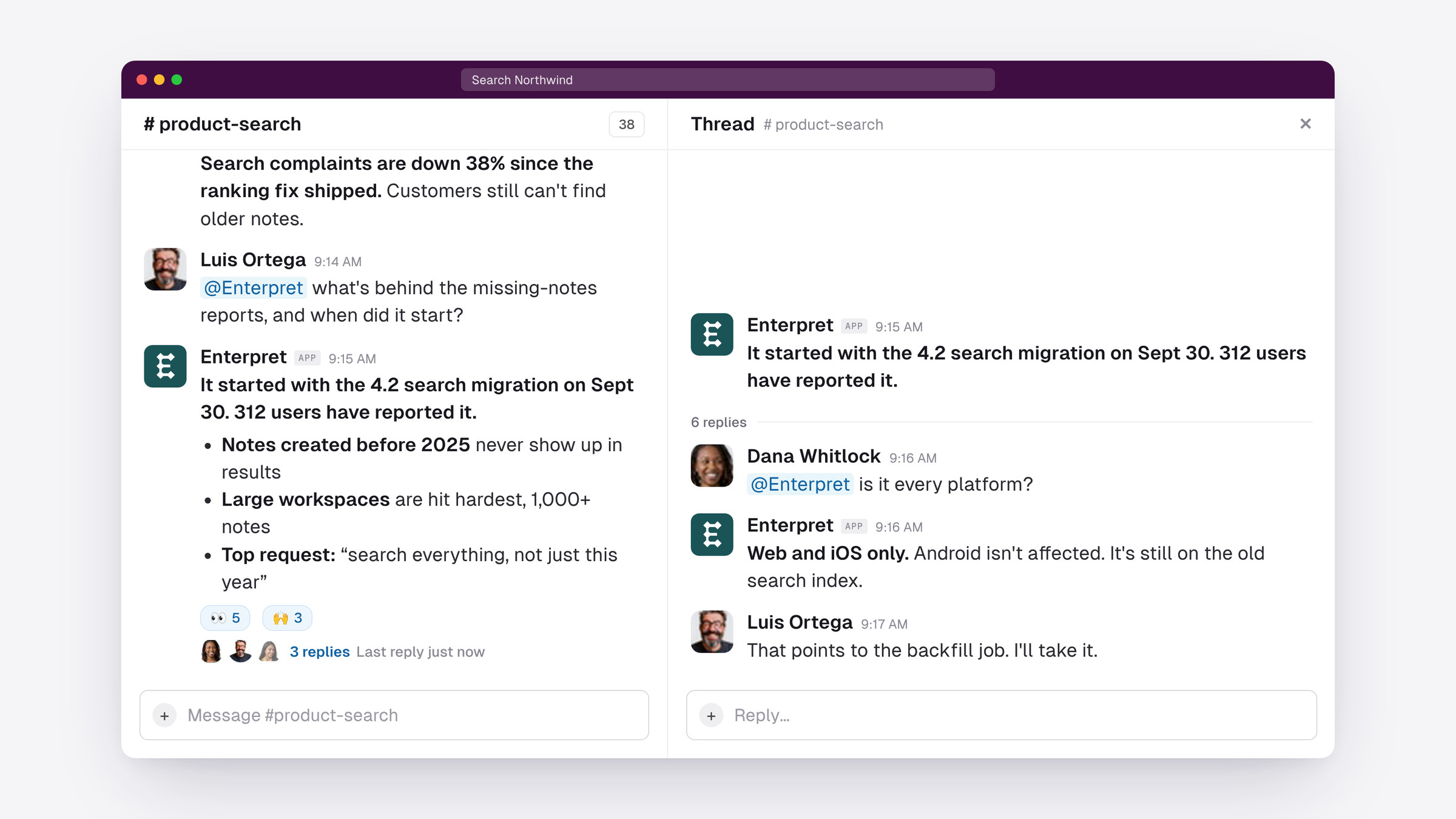
Anyone in the channel can pick it up in the thread. An engineer asks whether it hits every platform, the agent answers with the same context behind it, and a teammate takes the fix. Nobody is working from a different spreadsheet or last month's report, and the thread becomes the record of what the team learned and decided.
Open the full picture
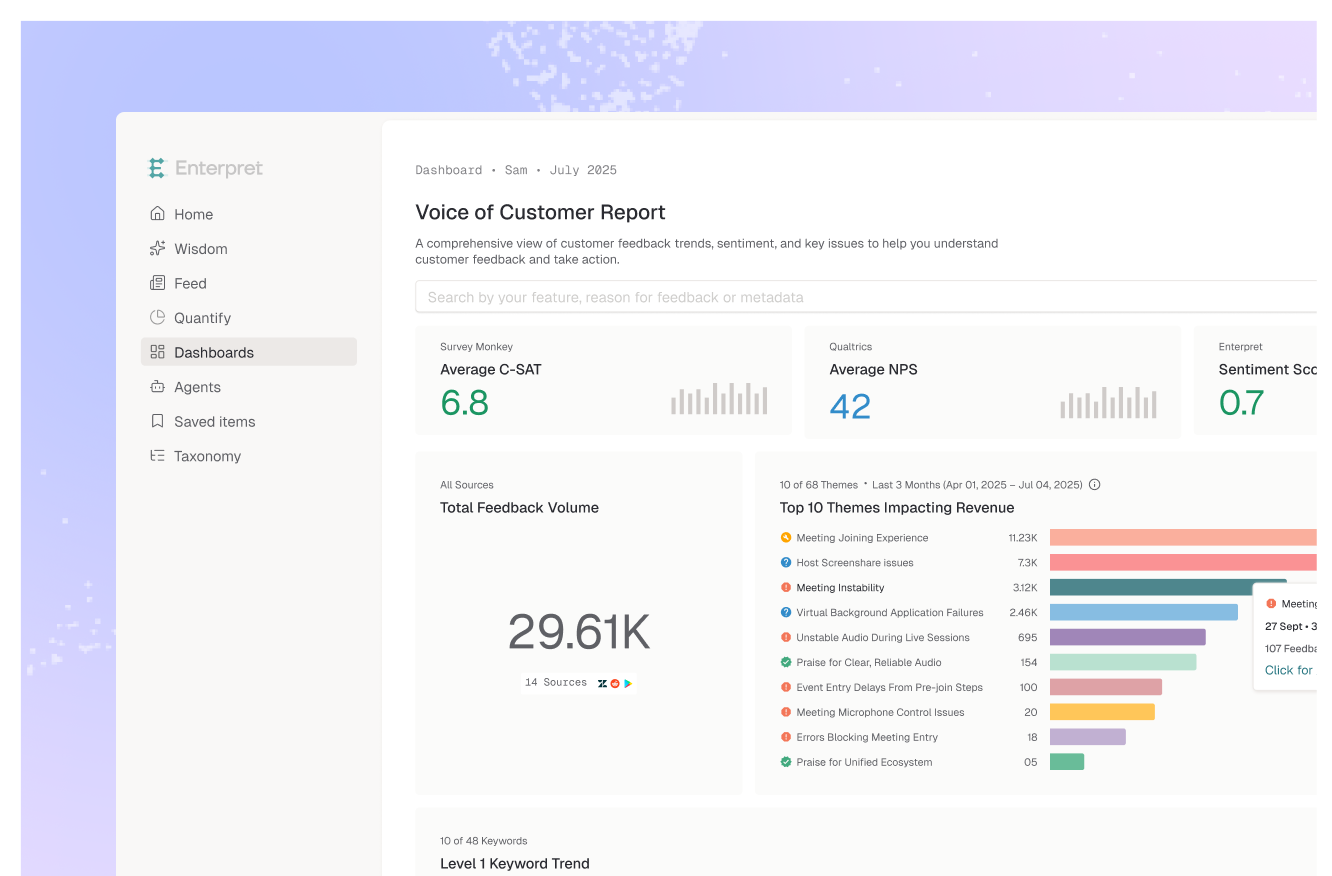
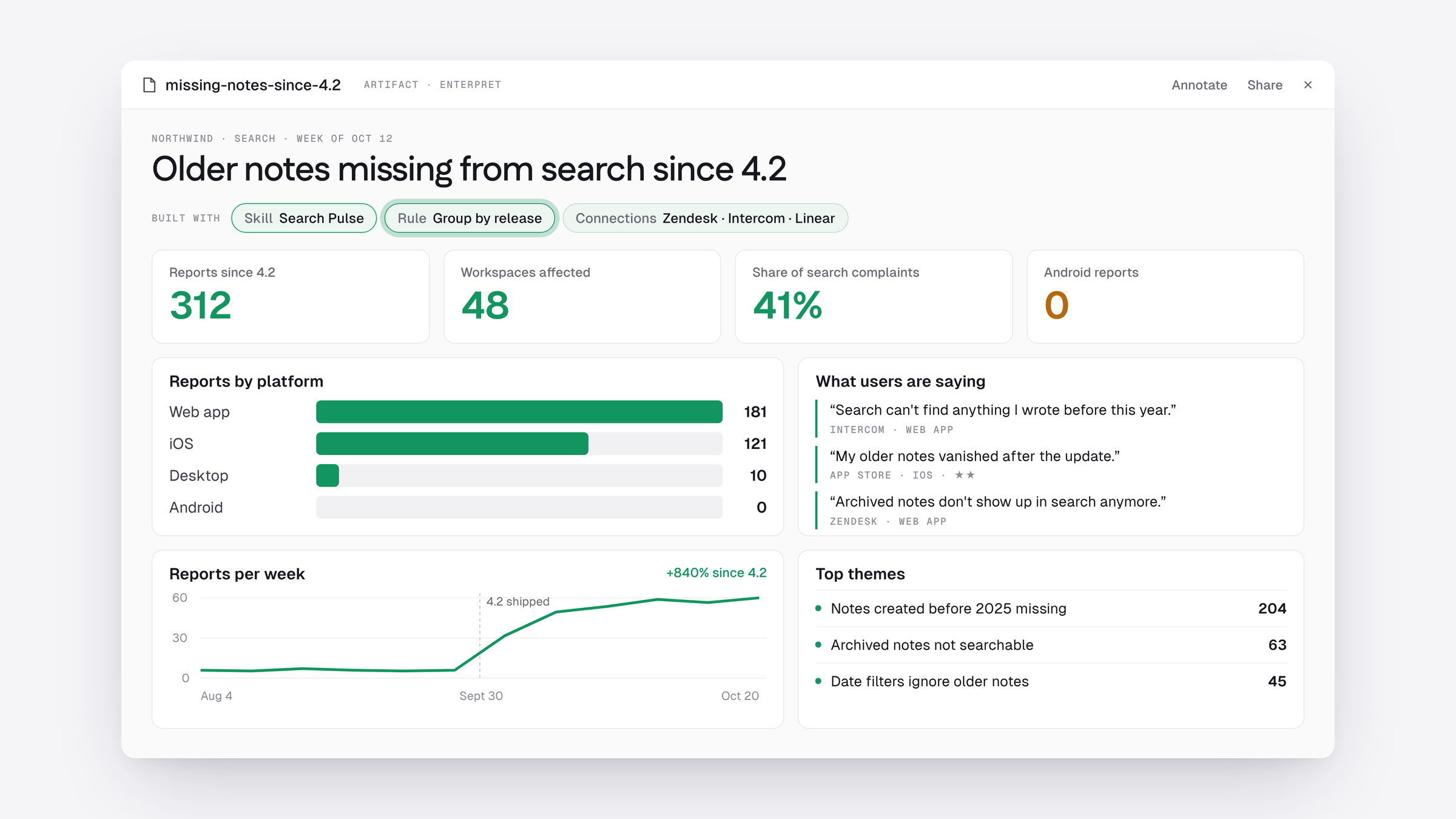
Ask for a dashboard or report and the agent builds it in Enterpret and shares it in the thread: reports by platform, the trend around the release, the top themes and what users are saying.
File it where the work happens
Ask the agent to file the issue in Linear and link the user reports behind it. It lays out what it will do and waits for approval before it writes anything, so the engineer who picks it up starts with the evidence.
See whether the fix worked
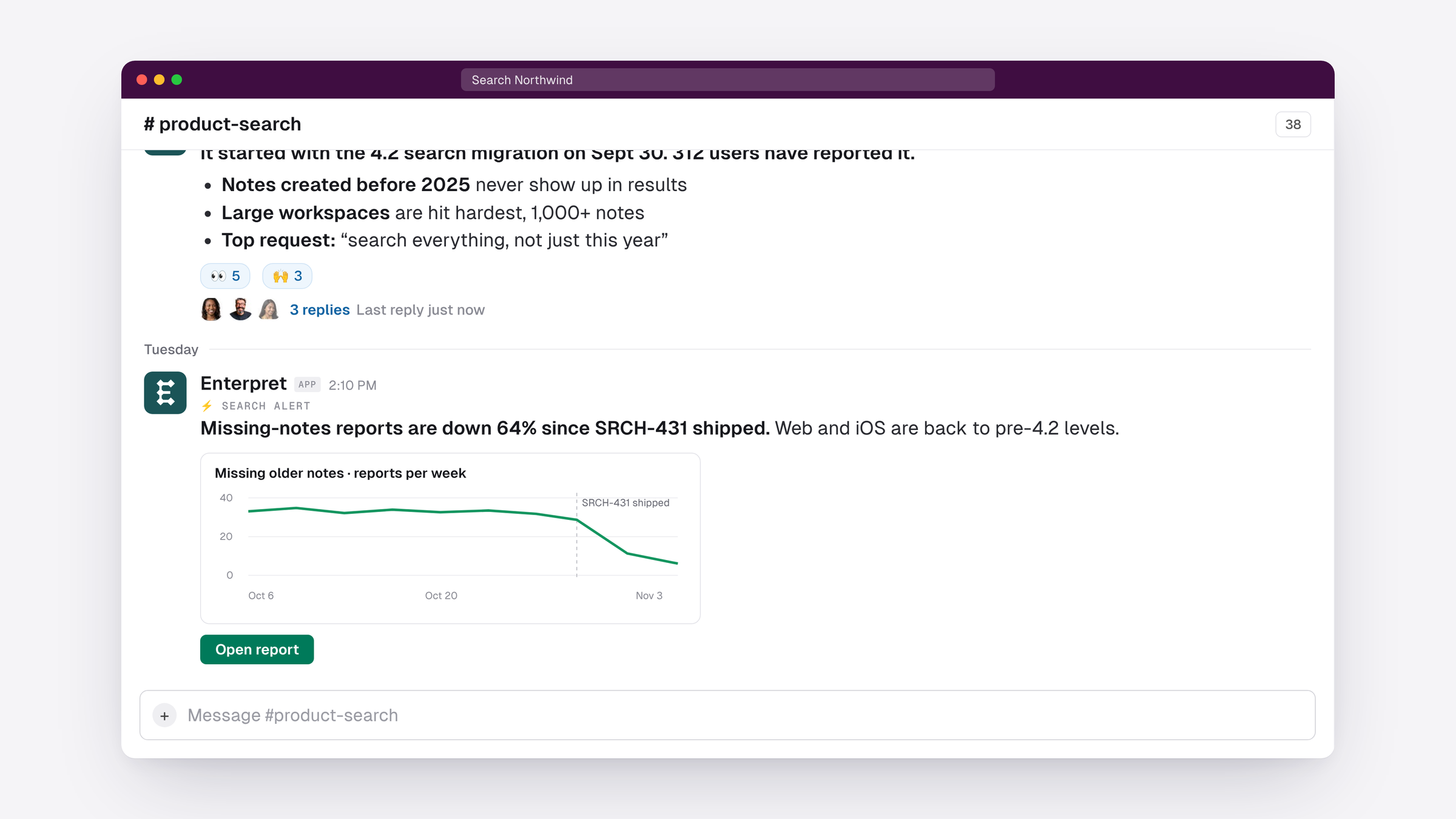
Automations post straight to the channel. Set up a weekly read on an area, or have the agent check the Linear project every day and report back in the thread once the fix ships. When the fix lands, the team sees the impact in the same place they raised the problem.
Everything Enterpret Agent can do
The agent in Slack is the same Enterpret Agent your team uses in the web app, with your skills, rules, connections, artifacts and automations. Read-only tools run on their own, and anything that writes to another tool asks for approval first. Everyone in a channel can read the agent's replies, following your Slack permissions; to ask it something, you'll need an Enterpret account.
It replaces the Slack bot that ran on Wisdom. Teams that already had Slack connected have been moved over automatically, with nothing to reconnect.
Get started
Admins can connect Slack from the Integrations page. Once it's connected, anyone with an Enterpret account can mention @Enterpret in any channel. Teams already on Slack have been moved over and are ready to go. The help center has the details.
Not using Enterpret yet? Book a demo to see Enterpret Agent answer questions about your own customers, right in your team's Slack.


