







Introducing Agent Memory: Enterpret Agent now remembers how you work

Today we're launching memory in Enterpret Agent. It remembers how you like your work done, it can read what you found in earlier sessions, and your automations can read what they did on earlier runs. Every session and every run picks up where the last one left off.
Enterpret already keeps the full history of every customer problem in the customer context graph: when it was first seen, how it trended, and when the fix shipped. What Enterpret Agent didn't keep was its own work: how you like issues reviewed, what you found in last month's deep dive, what the weekly report said last Monday. Memory adds that, so each session and each automation builds on the last one instead of starting over.
What Enterpret Agent remembers
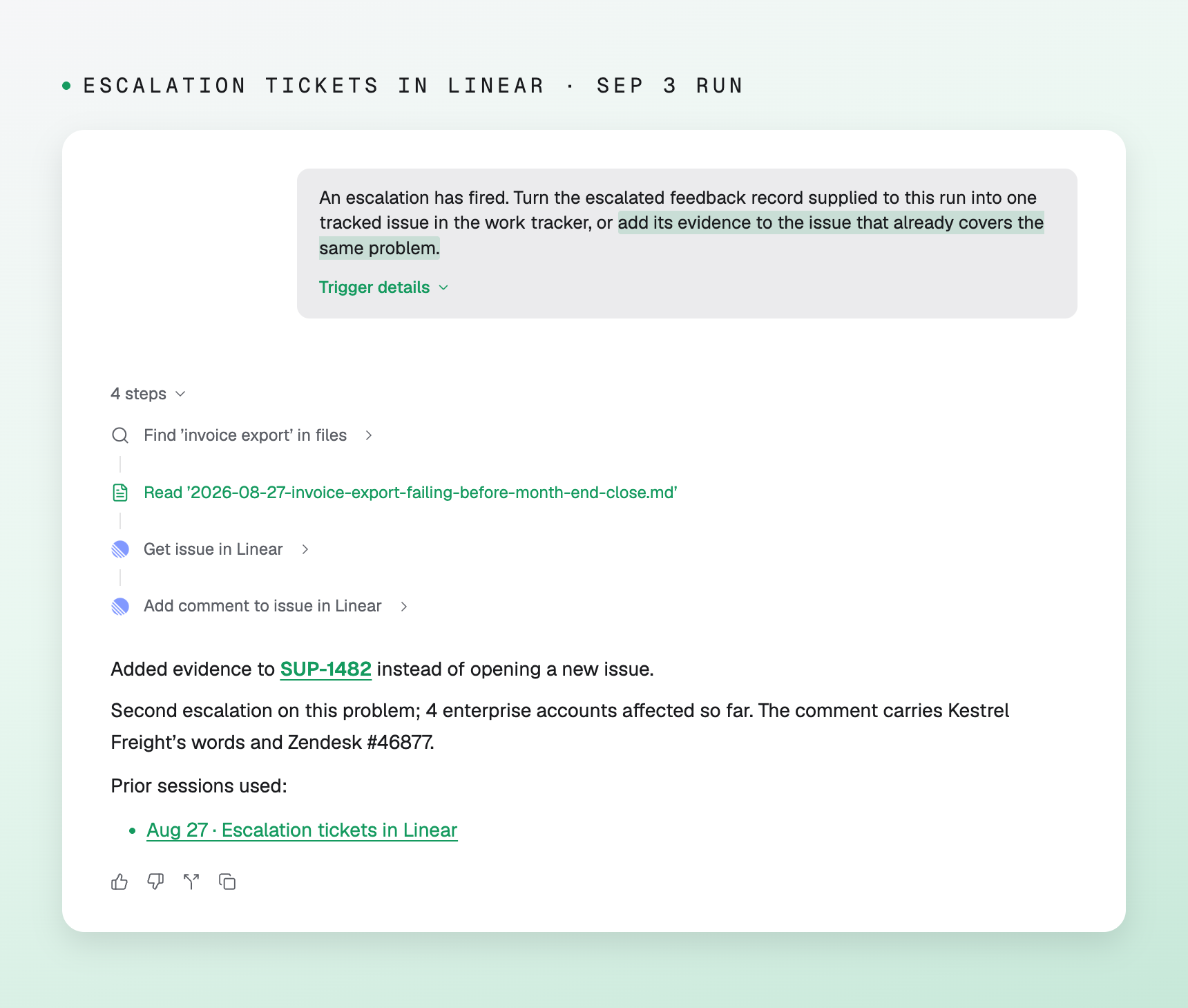
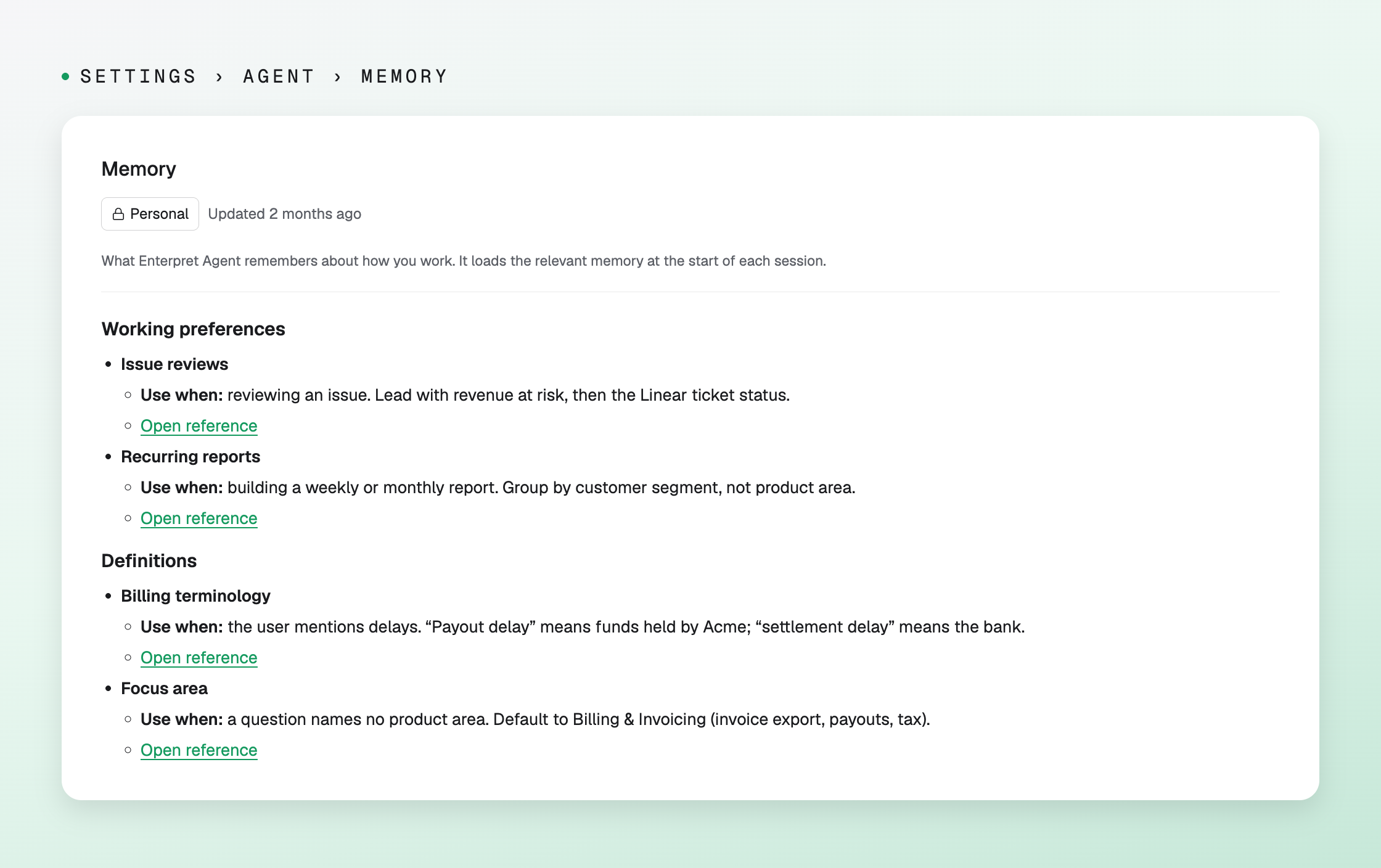
How you work. Tell it once. Say "Remember to lead issue reviews with revenue at risk," and Enterpret Agent saves it to your memory straight away. A month later you might say "When I review an issue, also include the Linear ticket status." Enterpret Agent updates the entry you already have and says so in the chat. Whenever that entry applies, the answer shows it in its steps as "Issue reviews memory loaded." Already have your preferences written down? Upload them as a markdown file in a session and ask Enterpret Agent to remember them.
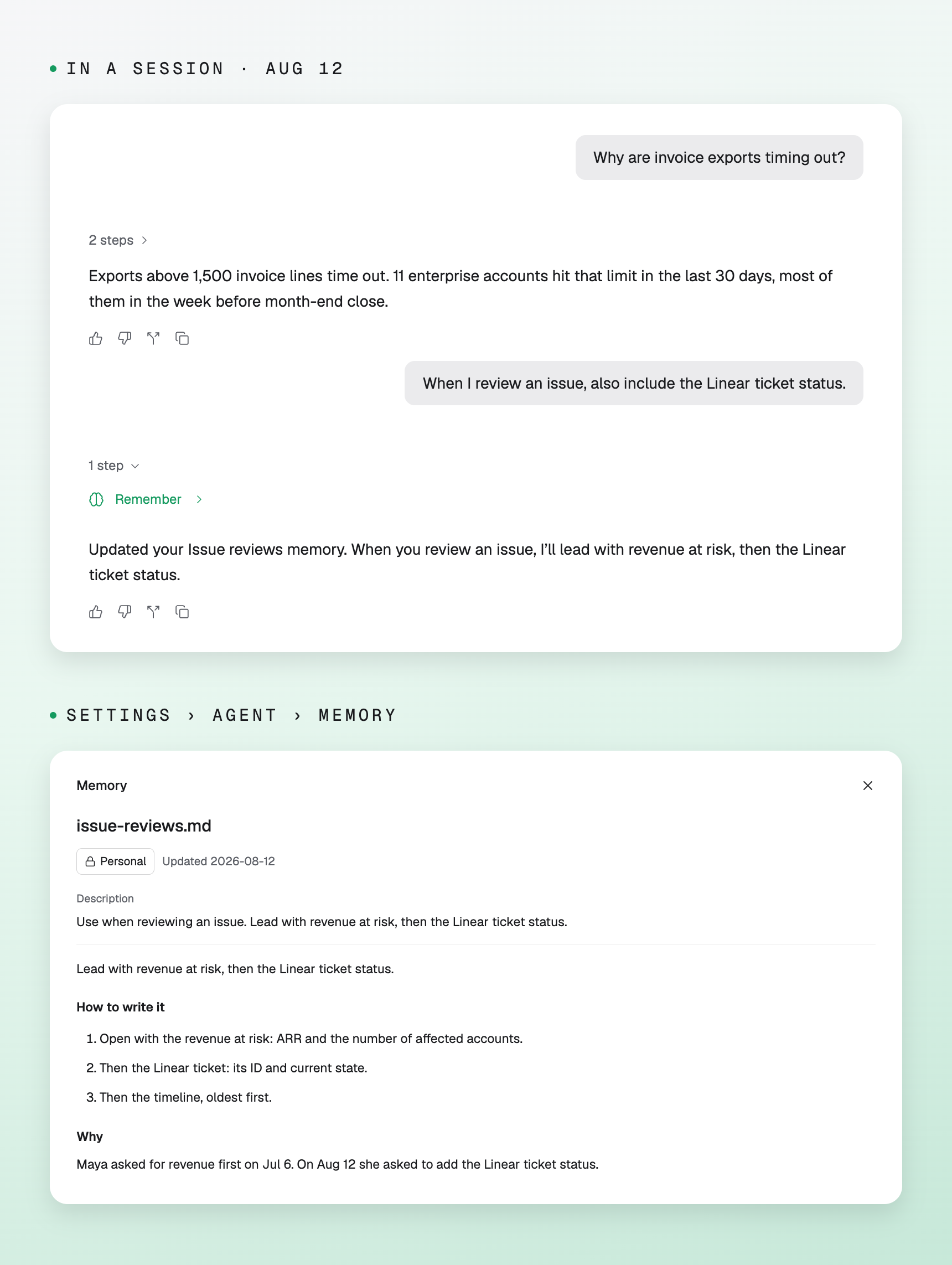
What you found. Enterpret Agent can read your earlier sessions. Ask "Where did we land on invoice exports?" and it reads the deep dive you did in August, the escalations that came in after it, and the latest weekly report. The answer follows the way your memory says you like it, and it lists every session it read under "Prior sessions used," so you can open any of them. You can also paste a link to one of your sessions into a new chat and carry on from there.
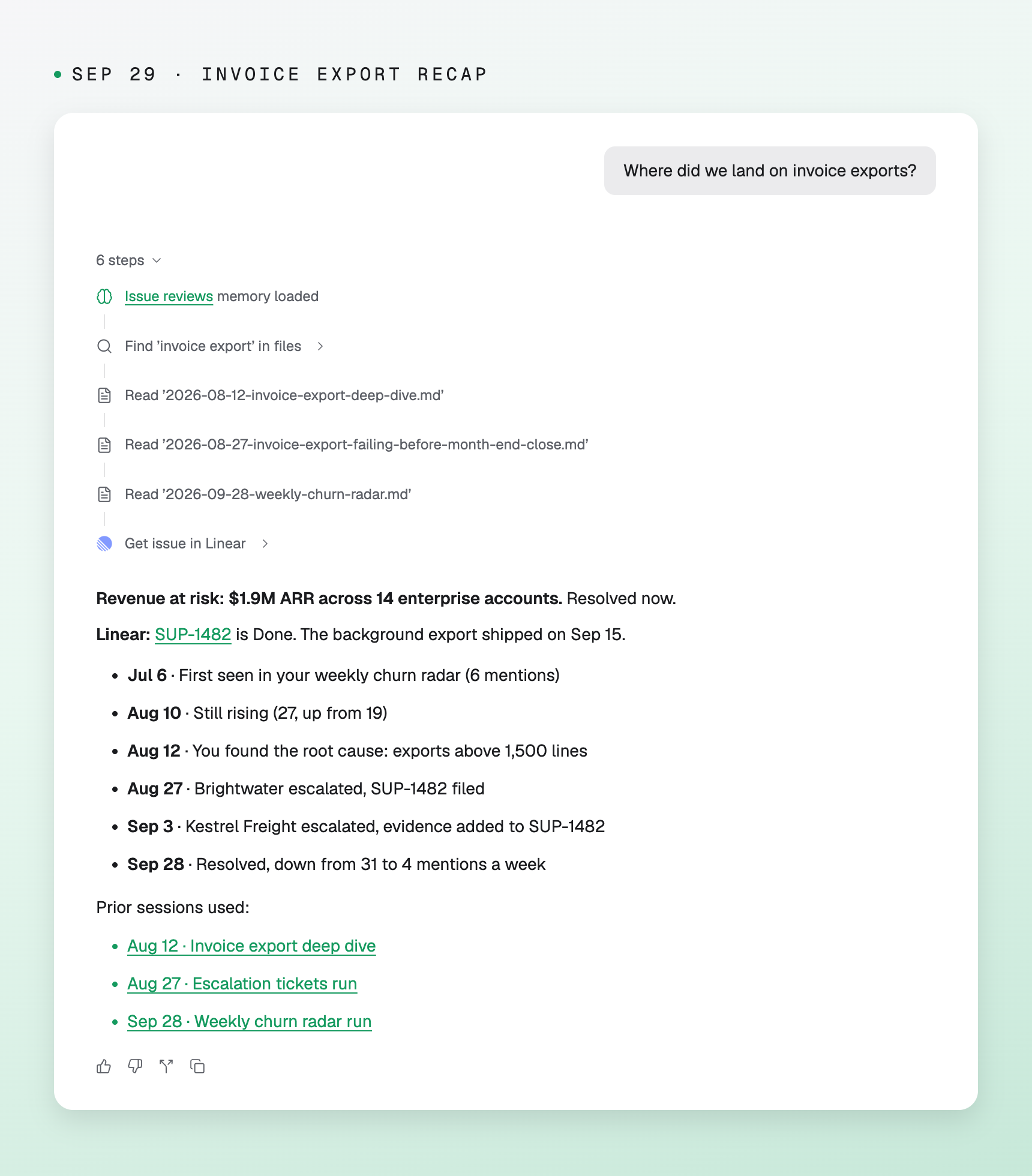
What your automations did. An automation can read its own earlier runs when its prompt asks it to. A weekly churn report with the line "Read your previous runs" leads with what changed since last Monday: what is new, what is still rising, and what is resolved. After a fix ships, it can tell you whether the mentions actually fell.
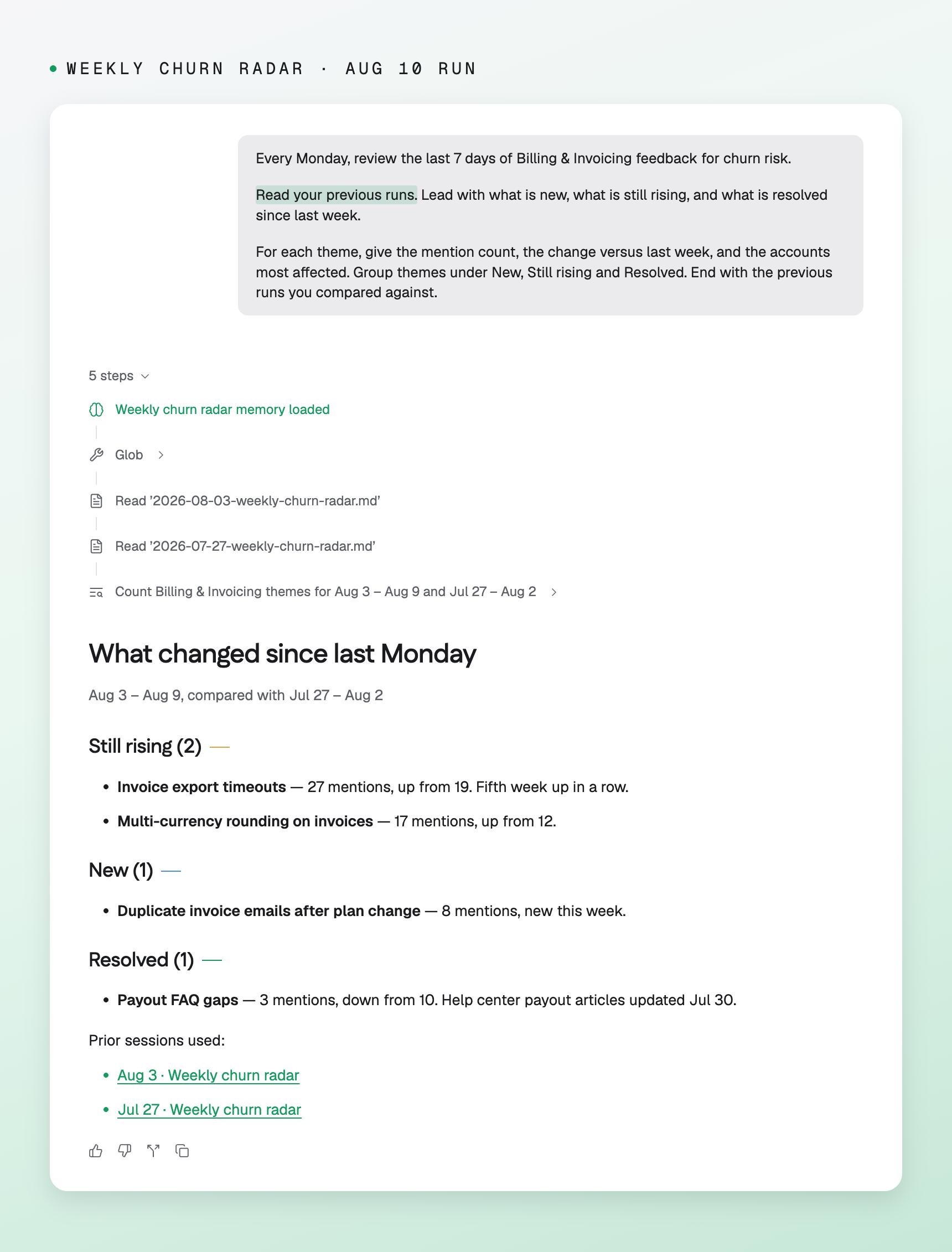
An escalation automation that checks its earlier runs adds a second customer's evidence to the ticket it already filed, instead of opening a duplicate.
You can see what it remembers
Memory is personal. What Enterpret Agent keeps about how you work lives under Settings › Agent › Memory, and other people in your workspace do not see it. Each entry says when it applies and what it says, like "Use when: reviewing an issue." The page is read-only for now. To change an entry, ask Enterpret Agent to update it in chat. Your automations follow their own prompts and do not inherit your personal preferences.
Why we built it
The part we're most excited about is automations. A weekly report that knows what it said last week reads like someone who has been tracking the problem with you. We also built memory to be easy to check: every answer shows which entries it loaded and which sessions it read, because work that builds on earlier work is only as good as that earlier work.
Get started
Memory is on by default for every Enterpret customer, starting today.
Start a session and tell it something to remember, then open Settings › Agent › Memory to see it. To have an automation build on its earlier runs, add a line to its prompt like "Read your previous runs and lead with what changed." The help center has the details.
If you're not using Enterpret yet, book a demo to see how Enterpret Agent works with your customer feedback.


