





Close the Loop: Automations built around your changelog

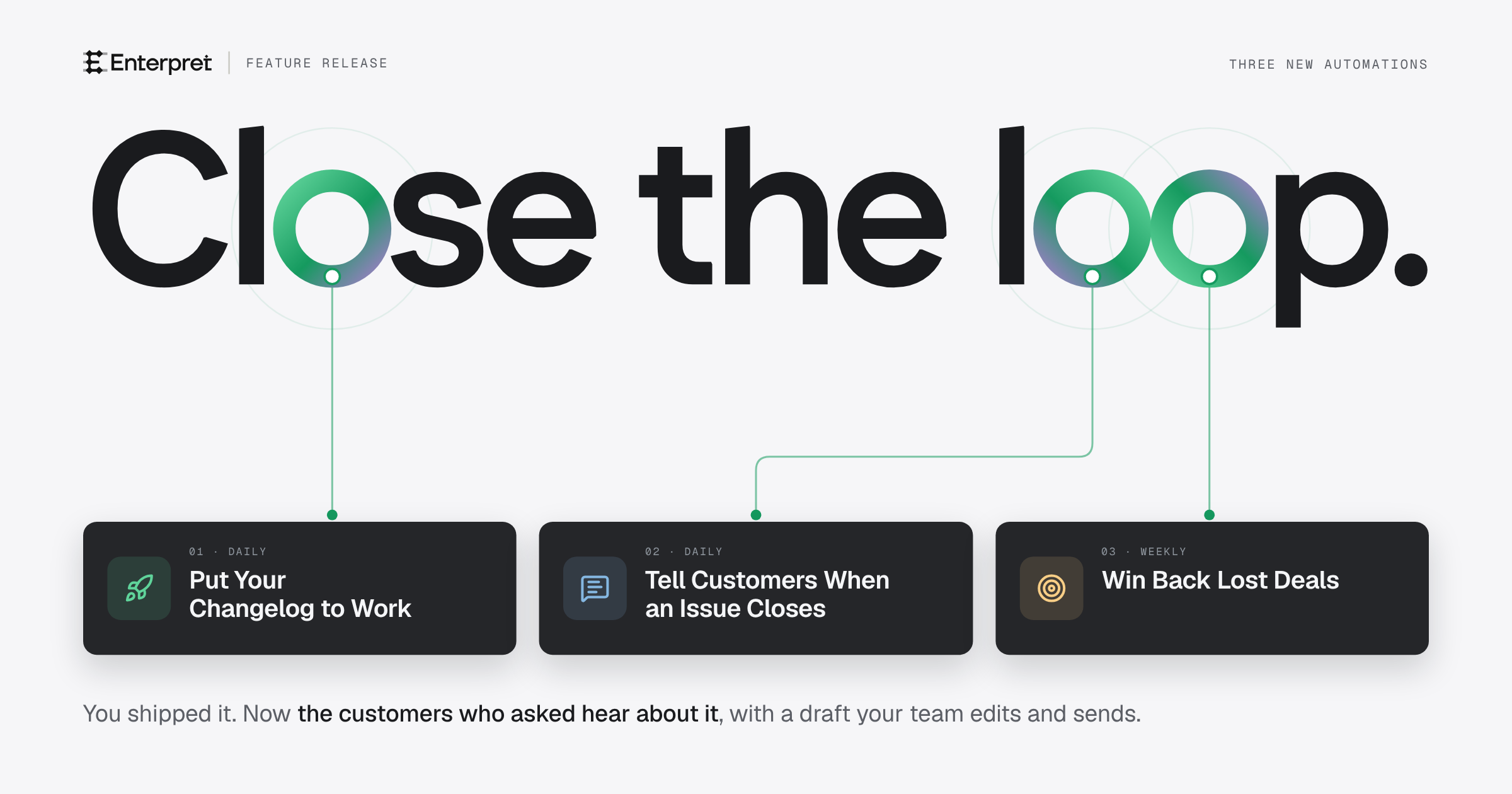
Today we're launching three new automations in Enterpret that start from work your team just finished. The first, Put Your Changelog to Work, reads your changelog each day, finds the customers who asked for what you shipped, and gives each account owner drafts to edit and send. The other two cover closed issues and lost deals. All three are live today for all Enterpret customers.
When a team ships something customers asked for, the people who asked rarely find out. The request sits in a support ticket, a sales call or an app review. The news goes out as a changelog post, and the team moves on to the next thing.
Enterpret already holds the record of who asked for what, so a changelog entry can start that follow-up on its own.
Put Your Changelog to Work
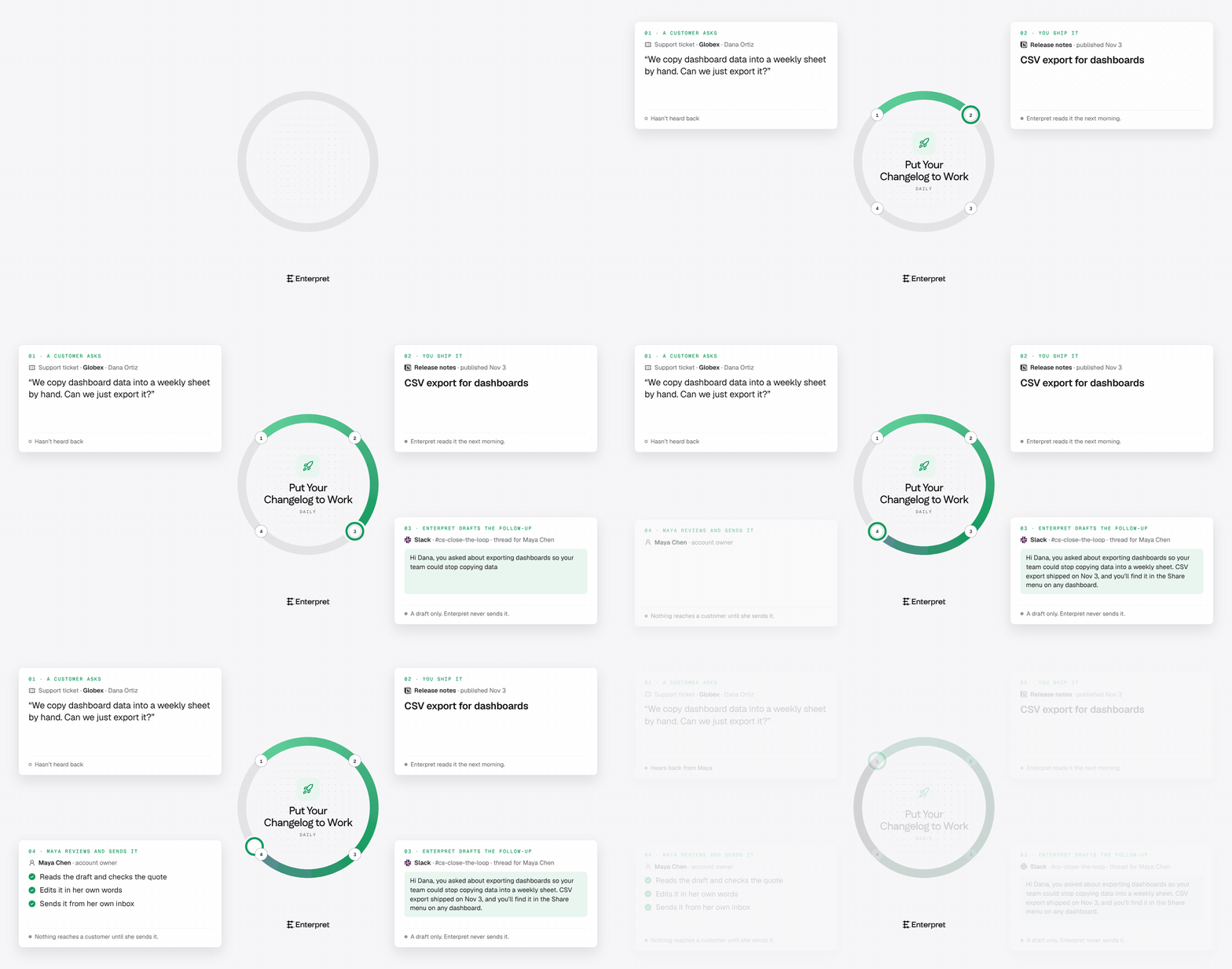
It starts from your changelog. Point it at wherever you publish what shipped, like a Notion database, GitHub releases or a Slack channel. Each day it reads the previous day's entries that a customer can use.
The search covers all your feedback. It begins with feedback linked to the work behind the entry, then looks through tickets, calls, chats, emails, surveys, reviews and posts for the same request or problem.
Each owner gets drafts to edit. A draft is under 80 words and written for the channel that customer used. It says what shipped, ties it to what they said, and says where to find it. The customer's quote sits beside it, with a link to the original feedback.
Your team sends every message. An owner reads the draft, edits it and sends it from their own inbox or ticket. The automation never sends anything to a customer.
Customers who've already heard get no draft. If someone on your team already told a customer, the run lists them as already told. If the entry limits who has the change, the draft leaves a note for the sender to check.
Ways to set it up
A weekly run. If you ship in batches, set the schedule to weekly.
A record of who was told. Add a note to each customer's CRM account, or an email draft for each customer in a connected email account. It's off by default, and email drafts are never sent.
Two more automations
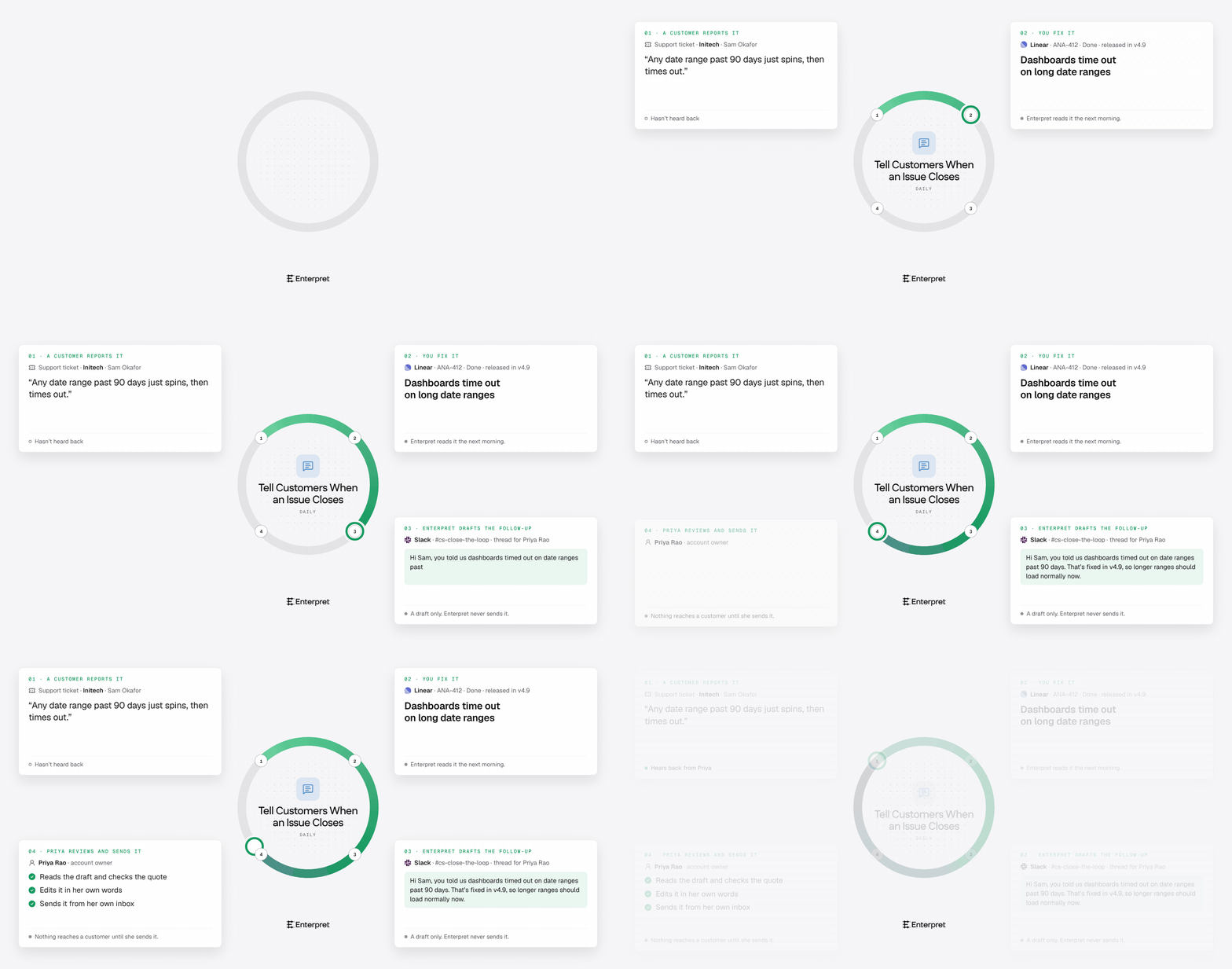
Tell Customers When an Issue Closes does the same for closed issues in Linear, Jira and GitHub. Once you set the tracker, it also adds a comment to the issue listing the customers who reported it.
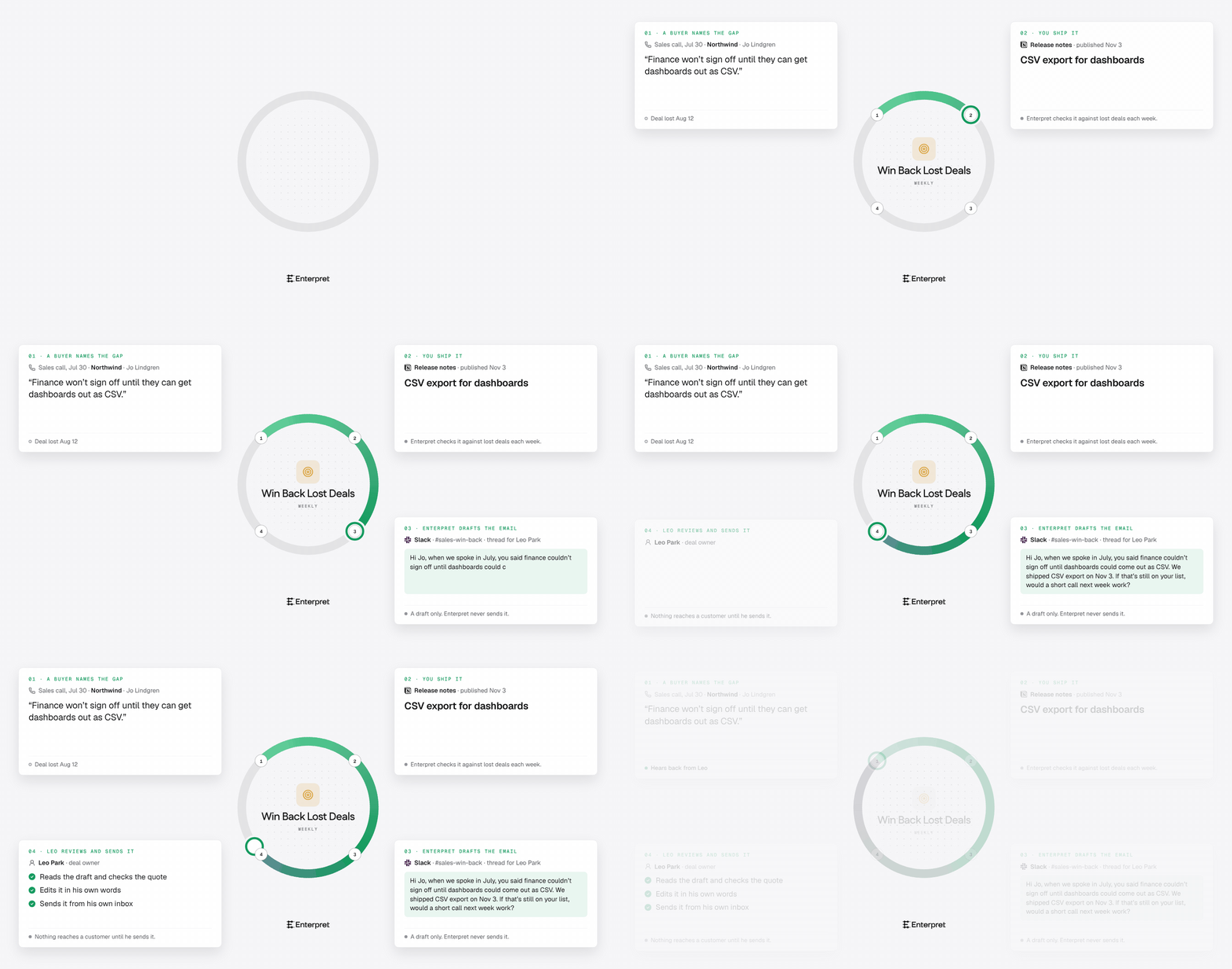
Win Back Lost Deals checks what you shipped against the deals you lost in the last 12 months. When a buyer named that gap as a reason, the deal owner gets the buyer's quote and a draft email.
How it fits with what you use today
Put Your Changelog to Work replaces Follow Up with Customers on the Templates page. Automations you built from it keep running as they are.
Why we built it
Teams keep describing the same last step to us. A VP asked how to handle "the second half", which is telling customers that what they requested is done. One team wants to follow up with the people tied to a Linear item once that work is marked as completed. Another has moderators going back to old threads to tell people it shipped.
Get started
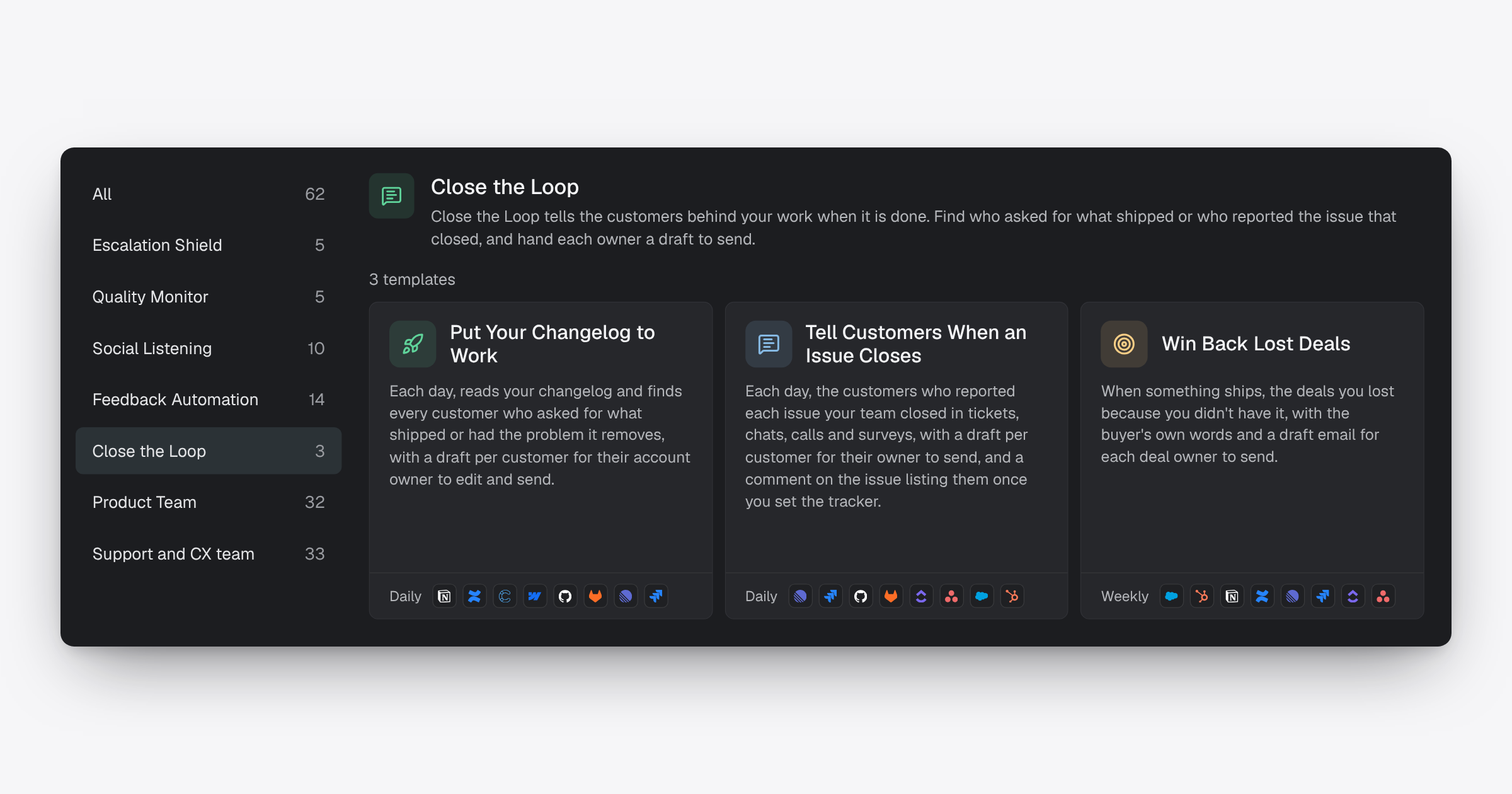
All three are live today for all Enterpret customers. You'll find them under Templates: open Automations, choose Browse all templates, and select Close the Loop. Tell the automation what to watch, like your changelog, and where to deliver the drafts. Runs use credits like any other automation. The help center has the details.
If you're not using Enterpret yet, book a demo to see who asked for the last thing your team shipped.


