



6 Ways Product Marketers Use Customer Feedback for Positioning and Messaging

Voice of Customer
November 20, 2026

Build one dataset and two views. Product and CX ask different questions (CX: what is driving contacts and satisfaction; product: which issues cost the most customers and revenue), but both answers have to come from the same classified feedback, or the two teams end up arguing about whose numbers are right. The seven steps below get you there.
CX dashboards usually start from the help desk. Product dashboards start from surveys or a feature request board. A shared dashboard needs tickets, chats, calls, app reviews, NPS comments and community posts in one place. See how to unify multi-channel customer feedback for the ingestion side.
This is the step that makes or breaks adoption. If a record about a billing bug lands in both a support branch and a product branch, both teams count it and neither owns it. Enterpret's taxonomy evaluation paper measured this as branch leakage: AI-generated taxonomies leaked 34.7% to 76.4% of records across top-level areas, against about 20% for production references with structural checks. Design top-level branches around ownership, then let subthemes stay granular.
CX cares about volume. Product cares about who is affected. Attach plan, ARR, segment and lifecycle stage to every record so the same theme can be read both ways. Connecting CRM pipeline data to customer feedback covers the options.
Top contact reasons, volume trend, CSAT and sentiment by theme, handle time by theme, and deflection opportunities. This view answers "what should we fix in the help center or process this week?"
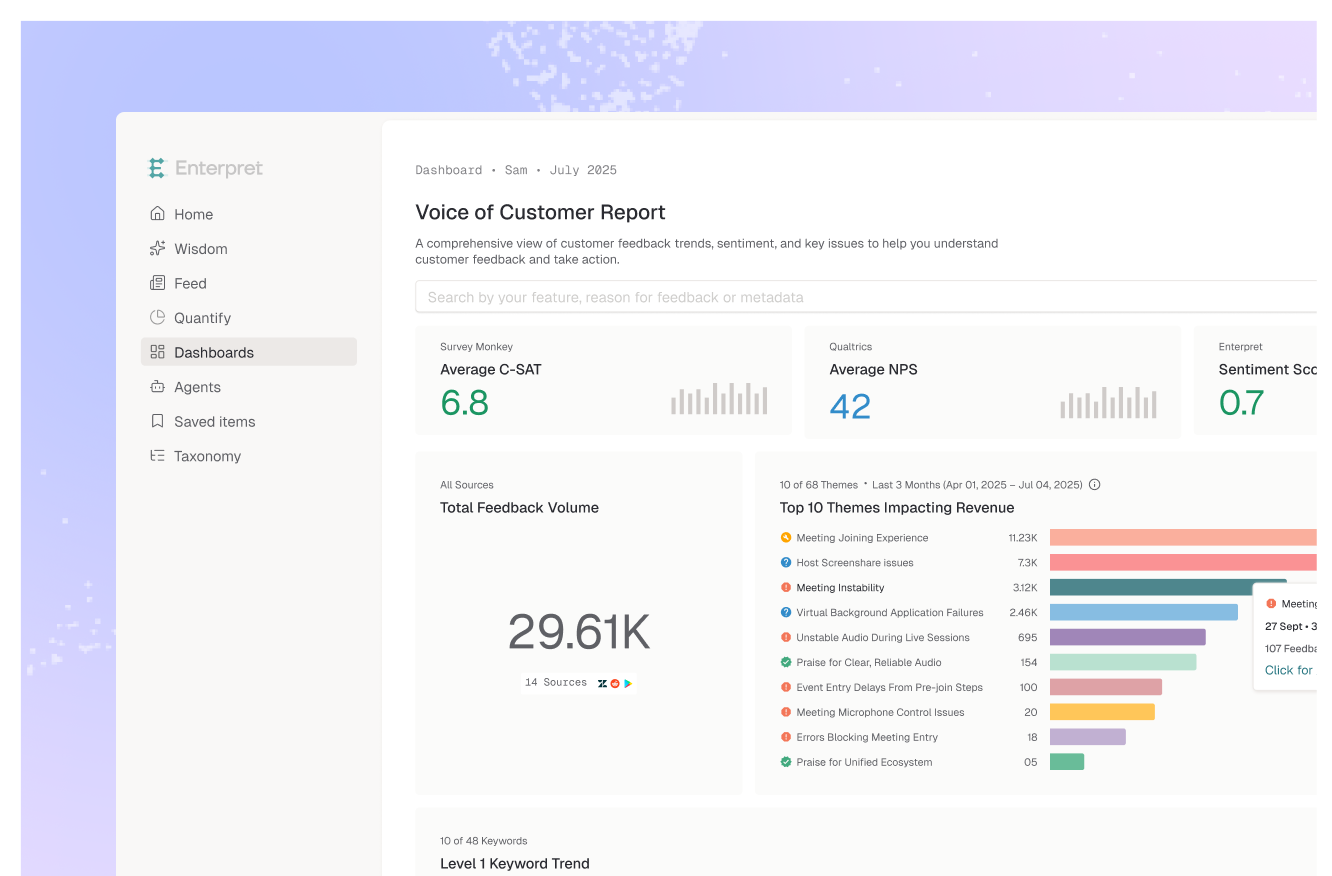
Themes ranked by affected ARR, new and spiking issues, feature requests by segment, and issues tied to recent releases. This view answers "what should we build or fix next?"
Put the five themes that matter to both (usually high-volume issues with product root causes) at the top of both views. A weekly review of that row is where CX hands evidence to product and product reports back what shipped.
Dashboards nobody opens fail quietly. Route spikes and new themes to the owning team in Slack or email. Feedback routing and team-based alerting tools compares the options.
Enterpret ingests feedback from 50+ sources, classifies it with an adaptive taxonomy, and links every record to accounts and revenue through its Customer Context Graph. Product and CX teams each get their own VoC dashboards and reporting views on the same data, so the numbers always match.
They make different decisions. CX decides on process, staffing and help content, so it needs contact drivers and satisfaction. Product decides what to build or fix, so it needs impact by revenue and segment. Both should read from one dataset.
Usually product operations or a VoC lead owns the taxonomy and the shared row, while each team owns its own view. See the roles that can own a feedback taxonomy for the trade-offs.
Theme volume and trend, sentiment by theme, affected accounts and ARR, new or spiking themes, and links from every metric to the underlying quotes.
Usually because the categories do not match how teams are organized, so nobody owns what they see, or because numbers shift between visits and people stop trusting them.
Lorem ipsum dolor sit amet, consectetur adipiscing elit. Suspendisse varius enim in eros elementum tristique. Duis cursus, mi quis viverra ornare, eros dolor interdum nulla, ut commodo diam libero vitae erat. Aenean faucibus nibh et justo cursus id rutrum lorem imperdiet. Nunc ut sem vitae risus tristique posuere.
They make different decisions. CX decides on process, staffing and help content, so it needs contact drivers and satisfaction. Product decides what to build or fix, so it needs impact by revenue and segment. Both should read from one dataset.
Usually product operations or a VoC lead owns the taxonomy and the shared row, while each team owns its own view.
What metrics belong on a shared feedback dashboard?
Usually because the categories do not match how teams are organized, so nobody owns what they see, or because numbers shift between visits and people stop trusting them.