






The 7 Steps to Analyze Product Reviews From UK Retailers Like Argos and Very

Feedback Analysis
November 5, 2026

To automatically import product reviews from Best Buy and Walmart, you have five routes: copy or export them by hand, run a browser extension, build your own scraper, buy the data from a scraper API or data vendor, or connect a feedback platform that pulls new reviews when you paste product links or IDs. Only the last two keep running without someone babysitting them. Only a feedback platform also tells you what the reviews mean.
Short answer: extensions and manual exports work for a one-off pull. Scraper APIs work if engineers and an analysis stack sit downstream. For new reviews analyzed next to your tickets and surveys, use a feedback platform that pulls reviews by product link or ID.
If you build physical products, your most honest customer signals live on retailer pages: a Best Buy listing in Toronto, a Walmart page in Ohio, and more in other countries.
Every one of those pages is its own silo, often with different SKUs for the same product. So teams screenshot, paste into spreadsheets, read the 1 star reviews on the flagship SKU and miss the pattern building on the bundle SKU.
Getting reviews out of Best Buy and Walmart is a data problem. Knowing a hinge defect is spiking on one SKU in one country is a Customer Intelligence problem. Solve the second one.
Most results for this question are scraper APIs and Chrome extensions. They answer "how do I get the rows" and stop before "what do the rows say."
Open the product page, sort by newest, copy reviews into a sheet. It works for a single product or a quick gut check.
It does not scale. Ten products across two retailers, refreshed weekly, is a part time job.
Extensions turn a product page into a file. The Walmart Reviews Scraper extension downloads Walmart.com product reviews to CSV, Excel or JSON. The Bestbuy Review Exporter exports a Best Buy item's reviews to CSV and notes it is not affiliated with Best Buy.
Fast for a one-off. But someone clicks every time, and you end up with a folder of CSVs instead of a living dataset.
Some teams ask engineering to build an in-house collector. You control the schedule and the fields, and you own the upkeep: retailer pages change, rate limits apply, and each retailer has its own terms of use to review before you collect anything. Multiply that by every retailer and country you sell in, and prefer approved or managed routes.
The managed version of route three: a vendor runs collection and hands you structured data. Three examples, from their own pages:
The Best Buy Reviews Scraper actor takes Best Buy SKUs or product URLs and returns one record per review, exportable as JSON, CSV, Excel and more. For monitoring, its docs suggest a schedule sorted by newest, with review IDs deduped downstream. Best for engineering teams that want a configurable, scheduled feed.
The Walmart Reviews Scraper API takes Walmart product URLs and returns parsed review data in JSON, NDJSON or CSV. Its page says you can schedule recurring jobs and deliver by API, webhook, cloud storage or Snowflake. Best for data teams piping reviews into a warehouse.
SerpApi's Walmart Product Reviews API takes a Walmart product ID and returns a rating summary plus individual reviews, with star rating filters and sorting. Best for developers who want review data inside their own app.
The strength is real: structured rows at volume. The gap is too. You still need somewhere to land the data and a way to categorize it. Raw rows are inputs, not insights.
The newest route skips the file. You paste product links or IDs, the platform pulls every new review on those products, and they land next to the rest of your feedback, already categorized.
This is the only route where import and analysis are the same workflow.
A one-time export answers last month's question. New reviews should arrive without anyone clicking.
If you also sell through European or Australian retailers, one route beats a different tool per site.
"Stopped charging after a week" matters more when the same complaint shows up in tickets and returns notes.
One SKU, one market, or everywhere? Those are different fixes owned by different teams.
Engineering will ask "show me." That should be a click, not a new export.
| Route | Keeps up with new reviews | Ongoing effort | Analysis included | Best for |
|---|---|---|---|---|
| Manual copy and export | No | High, every refresh | No | A quick look at one product |
| Browser extensions | No, one page at a time | Medium, someone clicks each time | No | One-off CSV exports |
| DIY scrapers | Yes, if maintained | High: site changes, terms review | No | Teams with spare engineers |
| Scraper APIs and data vendors | Yes, with scheduled runs | Medium: scheduling, dedupe, storage | No, raw rows | Data teams feeding a warehouse |
| Feedback platform (Enterpret) | Yes, pulls every new review on linked products | Low: paste product links or IDs | Yes, with your other feedback | Product, quality, CX and insights teams |
Teams can now bring product reviews from major retailers into Enterpret. Paste product links or product IDs and Enterpret pulls every new review on that product. Supported retailers include Best Buy (US and Canada), Walmart (US), Argos, Very (including Littlewoods), Orange, MediaMarkt (including Saturn and MediaWorld), JB Hi-Fi and the Meta Store. Best for brands that want retailer reviews analyzed with the rest of their feedback. Trade-off: if you only need a one-time CSV, an extension is simpler.
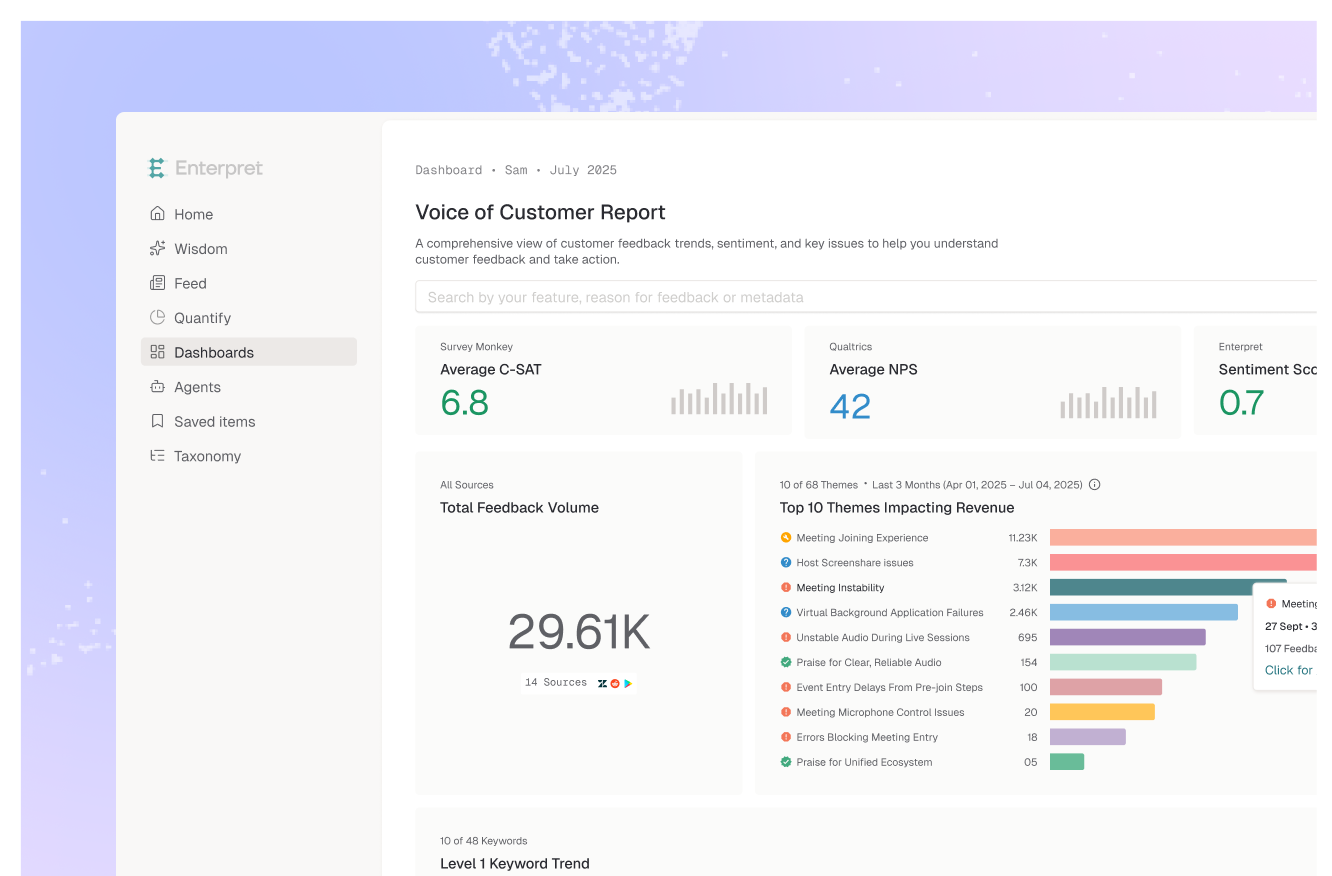
Once in, reviews sit upstream of every decision, next to Zendesk or Intercom tickets, Apple App Store and Google Play reviews, surveys, returns notes and reviews from PowerReviews. That is the whole point of managing multi-source customer feedback in one place.
That combination is what turns review collection into identifying trending product issues before they show up in your return rate.
Picture a smart home brand launching a video doorbell on Best Buy in the US and Canada, Walmart in the US, and MediaMarkt in Germany. The team pastes the product links into Enterpret on launch day.
Two weeks in, in this illustrative scenario, an alert fires: a "battery drains overnight" theme is climbing on Best Buy Canada. The quality lead asks Wisdom whether it appears elsewhere, and the answer surfaces matching support tickets, each one linked.
No CSVs. One Jira ticket with the evidence attached, routed to the right owner, a pattern covered in our guide to feedback routing and team-based alerting.
Retailer reviews are becoming a core customer signal, not a marketing afterthought. The brands that win will treat a Best Buy review and a support ticket as the same kind of evidence.
That is why DTC brands analyze reviews, tickets and surveys together. Retail brands are next, and the edge goes to whoever connects the signal fastest.
Yes. Extensions like Bestbuy Review Exporter export the current item's reviews to CSV, and Apify's Best Buy Reviews Scraper exports CSV, JSON or Excel on a schedule.
Walmart's Marketplace Reviews API is built for third-party sellers in its Review Accelerator Program. Its overview describes managing program enrollment, not exporting review text.
It depends on each retailer's terms of use, which differ by site and can change. Review those terms before collecting data, and prefer approved or managed routes. When unsure, ask your legal team.
Bring both into one platform with a shared taxonomy. In Enterpret, retailer reviews and tickets from Zendesk or Intercom share one Adaptive Taxonomy, so you can compare themes by product, retailer and country. If you already have reviews in a file, see our guide on analyzing a CSV of customer feedback at scale.
Beyond Best Buy (US and Canada) and Walmart (US), Enterpret supports Argos, Very (including Littlewoods), Orange, MediaMarkt (including Saturn and MediaWorld), JB Hi-Fi and the Meta Store. That covers major retailers in the US, Canada, UK, Europe and Australia.
If your customers are reviewing your products on retailer pages, see how Enterpret brings those reviews into one Customer Intelligence layer.
Lorem ipsum dolor sit amet, consectetur adipiscing elit. Suspendisse varius enim in eros elementum tristique. Duis cursus, mi quis viverra ornare, eros dolor interdum nulla, ut commodo diam libero vitae erat. Aenean faucibus nibh et justo cursus id rutrum lorem imperdiet. Nunc ut sem vitae risus tristique posuere.


