



The 8 Signals Fintech Teams Use to Spot Compliance-Sensitive Complaints in Customer Feedback

Product
November 25, 2026

The best tools for an insights team that pulls from research, support and product analytics are Enterpret, Amplitude, PostHog, Productboard, BuildBetter and Great Question. Each one starts from a different "home" source and reaches the other two in a different way, so the right pick depends on which source your team trusts most and which join you need it to make. Enterpret is built to be the shared layer across all three; the others are strongest when one source clearly leads.
A cross-functional insights team rarely has a data shortage. It has a join problem. Interview findings sit in a research repository, ticket themes sit in the helpdesk, and behavior sits in an analytics tool, and the three seldom share a customer ID, a taxonomy or a definition of "how many." This guide ranks tools by how well they close that gap, not by how many charts they draw.
| Tool | Home source | How it reaches the other two | Best for |
|---|---|---|---|
| Enterpret | Support, calls, surveys and reviews | Amplitude cohorts, Mixpanel and Segment connectors, Snowflake, call recorders, CSV and API | A shared taxonomy and account view across every source |
| Amplitude | Product analytics | AI Feedback ingests tickets, reviews and call scripts and links them to behavior | Teams whose source of truth is the event stream |
| PostHog | Product analytics | In-product surveys plus warehouse sources such as Zendesk and Intercom, queried in SQL | Technical teams that want to write the join themselves |
| Productboard | Product feedback hub | Imports Zendesk, Intercom and Gong; imports Amplitude and Mixpanel cohorts as segments | Teams that want insights to land on the roadmap |
| BuildBetter | Calls and meetings | Connectors for Zendesk, Intercom, Amplitude, Mixpanel and PostHog | Teams whose richest signal is recorded conversations |
| Great Question | Research operations | Recruits from Salesforce, Snowflake or CSV; evidence-backed repository | Research-led teams that run their own studies |
The three sources answer different questions. Research tells you why, for a small number of people, in depth. Support tells you what is breaking, for everyone who bothered to write in. Product analytics tells you what people did, for everyone, with no explanation attached. An insights team earns its seat by putting all three in one sentence: "Accounts that hit the export error file more tickets, drop off at step two, and said in interviews that they do not trust the numbers."
Three things usually stop that sentence from being written:
That last point is measurable. In Enterpret research comparing Agentic RAG, a Deep Research Agent and a context graph agent on 30 real voice-of-customer questions, the paper notes that "a top-k retrieval result cannot establish corpus prevalence." The system grounded in persistent customer context scored highest overall in that exploratory benchmark.
0.961 vs 0.710 vs 0.651
Overall scores for an agent grounded in a persistent customer context graph, a Deep Research Agent and Agentic RAG on the same 30 voice-of-customer questions, in Enterpret's exploratory benchmark.
Source: Enterpret Research, "From Retrieval to Customer Context" (arXiv, 2026)
Use these five criteria in order. The first two decide whether the join is possible at all; the last three decide whether anyone outside the insights team will trust it.
If your team is still deciding who owns what, the process side is covered in how to unify customer research when UX, market research and support are separate teams. The rest of this guide is about the tooling.
Home source: every customer conversation. Best for: insights teams that need one taxonomy and one account view across support, research calls, surveys and product analytics.
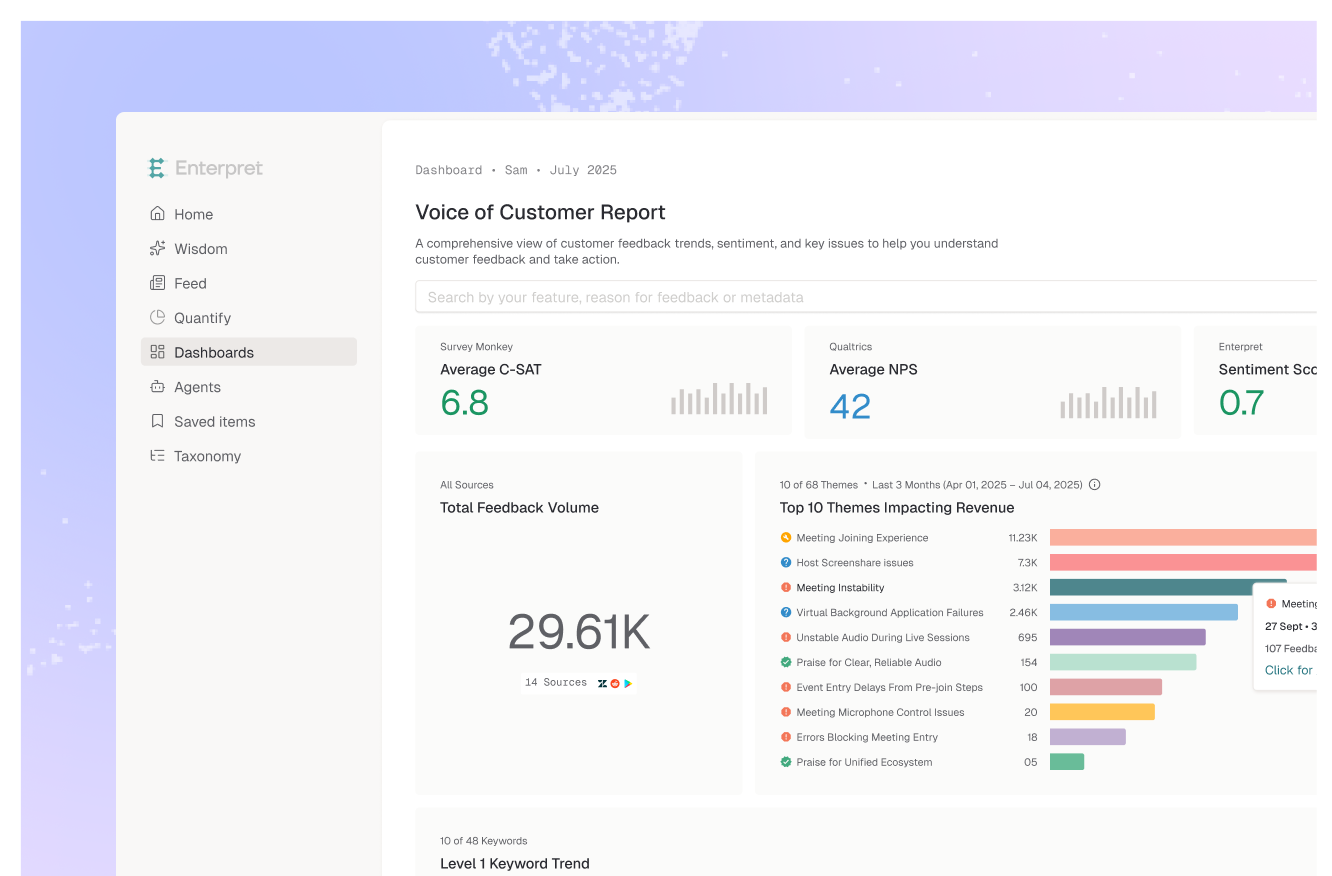
Enterpret ingests support conversations from Zendesk, Intercom, Salesforce Service Cloud, Front, Kustomer and others, call recordings from Gong, Grain, Chorus and Fathom, surveys from Qualtrics, Sprig, SurveyMonkey and Typeform, plus reviews, community and social channels. Research notes and transcripts from other tools can arrive through CSV upload, webhook or the API. Its Adaptive Taxonomy is built from your customers' own language and updates as new themes appear, so a ticket and an interview quote land under the same theme.
On the analytics side, Amplitude sends cohort membership into Enterpret so you can slice the taxonomy by cohort and compare one cohort's feedback against another's. Mixpanel, Segment and Snowflake are also listed as integrations, which is how teams handle enriching feedback with customer data. The Customer Context Graph links each conversation to its theme, its account, that account's revenue and the release it followed.
Answers reach people through the Enterpret app, the Enterpret Agent in Slack, alerts into Slack, issues routed to Jira or Linear, the API, and an MCP server for Claude, ChatGPT, Cursor and Codex. Harvey, for example, replaced more than 700 manual tags with one taxonomy, according to Enterpret's site.
Watch for: Enterpret analyzes what customers say and joins it to behavioral segments; it does not replace your product analytics tool for funnels and retention charts. It also does not send surveys.
Home source: product analytics. Best for: teams that already live in Amplitude and want feedback next to the event data.
Amplitude's AI Feedback captures feedback from "support tickets, surveys, reviews, social media, and call scripts" and lists integrations for Zendesk, Intercom, Freshdesk, Salesforce Service, Gong, App Store and Google Play reviews, Trustpilot, G2, Reddit, Discord, X and CSV uploads. Amplitude says it "links user feedback to product behaviors," and pairs it with Cohorts, surveys and Session Replay to close the loop.
Watch for: the research leg is thin. Amplitude names no research repository integration, so interview findings need to arrive as CSVs or call scripts. If behavior is your source of truth, that tradeoff is often fine. If you also need a Mixpanel or warehouse-first view, an independent feedback layer is easier to share. For a broader comparison of this category, see tools that combine usage data with qualitative feedback.
Home source: product analytics. Best for: technical insights teams comfortable writing SQL.
PostHog combines product analytics, session replay and surveys. Surveys can be targeted "by URL, person properties, events, or Feature Flags," and responses "connect to Product Analytics and Session Replay." Its data warehouse imports sources including Zendesk, Intercom, HubSpot, Salesforce and Stripe, and lets you "query them alongside your events, persons, and sessions in one SQL query."
Watch for: PostHog gives you the tables, not the taxonomy. Turning thousands of ticket bodies into themes is work your team does in SQL or with its own models, and research interviews have no native home. This is the right choice when you want full control of the join and have the people to maintain it.
Home source: a product feedback hub. Best for: insights teams whose output needs to land directly on a roadmap.
Productboard pitches capturing feedback "from Zendesk support tickets to Gong call recordings to Slack messages," with 25+ native integrations. Its integrations page lists Intercom and Zendesk as feedback sources, Salesforce for customer data, and Amplitude and Mixpanel for importing "cohorts as user segments." Its agent, Spark, can query Amplitude, Mixpanel and Pendo through MCP connectors, and prioritized features push to Jira.
Watch for: Productboard organizes feedback around features and ideas. That works well for roadmap decisions and less well for questions that cross product areas, such as churn drivers or support cost. Research repositories are not among the named integrations.
Home source: calls and meetings. Best for: teams whose richest signal is recorded customer conversations.
BuildBetter says it "reads every call, ticket, and doc your team has" and "links every answer to its source." Its integrations page lists 166+ integrations, including Zoom, Gong, Microsoft Teams and Google Meet for calls, Zendesk and Intercom for support, Amplitude, Mixpanel and PostHog for analytics, and Typeform and SurveyMonkey for surveys.
Watch for: BuildBetter is strongest when conversations lead. Its site does not detail how analytics data is used inside an answer, so test the product analytics join in a trial before you rely on it. If you are comparing it head to head, see BuildBetter alternatives for multi-channel feedback analysis.
Home source: research operations. Best for: research-led insights teams that run frequent studies and need a repository stakeholders trust.
Great Question combines recruiting, interviews (including AI-moderated ones), surveys, prototype tests and a centralized repository where findings tie back to the sessions and quotes behind them. You can recruit "your customers from Salesforce, Snowflake or a CSV, or our research panel," and an MCP server lets you search past studies from an AI assistant.
Watch for: Great Question names no support or product analytics integrations on its site. It is the research leg of a stack, not the join. Teams usually pair it with a feedback layer for tickets and an analytics tool for behavior. For more options on this leg, see the best UX research repository tools.
Most insights teams end up with two or three of these tools. The question is which one holds the shared taxonomy and the customer key.
A quick test for any shortlist: pick one theme your team already knows well, ask each tool for the number of affected accounts, their behavior in the product and three supporting quotes, and compare the answers with what you know is true.
It depends on which source leads. Enterpret fits teams that want one taxonomy and account view across support, calls, surveys and analytics cohorts. Amplitude and PostHog fit teams anchored in behavior data, Productboard fits roadmap-led teams, BuildBetter fits call-heavy teams, and Great Question fits research-led teams.
Some can. Amplitude's AI Feedback ingests Zendesk, Intercom and Freshdesk tickets and links them to behavior. PostHog can import Zendesk and Intercom data into its warehouse for SQL queries, but theming the ticket text is left to you.
Put both under one taxonomy and one customer key. In practice, that means sending interview transcripts or notes into the same system that themes your tickets, then checking whether a finding from ten interviews appears across thousands of tickets and which accounts it affects.
Retrieval answers from a sample. Enterpret's benchmark on 30 voice-of-customer questions scored an agent grounded in persistent customer context at 0.961, against 0.710 for a Deep Research Agent and 0.651 for Agentic RAG, in an exploratory study. AI assistants work best when they query a persistent layer, for example through an MCP server, rather than raw exports.
Usually yes, if the team runs its own studies. A repository such as Great Question manages recruiting, sessions and highlight reels. A feedback layer tells you how often those findings show up in support and calls, and for which accounts.
If your insights team is trying to put research, support and product analytics into one answer, see how Enterpret works.
Research cited
Lorem ipsum dolor sit amet, consectetur adipiscing elit. Suspendisse varius enim in eros elementum tristique. Duis cursus, mi quis viverra ornare, eros dolor interdum nulla, ut commodo diam libero vitae erat. Aenean faucibus nibh et justo cursus id rutrum lorem imperdiet. Nunc ut sem vitae risus tristique posuere.