



The 8 Signals Fintech Teams Use to Spot Compliance-Sensitive Complaints in Customer Feedback

Product
November 25, 2026

The best tools to analyze Intercom Fin AI agent conversations are Enterpret, Intercom's own Insights and Monitors, Unwrap, Chattermill, SentiSum and Thematic. Use Intercom's native reporting to tune Fin, and use a cross-channel analysis layer like Enterpret to read Fin conversations as customer feedback, joined to accounts and to every other channel. Most teams running Fin at scale end up needing both.
The reason is simple. Every conversation Fin resolves is one no human reads. The better Fin gets, the bigger the share of your support traffic that nobody on the product or CX team ever sees. This guide covers what Intercom already gives you, what to look for on top of it, and where each tool fits. If you run Decagon instead of Fin, see the companion guide to the best tools to analyze Decagon AI agent conversations.
Intercom's native reporting for Fin is strong and getting better, so start there. According to Intercom's help article on Insights built for the AI agent era, it includes:
That is a complete toolkit for one job: making Fin answer more questions, more accurately. What it is not built for is the second job: telling your product team what customers are struggling with, for which accounts, and whether the same problem shows up in sales calls, app reviews and surveys. Those signals live outside Intercom.
If you are adding a tool on top of Intercom's reporting, judge it on these five things. They are the same criteria we use in the broader guide to the best tools to analyze AI chatbot and agent conversations, narrowed to Fin.
Repeatability is the one most teams skip, usually because they start by pasting a transcript export into an LLM. Enterpret's study of run-to-run instability across eight frontier models found that a raw model changed more than half of its top themes between two runs at 100 records, and nearly three quarters at 5,000 records.
86 to 88% Reduction in theme churn when the same model was grounded in a persistent taxonomy instead of re-clustering the data on every question. Source: Enterpret Research, "Same Feedback, Different Answer" (arXiv, 2026)
Stability is not the same as accuracy, so you still read the conversations behind a theme. But a weekly Fin report needs counts that change only when customers change.
| Tool | Best for | Main trade-off |
|---|---|---|
| Enterpret | Reading Fin conversations as product and customer feedback, joined to accounts, revenue and every other channel | Does not score Fin's answers or suggest content fixes; pair with Intercom for that |
| Intercom Insights and Monitors | Tuning Fin: resolution, CX Score, content gaps, answer quality | Sees Intercom conversations only; Topics and Monitors need the Pro add-on |
| Unwrap | Ranking support contact drivers across Intercom and call transcripts | Built around support ticket analytics more than product or account context |
| Chattermill | Measuring themes and sentiment across Intercom, surveys, reviews and social | Oriented to measurement and reporting rather than routing findings to owners |
| SentiSum | Support teams that want topic and sentiment tagging with a daily driver report | Support operations focus; taxonomy maintained by the vendor |
| Thematic | Explainable themes plus scores generated from conversation text | Intercom connection is for chat logs; ask how Fin conversations are separated |
One caution before the list. None of the third-party vendors below document Fin conversations specifically on their Intercom integration pages. They ingest Intercom conversations, which is where Fin's replies live, but ask every vendor on this list, Enterpret included, to show how Fin-only, escalated and human-only conversations are separated in their data.
Best for: product, CX and insights teams that want Fin conversations read as feedback, weighted by account and revenue, alongside every other channel.
Enterpret's Intercom integration pulls in support conversations along with user properties such as plan type, device and country. Per the Enterpret help center, it ingests resolved conversations, takes the entire conversation rather than just the latest message, and syncs every four hours.
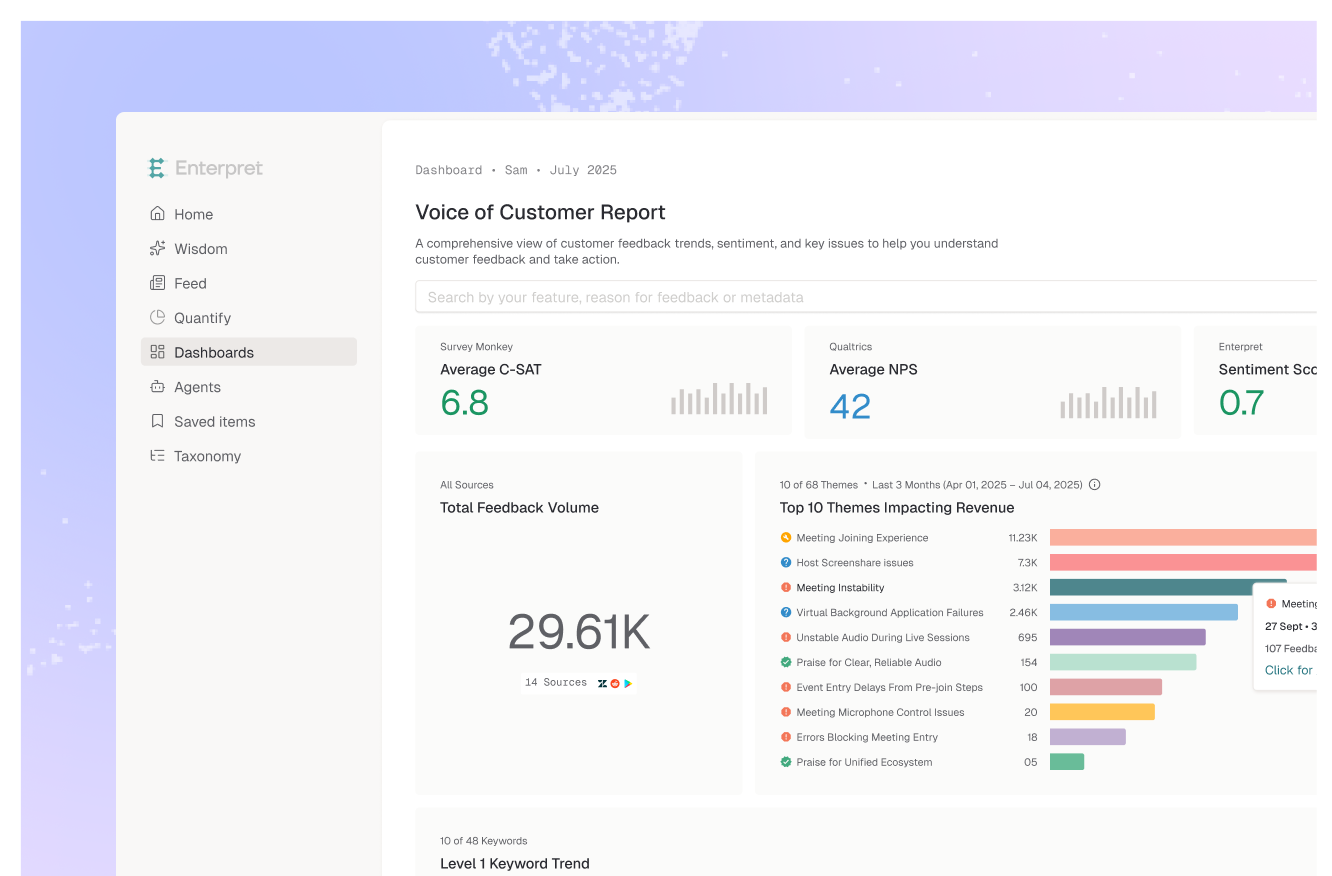
From there, adaptive taxonomy classifies each conversation into one L1, L2 and L3 hierarchy of product areas and themes that also covers Zendesk tickets, Gong calls, surveys, app reviews and community posts. The customer context graph joins each conversation to the account, segment and CRM revenue behind it, so "Fin keeps getting asked about SSO setup" becomes "SSO setup questions are up this month and concentrated in enterprise accounts renewing next quarter."
Teams ask questions in plain language through Wisdom, Enterpret's AI assistant, and get answers with the conversations behind them. Findings reach owners through the Enterpret app, Slack alerts, Jira, Linear and Notion, the API, and an MCP server for Claude, ChatGPT and Cursor.
Trade-off: Enterpret does not grade Fin's answers, run scorecards or suggest help center fixes to Fin. Intercom's own tools are better for that. Enterpret is the layer for what customers are telling you, not how well the agent replied.
Best for: support and automation teams whose goal is a higher Fin resolution rate and better answers.
Nothing on this list knows Fin as well as Intercom does. CX Score covers every conversation, Topics Explorer shows which topics have low Fin resolution, the Optimize suggestions point to specific content and action gaps, and Monitors lets you review Fin's answers against your own scorecard. If your question is "why did Fin fail here and what do I change," start and probably stay here. For a broader checklist, see these checks for auditing AI support agent quality.
Trade-off: it analyzes Intercom conversations, so feedback from calls, reviews, surveys and other help desks sits outside the view. Topics Explorer and Monitors both require the Pro add-on, and subtopics need at least 15 questions or conversations before they form.
Best for: support leaders who want ranked contact drivers with the verbatims behind them.
Unwrap's Intercom integration pulls in chat transcripts and supports inclusion and exclusion tags, so you can control which conversations are analyzed. Its support ticket analytics page describes an Auto Tagger that builds a taxonomy from existing tickets, drivers linked to the verbatims behind them, and alerts when a driver breaks from its baseline.
Trade-off: the product is framed around support contact volume. Its Intercom docs do not mention Fin, and account and revenue weighting is less central than in a customer intelligence platform.
Best for: insights teams measuring themes and sentiment across support, surveys and reviews.
Chattermill's Intercom integration imports conversations automatically, runs AI analysis of sentiment and recurring themes, and flags customer experience issues in real time. Its guide to Intercom data describes combining Intercom with surveys, reviews and social, and using theme analysis to explain what moves Intercom's CX Score.
Trade-off: Chattermill is strongest at measurement and reporting. Check how findings get from a dashboard to the team that owns the fix.
Best for: support operations teams that want contact-driver visibility quickly.
SentiSum's Intercom setup connects over OAuth to conversations, users, companies, tags and tickets. Its Intercom product page describes topic and sentiment tagging on a custom taxonomy maintained by SentiSum's data scientists, plus a daily email on top contact drivers and topic changes.
Trade-off: the focus is support conversations and surveys. Teams that want product feedback from calls, reviews and community in the same taxonomy should check coverage.
Best for: teams that need explainable themes and scores they can defend in product reviews.
Thematic offers a one-click Intercom integration for chat logs. Its conversational analytics page describes a Theming Agent that builds themes from customer language, a Scoring Agent that generates NPS, CSAT, effort and resolution quality from conversation text, routing to Slack, email and tickets, and plain-English querying or MCP access.
Trade-off: neither page mentions Fin or chatbots, so confirm how Fin-handled conversations appear before you rely on Fin-only cuts.
Fin's resolution rate tells you the agent closed the conversation. It does not tell you why the customer had to ask. AI agents usually take over the routine, high-frequency questions first, which means the problems behind your biggest volume are often the ones that disappear from human view.
A short illustrative example. A B2B software company sees Fin resolve 82% of "change billing date" conversations, so the topic looks healthy in Topics Explorer. Read as feedback, the same 1,400 conversations a month say customers cannot find the setting, and the theme also shows up in 30 sales calls from prospects comparing billing flexibility. That is a product fix, not a content fix. (All numbers here are illustrative.)
For a step-by-step method on categorizing the conversations themselves, see how to automatically categorize Intercom conversations to find top customer complaints.
As AI agents take on more of the conversation, the resolved corpus becomes one of your largest feedback sources and one of the least read. The teams that get ahead will treat Fin conversations the way they already treat tickets and calls: classified, counted, tied to accounts and routed to owners.
Yes. Intercom Insights includes CX Score, Fin performance reporting with resolution and involvement rates, Topics Explorer for AI-grouped topics, and weekly Optimize suggestions. Monitors adds scorecard-based quality review. Topics Explorer and Monitors require Intercom's Pro add-on.
A resolved conversation still contains a customer problem. Fin answered the question, but the reason the customer had to ask, such as a confusing setting, a missing feature or a bug, is still there. Reading resolved conversations as feedback is how those root causes reach the product team.
For a one-off read of a small export, yes. For themes you will track week to week, be careful. Enterpret's research on eight frontier models found a raw model changed more than half its top themes between two runs at 100 records, while grounding the same model in a persistent taxonomy cut theme churn by 86 to 88%.
Enterpret connects to Intercom and ingests resolved conversations in full, along with user properties such as plan type. It classifies them with Adaptive Taxonomy alongside your other feedback channels and joins them to accounts and revenue through the Customer Context Graph. Results are available in the app, Slack, Jira, Linear, Notion, the API and an MCP server.
Yes, if you want to grade and improve Fin's answers. Monitors and CX Score measure how well the agent and your team responded. Enterpret measures what customers are telling you and who is affected. Most teams use Intercom for agent quality and Enterpret for feedback.
If you are running Fin and want to read what it resolves as customer feedback, see how Enterpret works.
Research cited
Lorem ipsum dolor sit amet, consectetur adipiscing elit. Suspendisse varius enim in eros elementum tristique. Duis cursus, mi quis viverra ornare, eros dolor interdum nulla, ut commodo diam libero vitae erat. Aenean faucibus nibh et justo cursus id rutrum lorem imperdiet. Nunc ut sem vitae risus tristique posuere.