



Context Engineering for Customer Feedback: 6 Rules for Giving AI Agents the Voice of the Customer

Feedback Analysis
November 12, 2026

To join customer feedback themes to ARR and accounts in your data warehouse, you need four tables and one rule. The tables: feedback records with source IDs, an identity map from each record to a contact and account, an ARR snapshot dated to when the feedback arrived, and a theme assignment per record with its taxonomy version. The rule: count accounts and ARR once per theme, never once per record. The six steps below cover landing feedback, resolving identity, snapshotting revenue, attaching themes, building the theme-account fact table, and reporting with honest denominators.
Most teams get the first join working in a day and then spend months on the edge cases: tickets from personal email addresses, one complaint counted five times, ARR from the wrong quarter. This guide is about the edge cases.
Feedback does not arrive with an account ID. A Zendesk ticket has a requester email, a Gong call has a list of participants, an app review has a username, a survey response may have nothing at all. Revenue lives in the CRM or billing system at the account level, and it changes every month. Themes come from whatever classifies the text, and they change whenever the taxonomy does.
That gives three ways to get the wrong number: records that never match an account, records that match and then get counted many times, and ARR that reflects today instead of when the customer complained. Each one inflates or hides revenue exposure, and the dashboard looks equally confident either way.
"How much ARR is behind this theme?" is a counting question, not a search question. It needs every record classified and joined, not the top matches.
Store one row per feedback record with a stable ID, source, timestamp, raw text and every identifier the source offers: requester email, organization ID, CRM contact ID, call participant emails, app store user ID. Do not drop identifiers you cannot use yet; they become match keys later. Keep long sources like call transcripts as one record per call plus extracted mentions, so a single call does not become fifty rows.
Build an identity map with a match method and confidence on every row. Typical order: exact CRM contact ID from the source, then exact email match to a CRM contact, then email domain match to an account (excluding free-mail domains), then manual mappings. Record the method, because "matched on domain" is weaker evidence than "matched on contact ID," and you will want to filter on it. Track the unmatched share by source; if most app reviews never match, say so in the report rather than silently dropping them.
Join to an ARR snapshot table (account, date, ARR, plan, segment) using the feedback timestamp, not the current value. A customer who complained about exports in March and churned in June had real ARR in March. Using today's ARR makes churned accounts vanish from the theme that drove them away. If you only keep current ARR, start snapshotting monthly now; the history is the valuable part.
Store theme assignments in their own table: record ID, theme ID, taxonomy version, confidence. Multi-label is normal, so one record can carry several themes. Versioning matters because a renamed or split theme will otherwise break every historical trend. Themes also need to hold still between runs: in Enterpret's study of run-to-run instability across eight frontier models, raw models' counts moved 7.5 to 9.8% on matched themes between runs of the same question on the same data, which is enough to move an ARR ranking on its own.
Aggregate to one row per theme, account and period before you touch revenue. This is the step that prevents double counting: an account that filed six tickets about one theme counts once, with a record count beside it. Then join ARR. A minimal version looks like this:
-- one row per theme, account and month
create table theme_account_month as
select
  t.theme_id,
  i.account_id,
  date_trunc('month', f.created_at) as month,
  count(distinct f.feedback_id)     as records,
  max(i.match_confidence)           as best_match
from feedback f
join feedback_themes t   on t.feedback_id = f.feedback_id
                        and t.taxonomy_version = 'current'
join identity_map i      on i.feedback_id = f.feedback_id
group by 1, 2, 3;

-- ARR as of each month, counted once per account
select
  m.theme_id, m.month,
  count(distinct m.account_id) as accounts,
  sum(a.arr)                   as arr_exposed
from theme_account_month m
join arr_snapshots a
  on a.account_id = m.account_id
 and a.snapshot_month = m.month
group by 1, 2;
Note that summing ARR across themes double counts accounts that appear in several themes. That is fine for ranking themes and wrong for "total ARR affected," which needs a distinct count across the themes you are combining.
Every number needs its denominator: accounts affected out of accounts that gave any feedback, ARR exposed out of total ARR, matched records out of all records. Show the unmatched share next to every revenue figure. Segment by plan and tier, and trend by month so a spike from one large account is visible as one account. For turning exposure into churn risk, see the five steps to quantify revenue and ARR at risk from churn drivers.
| Mistake | Effect | Fix |
|---|---|---|
| Summing ARR per record | Large accounts that complain often dominate every theme | Aggregate to theme-account first |
| Using current ARR | Churned accounts disappear from the themes that drove churn | Join to a dated snapshot |
| Dropping unmatched records | Self-serve and app-store pain looks smaller than it is | Report unmatched share by source |
| Unversioned themes | Trends break when a theme is renamed or split | Store taxonomy version on every assignment |
| Retrieval instead of classification | Counts reflect the top matches, not the corpus | Classify every record before aggregating |
The last row is where many "chat with your feedback" builds go wrong. Enterpret research comparing Agentic RAG, a Deep Research Agent and a context graph agent notes that a top-k retrieval result cannot establish how common something is across the corpus, and that a fluent summary can cite relevant records while attaching the wrong count.
0.961 vs 0.651 Overall score for an agent grounded in a persistent customer context graph vs Agentic RAG on 30 real voice-of-customer questions, with the largest gap in analytical depth (0.967 vs 0.642). Source: Enterpret Research, "From Retrieval to Customer Context" (arXiv, 2026)
The paper calls these results exploratory, and it tested architectures, not products. The direction still matters for this build: the join has to exist before the question is asked.
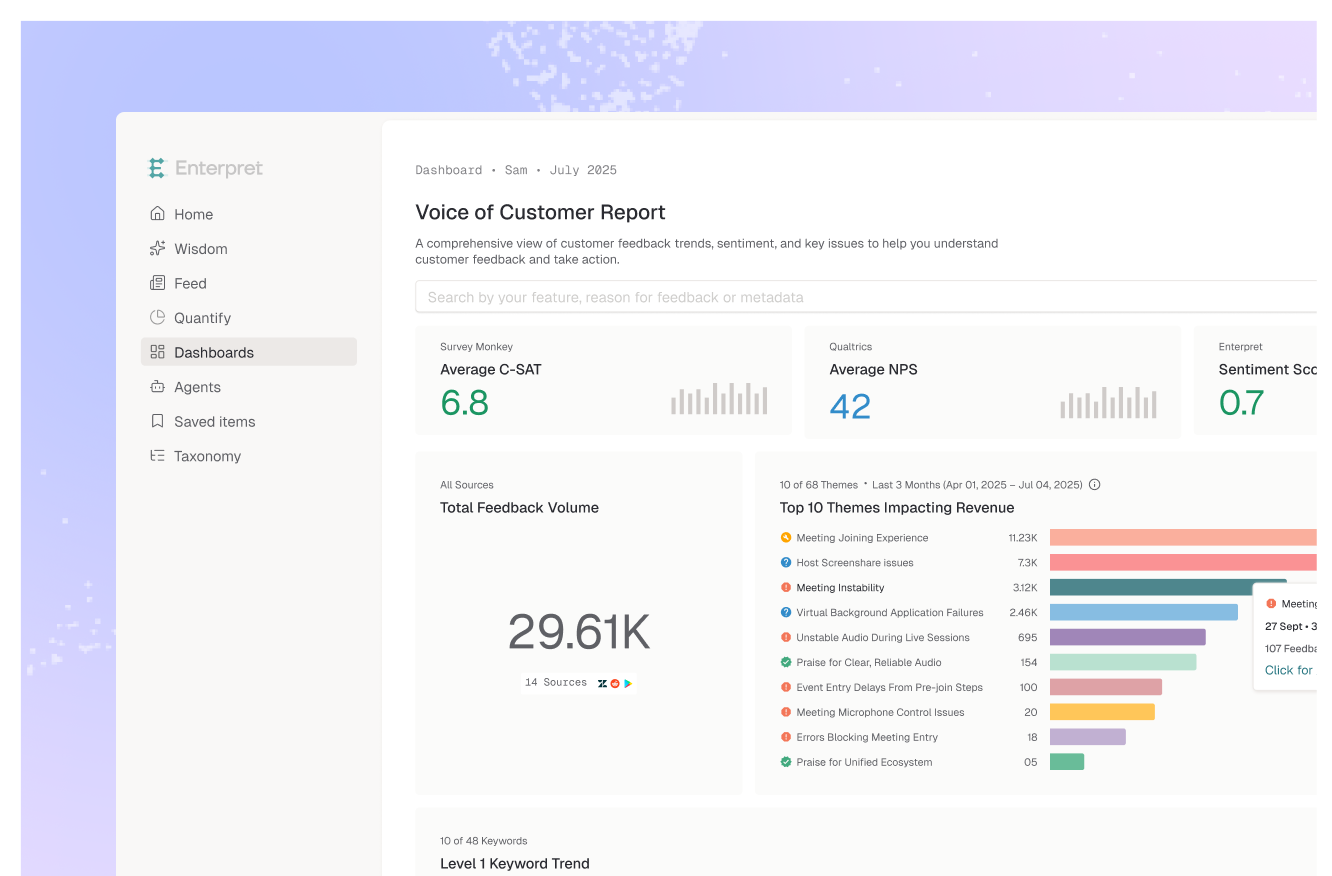
Enterpret's Customer Context Graph does the job of this fact table without you maintaining it: feedback from 50+ channels is classified with Adaptive Taxonomy at ingestion and linked to users, accounts, revenue, tickets and owners, so "which accounts and how much ARR" is a query rather than a project. If your team already lives in the warehouse, see tools to analyze customer feedback in Snowflake without building a pipeline. If revenue lives in Salesforce, see tools to quantify how customer feedback impacts revenue in Salesforce. Setup takes real work either way: identity mapping and revenue sources need connecting before the numbers are trustworthy.
Picture a team ranking themes by ticket volume. "SSO setup fails" sat tenth. After building the theme-account table and joining ARR snapshots, it moved to second: few tickets, but from eleven enterprise accounts in the quarter before renewal, three of which later churned. Using current ARR would have hidden those three entirely. What worked: dated snapshots and per-account counting. What did not: a third of the records were unmatched because admins filed tickets from personal addresses, which the team fixed by adding a CRM contact sync to the support tool.
As AI agents start answering revenue questions directly, the join stops being a dashboard detail and becomes the source of truth they reason over. Teams that keep identity, revenue history and themes joined and versioned will get answers they can defend; teams that let an agent retrieve and estimate will get confident numbers that move every time they ask.
Use the CRM contact ID if the support tool syncs it, then exact email to contact, then email domain to account excluding free-mail domains. Store the match method and confidence on every row, and report the unmatched share by source.
ARR at the time of feedback. Current ARR makes churned accounts disappear from the themes that drove them away. Keep monthly ARR snapshots and join on the feedback date.
Aggregate to one row per theme, account and period before joining revenue, so an account counts once per theme. Use a distinct account count when combining themes into a total.
Not reliably. Enterpret's research notes that top-k retrieval cannot establish how common something is across the corpus. Classify every record and join to accounts first, then let the agent query the joined table.
If you would rather not maintain the join yourself, see how Enterpret works. If you build it, start with ARR snapshots this month; you cannot backfill history you never kept.
Research cited
Lorem ipsum dolor sit amet, consectetur adipiscing elit. Suspendisse varius enim in eros elementum tristique. Duis cursus, mi quis viverra ornare, eros dolor interdum nulla, ut commodo diam libero vitae erat. Aenean faucibus nibh et justo cursus id rutrum lorem imperdiet. Nunc ut sem vitae risus tristique posuere.