



Context Engineering for Customer Feedback: 6 Rules for Giving AI Agents the Voice of the Customer

Feedback Analysis
November 12, 2026

To let anyone in the company ask questions about survey comments and filter by segment, follow six steps. Import every survey's responses with their respondent attributes attached (score, survey, plan, region, tenure, age band or whatever you segment by), standardize those fields across surveys, classify the comments into one shared taxonomy, give people a plain-English question box that applies segment filters and answers with counts and cited quotes, then add permissions and a set of saved starter questions. The step that decides whether this works is the first one. If segment attributes do not arrive with the comment, "filter by segment" is impossible later, however good the interface is.
Most companies run several surveys in different tools: relationship NPS in one, post-purchase or post-support CSAT in another, in-product surveys in a third. Each export has its own columns, and the attributes people want to filter by (plan, region, segment) often live in the CRM or product database, not in the survey tool. So every question goes to an analyst, who joins files and reads comments by hand.
Pasting exports into ChatGPT or Claude helps for a one-off read, but answers drift. In Enterpret's study of run-to-run instability across eight frontier models, a raw model asked for the top themes in the same feedback twice changed more than half of its theme set at 100 records. If two teams ask the same question and get different top themes, neither will trust the tool.
More than half of a raw model's theme set changed between two runs of the same question on the same 100 records (theme churn 0.552). An agent grounded in a persistent taxonomy stayed at 0.013. Source: Enterpret Research, "Same Feedback, Different Answer" (arXiv, 2026)
List each survey, the tool it runs in and the attributes people actually filter by. Ask a few teams for their last five questions about survey comments; the segments in those questions are your requirements.
| Attribute | Usually lives in | Example question |
|---|---|---|
| Score (NPS, CSAT) | Survey tool | What do detractors complain about most? |
| Survey and touchpoint | Survey tool | How do post-purchase comments differ from post-support? |
| Plan or tier | CRM or billing | What do premium customers ask for? |
| Region or market | CRM or survey hidden field | Is delivery a bigger issue in one region? |
| Tenure or age band | Product database or survey | What do customers in their first month mention? |
Connect each survey tool so responses arrive with their scores and response attributes, and pass segment data in as hidden fields where the survey tool supports it. Where attributes live elsewhere, join on a stable respondent identifier such as a user ID or email. Do this at import, not at question time, so every answer can filter on the same fields.
One survey calls it "tier," another "plan," a third stores "Pro" as "PRO_ANNUAL." Map them to one name and one set of values. Do the same for scores: a 0 to 10 NPS score and a 1 to 5 CSAT score should not be filtered as if they were the same scale.
Use one set of themes across every survey and, ideally, across support tickets and reviews too. Then "checkout problems" means the same thing in the post-purchase survey, the NPS survey and the help desk, and a question about it covers all three. Classify once and store the result, so counts do not change between askers.
The interface should accept a question like "What do detractors on the premium plan in Europe say about delivery?", apply the filters, and answer with three things: how many comments matched out of how many in the segment, the main themes, and quotes linked to the original responses. Showing the denominator stops people from drawing conclusions from 11 comments.
Decide who can see raw comments and who sees summaries only, especially where comments contain personal details. Publish 10 to 15 saved questions per team so people start from a good example. Review the most-asked questions monthly; they tell you which segments and themes to add.
For broader options beyond surveys, see platforms for self-serve voice of customer exploration and ways to give product managers self-serve access to feedback.
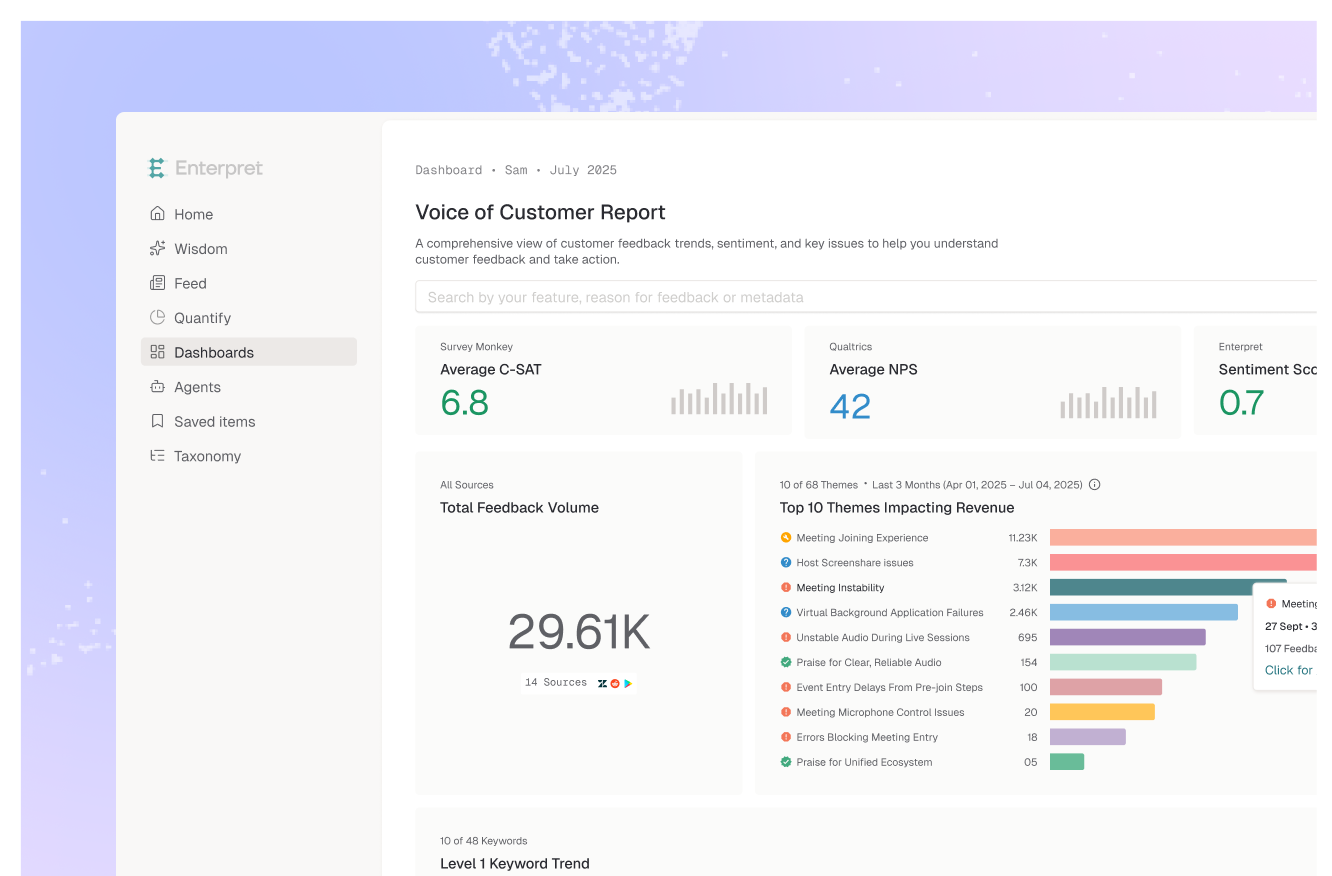
Enterpret connects to survey tools including Qualtrics, SurveyMonkey, Typeform, Sprig and Refiner. The Refiner integration, for example, syncs NPS, CSAT and numeric ratings plus response attributes so you can segment by score, survey or user group, and the Qualtrics integration supports analysis by promoters, detractors and user properties in 70+ languages. Unified Fields standardize attributes across sources, and Adaptive Taxonomy classifies survey comments into the same themes as tickets, calls and reviews. Wisdom answers plain-English questions with citations, and the MCP server brings the same answers into Slack, Claude and ChatGPT. Roles from Admin to Viewer set who can edit and who can only view. For survey-specific tooling, compare tools to analyze Qualtrics NPS verbatims.
Picture a subscription company with three surveys and a two-person insights team. A regional manager asked whether annual-plan customers in her market complained more about delivery windows than monthly customers. The old answer took a week: export, join to billing data, read 400 comments. Once responses arrived with plan and market attached and comments were classified into shared themes, she asked the question herself and got counts for both groups, the top themes and a dozen linked quotes in a minute. The insights team reviewed her saved question and shared it with the other regions. What worked: attributes attached at import. What did not: the earlier attempt to add filters to a tool that only had the comments.
Survey comments are becoming one input among many rather than a separate program. The companies that get the most from them will be the ones where a question about "detractors" also checks support tickets and reviews from the same customers, without anyone exporting a file.
For a single export and a one-off question, yes. For a company-wide tool, answers need to stay the same between askers and filter on segments that live outside the survey. Raw models changed more than half of their theme set between runs in Enterpret's stability study.
Start with score, survey or touchpoint, plan or tier, region and customer tenure. Then add whatever appears most in the questions teams already ask the insights team.
Show the denominator in every answer, the number of matching comments out of the number in the segment, and flag segments below a minimum, such as 30 comments.
Anyone who needs the customer's words to act, usually product, CX and research, with personal details redacted. Give everyone else summaries, counts and themes.
If you want every team to ask its own questions of survey comments, see how Enterpret works.
Research cited
Lorem ipsum dolor sit amet, consectetur adipiscing elit. Suspendisse varius enim in eros elementum tristique. Duis cursus, mi quis viverra ornare, eros dolor interdum nulla, ut commodo diam libero vitae erat. Aenean faucibus nibh et justo cursus id rutrum lorem imperdiet. Nunc ut sem vitae risus tristique posuere.