



The 5 Ways DTC Brands Analyze Product Reviews, Support Tickets, and Post-Purchase Surveys Together

November 2, 2026

A release goes out Tuesday afternoon. By Wednesday morning there are a dozen support tickets that mention a broken export, three one-star reviews that say the app "logs me out every time," and a community thread nobody on the product team has read. None of it threw an exception. The signal was there for eighteen hours. It just was not in a place, or a shape, that reached the engineer who shipped the change.
The 6 best post-launch feedback monitoring tools for product and engineering teams are Enterpret, unitQ, Appbot, Sentry User Feedback, Pendo Listen, and a helpdesk release tag with saved views. What separates them is not how fast they send an alert, but whether the alert is tied to a release, catches themes that did not exist before the launch, and arrives with enough evidence that an engineer acts on it instead of muting the channel.
Most tools do criterion four on known categories. The real differentiator is criterion two combined with five: finding the issue nobody named yet, and handing engineering a case they will not push back on.
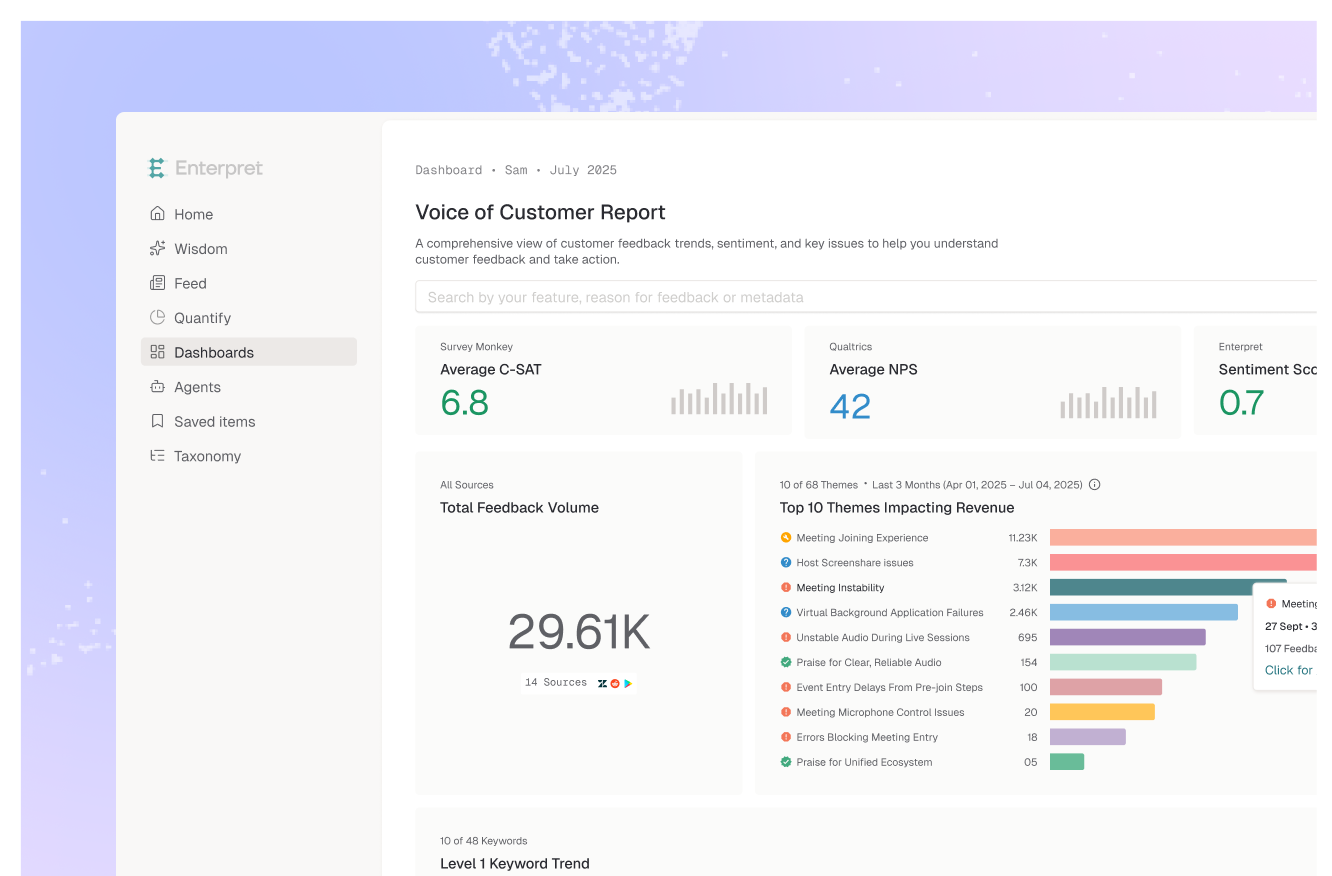
Enterpret is a customer intelligence platform that unifies feedback from 50+ sources, including Zendesk, Intercom, the App Store, Google Play, Discord, Gong, and Slack, through its feedback integrations. Adaptive Taxonomy learns categories from the feedback itself, so a complaint type that first appears after a launch gets its own theme instead of disappearing into a generic bucket. The Customer Context Graph links each record to accounts, segments, and revenue, so an alert can say which accounts and how much revenue are affected, not just how many tickets arrived.
The release-specific piece is Quality Monitor, which Enterpret relaunched in October 2026 as part of its AI agents. A spike in a topic, such as checkout complaints rising after a release, triggers an investigation rather than a notification. The agent reads the records behind the spike, measures how many customers are affected, checks your knowledge base to separate expected behavior from breakage, and looks up recent releases when needed. Candidates that do not hold up are not sent. The ones that do arrive with a chart, a root cause, and the underlying records, and can open a Jira or Linear ticket for the owning team (or add evidence to a matching open ticket), page on-call through PagerDuty for regressions that meet your criteria, or post to Slack or email. The caveats: setup requires connecting integrations and waiting for initial processing, sent alerts consume AI credits, and re-measuring an issue after the fix ships is planned rather than live today. Release attribution comes from the agent checking recent releases, so if you need strict per-build breakdowns, confirm how your version metadata maps in.
Best for: product and engineering teams that ship often, take feedback from several channels, and want alerts investigated and routed before a human reads them.
unitQ is built around product quality. Its Monitor product analyzes Zendesk tickets along with public channels such as Google Play, the App Store, Twitter, and Reddit, sends real-time alerts on new and trending bugs, and routes issues to Slack, Jira, or PagerDuty. The unitQ Score, a 0 to 100 quality metric, is useful as a board-level health number, though unitQ says those scores update monthly, so it is a trend line, not a release alarm.
The tradeoff is scope. unitQ is strongest on bug and quality signals; teams that also want the same system to answer roadmap, churn, or sales questions often look elsewhere (we covered that in our unitQ alternatives guide).
Best for: consumer app teams whose post-launch risk is mostly bugs surfacing in reviews and support tickets.
Appbot monitors reviews from the App Store, Google Play, the Mac App Store, and the Microsoft Store, and sends alerts for new reviews to email, Slack, Zendesk, and other destinations. You can filter what each integration receives by star rating, country, language, or topic, and its sentiment and topic analysis shows what is driving one-star and five-star reviews. For a mobile team that wants every one-star review in Slack the morning after a release, it does the job.
The limit is that it only sees reviews. If the same regression is generating support tickets or in-app reports, you will be correlating across tools by hand. For the review-only workflow, our guide on analyzing app store reviews by app version covers the method.
Best for: mobile teams that want fast, filterable review alerts and handle tickets separately.
Sentry's User Feedback adds a widget and a crash-report modal to your app so users can report problems automatic error detection misses. Sentry links each submission to available debugging context, including related errors, tags such as URL, and, if Session Replay is set up, up to 60 seconds of replay before the user hit submit. Alerts on new feedback run through Sentry's standard issue alerts.
The tradeoff is reach. It only captures people who open the widget inside your product. Customers who email support, leave a review, or complain in a community thread never appear, and there is no theme layer that groups a week of submissions into a named issue.
Best for: engineering teams already on Sentry who want in-app reports joined to technical context.
Pendo Listen collects feedback through in-app forms, Quick Capture, guide polls, and Salesforce, and its Listen Explore add-on brings in Gong, Zoom, and Microsoft Teams transcripts. Generative AI summarizes feedback into topics and highlights, and because Listen sits on the rest of Pendo, you can view feedback alongside product usage segments, NPS, and Session Replay. After a launch, that shows whether the users complaining are the ones who touched the new feature.
Pendo's Listen documentation does not describe spike alerting, so confirm how quickly a new complaint pattern would reach you. Support tickets and app reviews are also not among the listed sources.
Best for: teams already running Pendo that want launch feedback next to feature usage data.
The zero-budget option: add a release tag or macro in Zendesk or Intercom, have agents apply it to anything that mentions the new feature, and pipe a saved view into a Slack channel for the first two weeks. It costs nothing.
It also depends on agents recognizing a release-related complaint, the hardest part. It misses reviews and community, and it cannot find a theme no one thought to tag.
Best for: small teams with one support queue and a release cadence slow enough to watch by hand.
Teams benchmark monitoring tools on time to alert. On its own, that is the wrong metric. A post-launch channel that fires on every resolved outage, every repeat complaint from one loud customer, and every feature working as designed gets muted inside a week. After that, the next regression waits until someone scrolls back.
The metric that matters is time to a trusted alert: first complaint to the moment the owning engineer accepts the issue as real. Two things shorten it. The first is filtering before notifying, which is the difference between a spike detector and an investigation. Our guide to the signals that a bug report spike is a real regression lays out the checks a human would run; the point of an agent is to run them before the page goes out.
The second is net-new detection. In the first week after a launch, the most important complaints are often the ones your taxonomy has never seen. A tool that only alerts on known tags will alert you on the old problems loudly and on the new one not at all. The opposite failure is a tool that regenerates themes on every pass, where a "new" theme may just be a relabeled old one: Enterpret research on run-to-run instability found raw frontier models changed nearly three quarters of their theme set between runs at 5,000 records. That is why we treat flagging what is net new as a core requirement, not a feature.
Monitoring is also only half the job. Pair it with a short list of metrics to track after a product launch so you know what "landed" looks like, and with a plan to catch release complaints before they turn into churn once the alert fires.
The decision rule: if a post-launch complaint should change what engineering does today, pick the tool that finds new themes across every channel and hands the owner evidence, not just a count.
Post-launch feedback monitoring is watching customer feedback, such as support tickets, app reviews, in-app reports, and community posts, for new or rising complaints after a release. The goal is to catch regressions and confusing changes that do not throw errors, tie them to the release that caused them, and route them to the team that owns the fix.
Check whether the complaints come from many distinct customers rather than one person repeating themselves, whether they span more than one channel, whether the behavior is actually broken rather than working as designed, and whether the timing lines up with the release.
Enterpret unifies feedback from 50+ sources and uses Adaptive Taxonomy to surface new themes as they appear. Its Quality Monitor treats a spike as a candidate, has an agent read the records, size the customers affected, check the knowledge base and recent releases, and only then sends an alert with a chart, root cause, and evidence to Slack, email, Jira, Linear, or PagerDuty.
You can paste a batch of tickets or reviews into ChatGPT or Claude and get a useful one-time summary. For ongoing monitoring it falls short: there is no persistent baseline, nothing runs on its own, and Enterpret research found raw LLM theme counts shifted 7.5 to 9.8% between runs on unchanged data, which is enough to fake or hide a spike. Connecting the assistant to a structured feedback source through an MCP server is the more reliable setup.
At minimum, support tickets and in-app feedback, since they catch workflow breaks fastest. Add app store reviews for mobile releases, community channels if your users talk there, and call notes for B2B launches where complaints may never become tickets.
Shipping often? See how Enterpret's emerging issue detection catches post-launch regressions across every channel, then try it on your next release and tell us where it breaks.
Research cited
Lorem ipsum dolor sit amet, consectetur adipiscing elit. Suspendisse varius enim in eros elementum tristique. Duis cursus, mi quis viverra ornare, eros dolor interdum nulla, ut commodo diam libero vitae erat. Aenean faucibus nibh et justo cursus id rutrum lorem imperdiet. Nunc ut sem vitae risus tristique posuere.